Include Tax Amount in Best Available Rates Sent to Book
The Stay - Book integration is enhanced to calculate and include tax amounts and transmit them along with the best available rates sent from Stay to Agilysys Book.
Previously, only the base amount was included in the best available rates sent to Book.
The following tax amount will be included in the best available rates sent:
-
Mandatory Fees Tax: The total tax amount applicable for the auto recurring fees.
-
Extra Adult Charges Tax: The tax amount applicable for the additional adults added to a reservation.
-
Room Rate Tax: The tax amount applicable for the base room rate and component rates of a package rate plan.
Best Rates Optimization
A rate-based synchronization has been introduced in Stay. Stay checks for rate changes at an interval of every 5 minutes. Only rate plans with modifications are considered for the sync. This is referred to as Delta Optimization. When rate plans are modified in Stay, a sync is triggered only when the updated rate is lower than the previously synced rate. Sync will not be triggered when the rate is unchanged or when the rate is higher than the previously synced rate.
When rates are synced between Stay and Book, rates for all 365 days will not be sent. Also, all rate plans associated with the booking channel will not be included. Only the following details are included in the rate sync message:
-
Details of the modified rate plans
-
The dates for which the rate is updated
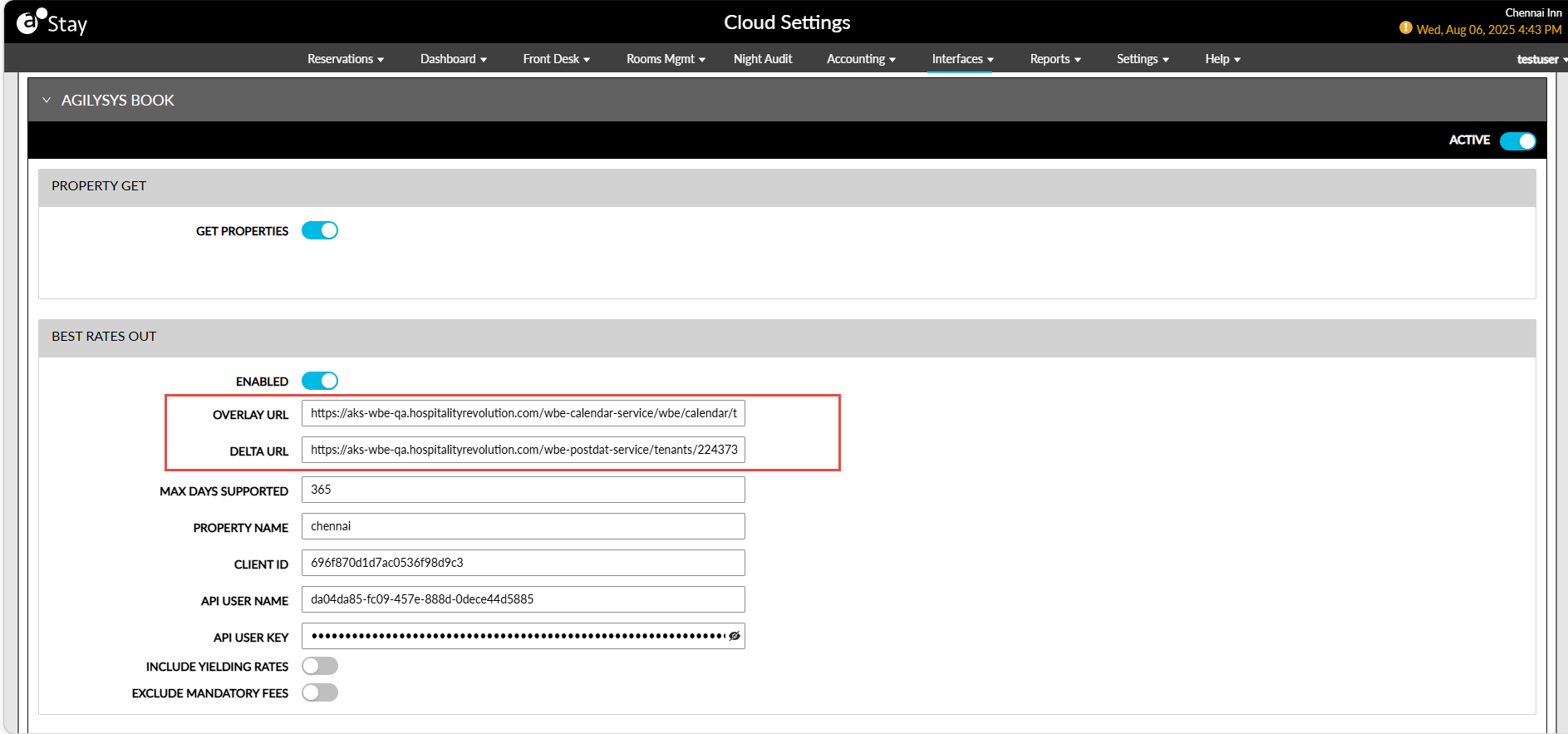
To support this enhancement, a new field, Delta URL, has been added to the Best Rates Out section of the Agilysys Book interface (Interfaces à Cloud Settings à Settings). Users must configure the URL for sending the best available rates along with tax from Stay to Book.
Best Rates Out Full Sync Process
Users can also perform a manual full sync process to send the updated rates to Book. To support this enhancement, the following changes have been made:
-
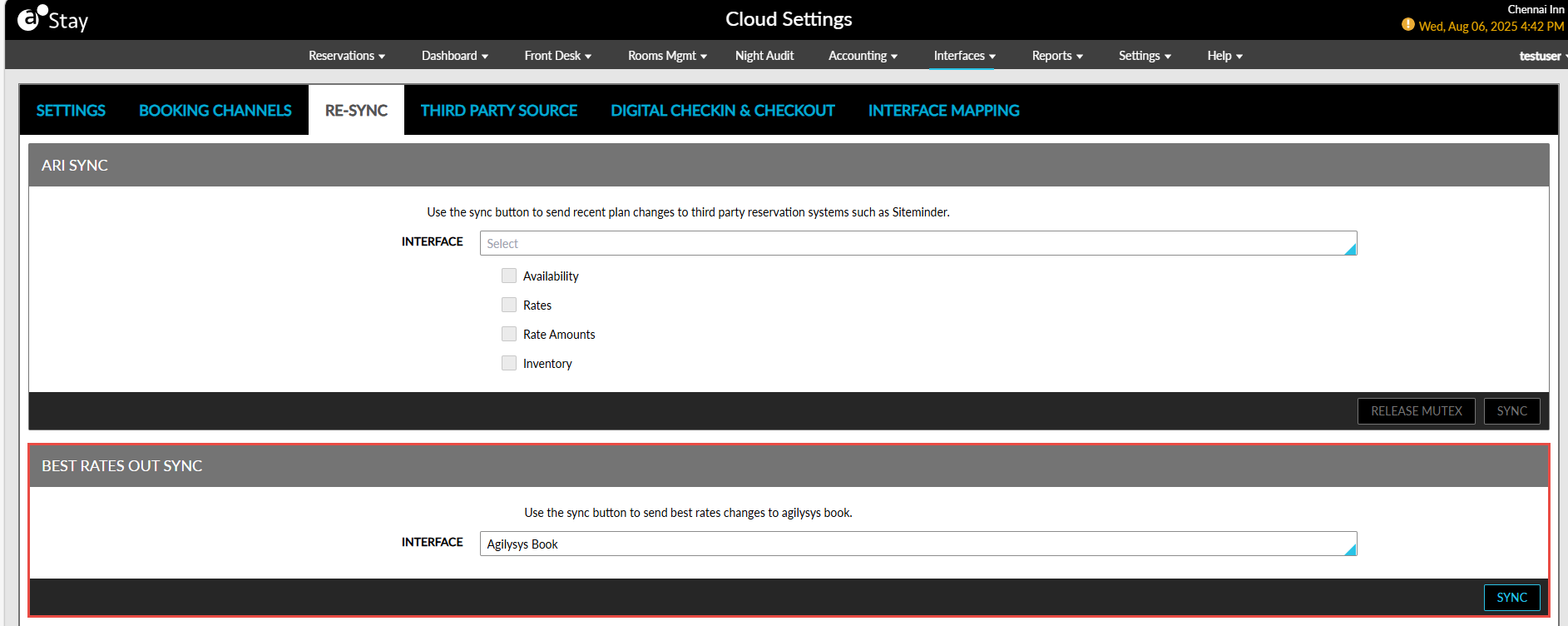
A new section, Best Rates Out Sync, has been added to the Re-Sync tab in the Cloud Settings screen (Interfaces à Cloud Settings à Re-Sync).
This section contains a drop-down list, Interface, that displays the Book interfaces. The Sync button remains disabled until an interface is selected. Once clicked, a full rate sync is performed for the selected rate plans in the booking channels. Updated rates are sent for all the associated rate plans for the next 365 days.
-
The existing field, RBook Rates Out, has been renamed as Overlay URL, in the Best Rates Out section of the Agilysys Book interface. Users must configure the URL for sending the best rates to Book when a full sync is performed for all the rate plans selected in the booking channels.
-
When a full sync is performed, the rate plans are sent as multiple outbound messages instead of a single message. A maximum of 10 rate plans is sent in each message.
-