Accounting
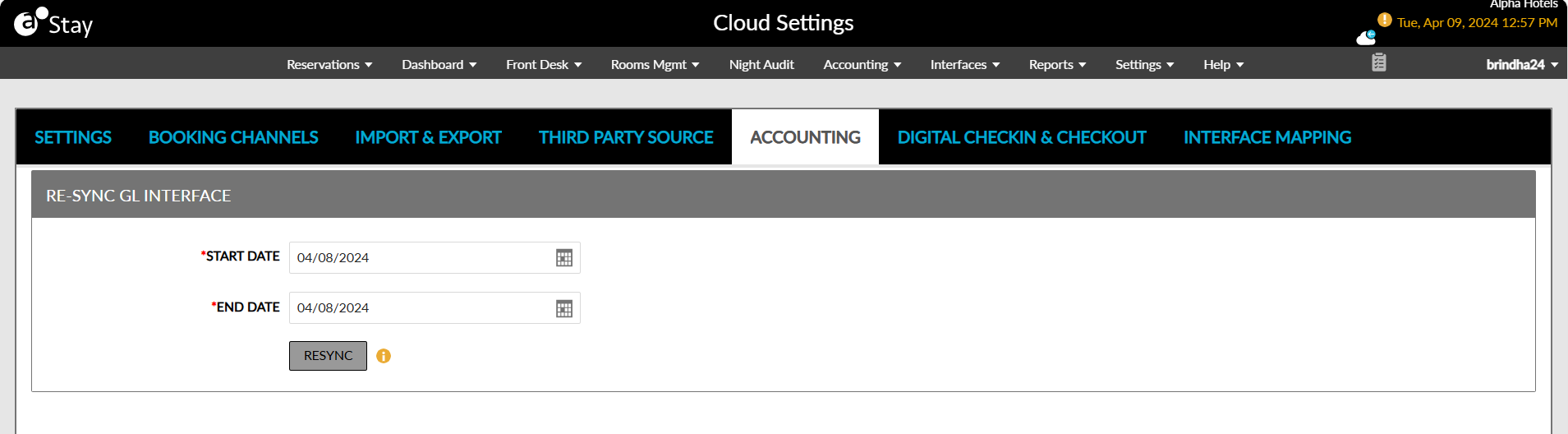
Users can initiate a manual re-sync of the GL transactions from the Accounting tab. Users with the Stay_Resync_GL_Interface permission can perform the re-sync. This tab displays the following fields:
|
Field |
Description |
|---|---|
|
Start Date |
Displays the date prior to the current property date by default. Users can select a date that is a maximum of 60 days prior to the current property date. |
|
End Date |
Displays the date prior to the current property date by default. Users can select a date that is a maximum of 60 days prior to the current property date. |
Users can select a maximum duration of 7 days in the date pickers. The status of the re-sync can be viewed in the API Log tab.