Add a Company and Travel Agent Data Retention Policy
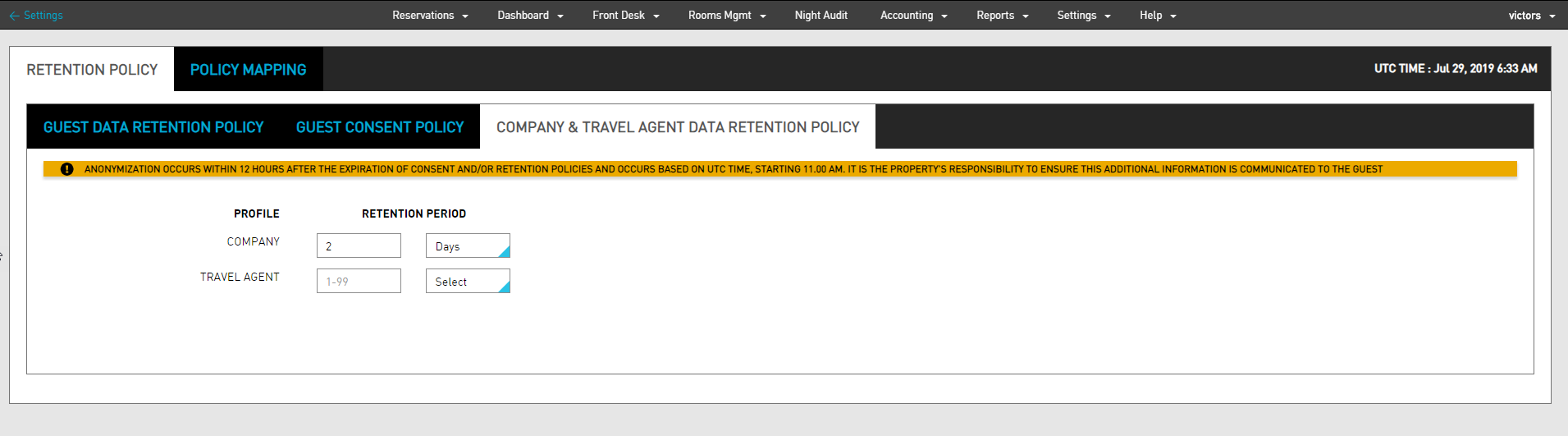
The Company & Travel Agent Data Retention Policy tab allows users to add and update data retention policy and apply them to companies and travel agent profiles.
Perform the following steps to set the policy for retention:
Navigate to Settings ➜ All Settings ➜ Data Retention Management (under General). The Data Retention Management page is displayed.
Navigate to Company & Travel Agent Data Retention Policy in the Retention Policy tab to set the policy for the retention of a guest's data.
Select the retention period for the company by entering the number of days, months, or years.
Select the retention period for travel agent by entering the number of days, months, or years.
Click Save. The data retention policy gets applied to Company and Travel Agent profiles.