Auto Adjust Taxes
When the Auto Adjust Taxes for Resident Guests feature setting is enabled, users can select the tax classes that are applicable for auto adjustment in the Auto Adjust Taxes tab of the Guest Accounting screen. Only the tax classes that are associated with the Residency Tax template can be auto adjusted. Users must select the preferred tax classes and click Save.
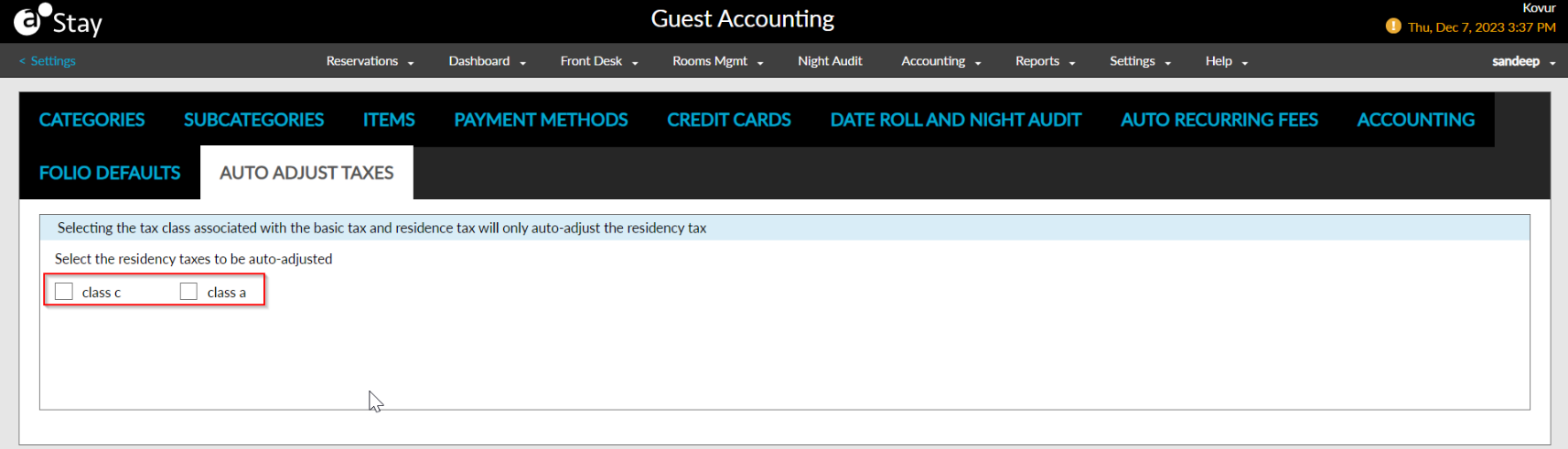
Based on the tax classes selected, the residency tax applied to the reservations until the guest qualifies as a resident is posted as a credit to the reservation folio. The other taxes applied to the reservations are retained. Also, when the transaction/inventory item that is used for posting the residency tax is associated with multiple tax classes, only the residency tax amount is auto adjusted and posted as a credit.