Create an Announcement
Please follow the below instructions to create an announcement.
Navigate to Settings ➜ All Settings ➜ General ➜ Events and Announcements.
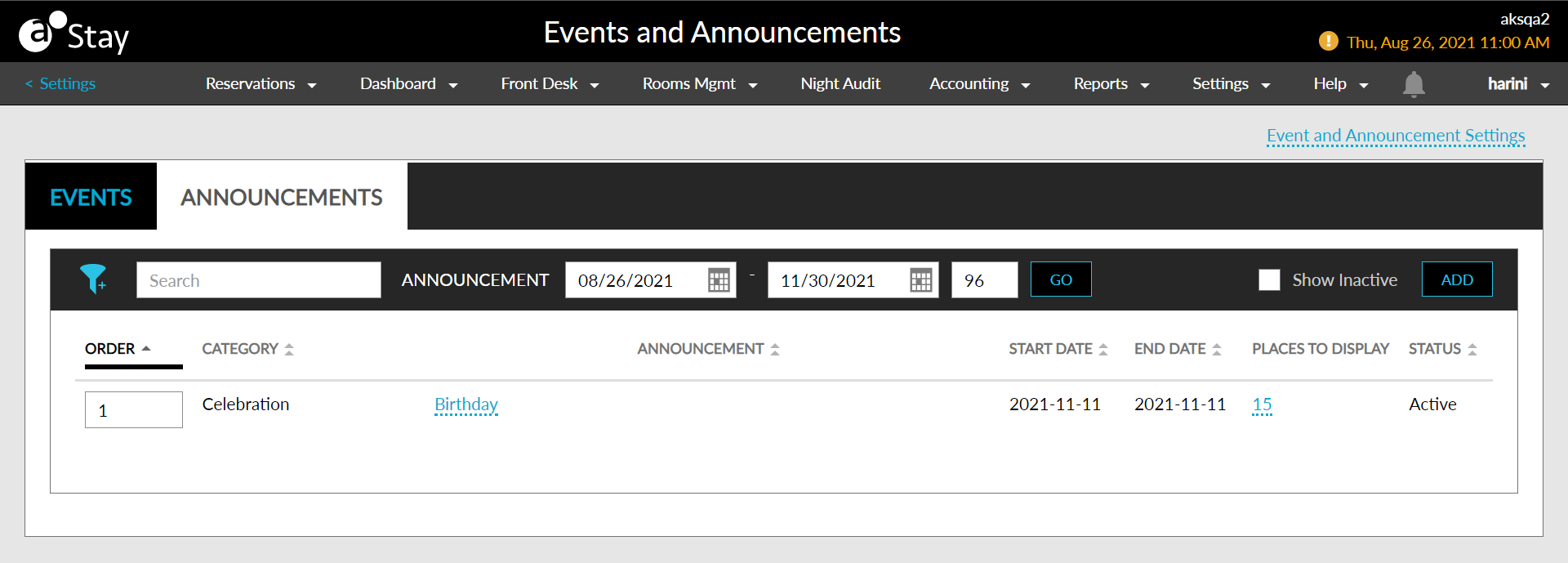
Click on the Announcements tab.
Navigate to and click on the Add button. The Add Announcement screen appears.
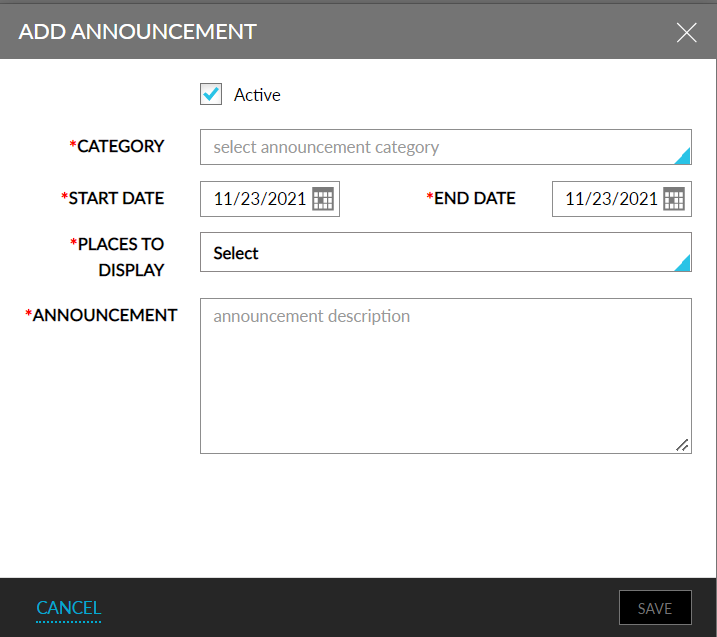
Refer to the below table and update the fields accordingly.
|
Field |
Description |
|---|---|
|
Active |
Enable the checkbox to activate the announcement. |
|
Event Name |
The name of the announcement. |
|
Event Type |
The type of the announcement. |
|
Start Date |
The start date of the announcement. |
|
End Date |
The end date of the announcement. |
|
Event Description |
A brief description about the announcement. |
|
Places to Display |
Places where this announcement must appear. |
Click Save.