General Settings
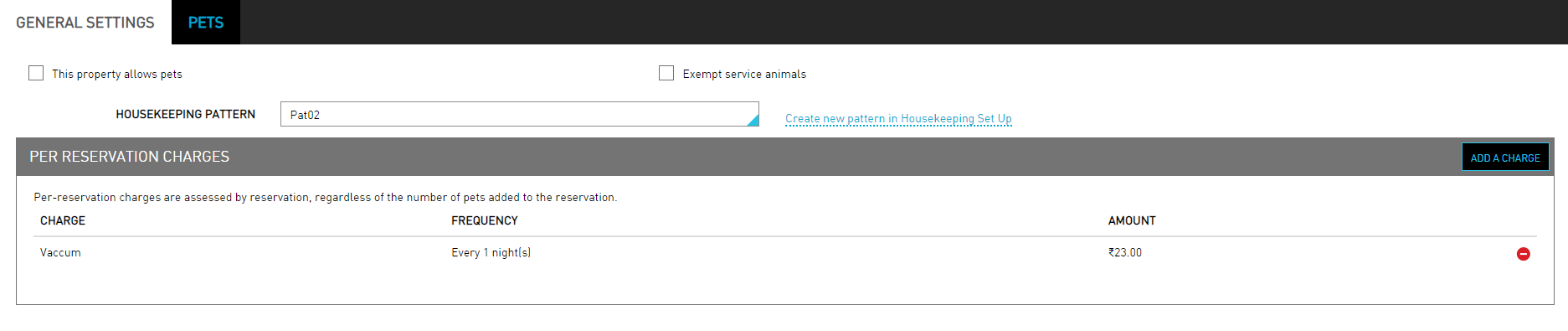
The General Settings tab allows users to activate the settings for pets inside the property.
Perform the following steps to activate pet settings:
Navigate to Settings ➜ All Settings ➜ Pets (under Back of House). The General Settings tab appears by default.
Enable the This property allows pets checkbox to activate the Pet settings in Agilysys Stay.
Enable the Exempt service animals checkbox to exempt service animals from charges.
Select the Housekeeping Pattern field from the dropdown.
Click the Create new pattern in Housekeeping Set Up link to create a new pattern.
Click Add A Charge in the Per Reservation Charges to post a charge towards services for pets.