Group
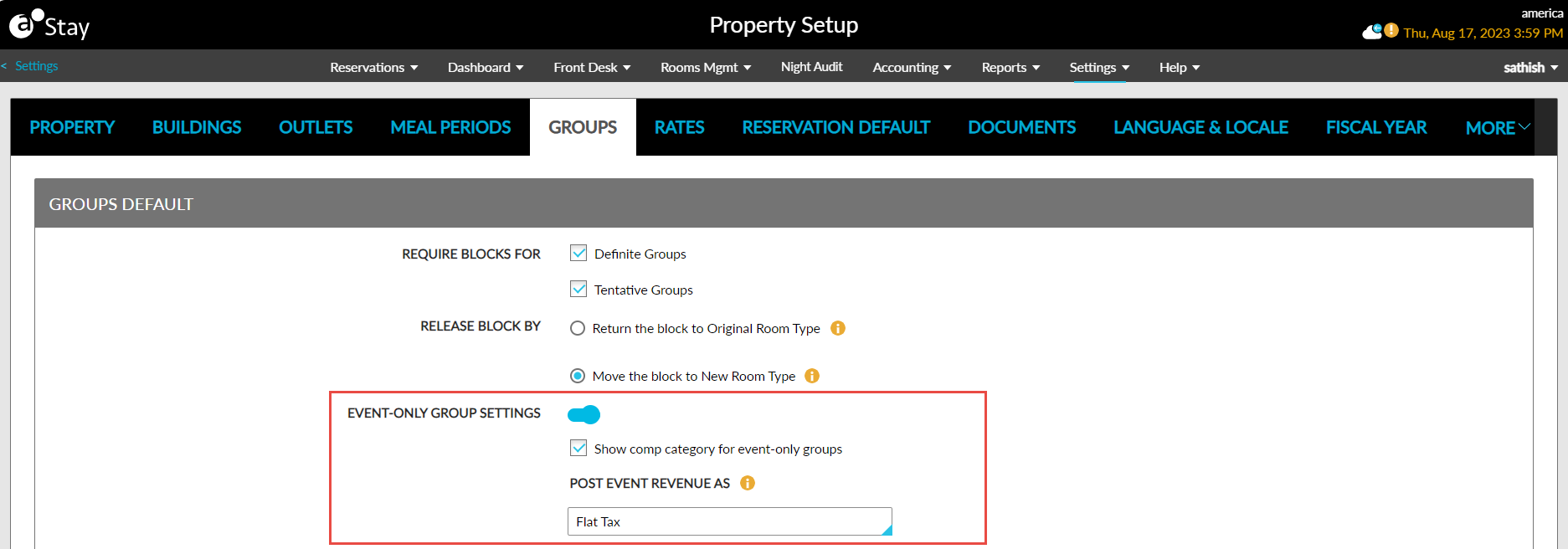
The Group option allows users to set the default group arrival and departure shoulder day(s) for the property. Also, blocks can be made mandatory or non-mandatory during a group booking.
The following sections are available in this tab:
|
Section |
Fields |
Description |
|---|---|---|
|
Groups Default |
Require Blocks For |
|
|
Restrict Undo Cancellation for Groups |
|
|
|
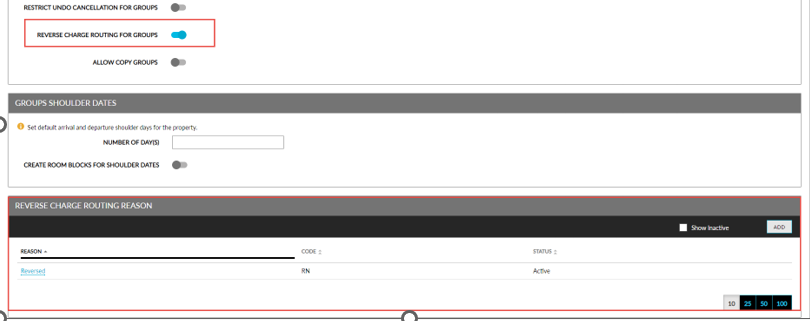
Reverse Charge Routing for Groups |
Enable this flag to reverse the routed charges from a group master. When enabled, the Reverse Charge Routing Reason section appears. |
|
|
Configure Interface Charging Privileges for Group Masters |
Enable this flag to allow users to configure settings to post charges to group masters in the Point of Sale Settings pop-up screen. |
|
|
Allow Copy Groups |
|
|
|
Release Block By |
|
|
|
Event-Only Group Settings |
This flag supports the following functionality:
|
|
|
Show comp category for event-only groups |
|
|
|
Post Event Revenue As |
|
|
|
Cascade Group Third-Party Confirmation Numbers to Reservations |
|
|
|
Groups Shoulder Dates |
Number of Days |
Users can select the default number of dates from this drop-down list. |
|
Create Room Blocks for Shoulder Dates |
|
|
|
Inventory for Shoulder Dates |
The configuration made at the property level will be pre-populated for the created groups. When the configurations are changed at the group level, the changes are applied for the respective group. |
|
|
Reverse Charge Routing Reason |
Displays the reasons configured to be selected when reversing the charges routed to a group master. |
This section displays the following columns:
|