Guest Services
The Guest Services option allows users to add housekeeping guest services other than those related to cleaning.
Perform the following steps to create a new guest service:
Navigate to Settings ➜ All Settings ➜ Housekeeping (under Back of House).
Click Guest Services tab or scroll down the page.
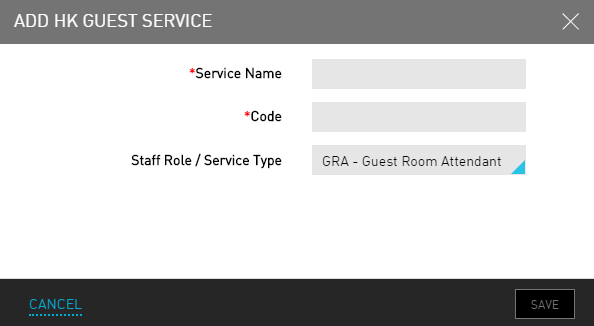
Click Add New. The Add HK Guest Service dialog box appears.
Refer the following table and fill in the fields to add a guest service:
|
Field |
Description |
|---|---|
|
Service Name |
The name of the guest service. |
|
Code |
A unique code to identify the guest service. |
|
Staff Role / Service Type |
The staff role or service type associated with the guest service. |
Click Save. The guest service details are created.