Hotel PMS Status
Users to define the status of a new property created in Stay, or a property onboarded to Stay from a different PMS in this tab. This helps users to track the status of the various properties under a tenant.
Permissions
The following permissions must be enabled to allow users to configure the status of a property:
-
Stay_ReadHotelPMSStatus: When the logged in user is assigned this permission, the Hotel PMS Status tab is displayed with the Status drop-down list.
-
Stay_WriteHotelPMSStatus: When the logged in user is assigned this permission, the status selected for the property in the Status drop-down list can be modified. When the user is not assigned this permission, the Status drop-down list will be displayed as a read-only field and the value selected cannot be modified.
These permissions are assigned to the following roles by default:
-
System Administrator
-
Stay Hotel Manager
-
Department Manager
-
Stay Hotel Supervisor
A new mandatory single-select drop-down list in this tab displays the following options:
|
Field |
Description |
|---|---|
|
Closed |
Indicates that the property is closed for booking. |
|
Live |
Indicates that the property is live and running. |
|
Pre-Cutover |
Indicates the stage the property is in before it goes live. |
|
Sold |
Indicates that the property is sold. |
|
Training |
Indicates that the property is currently in training. This status is prior to the Live status. |
By default, the status is selected as Live. When any status other than Live is selected for a property, an indicator is displayed in Stay next to the date and time.
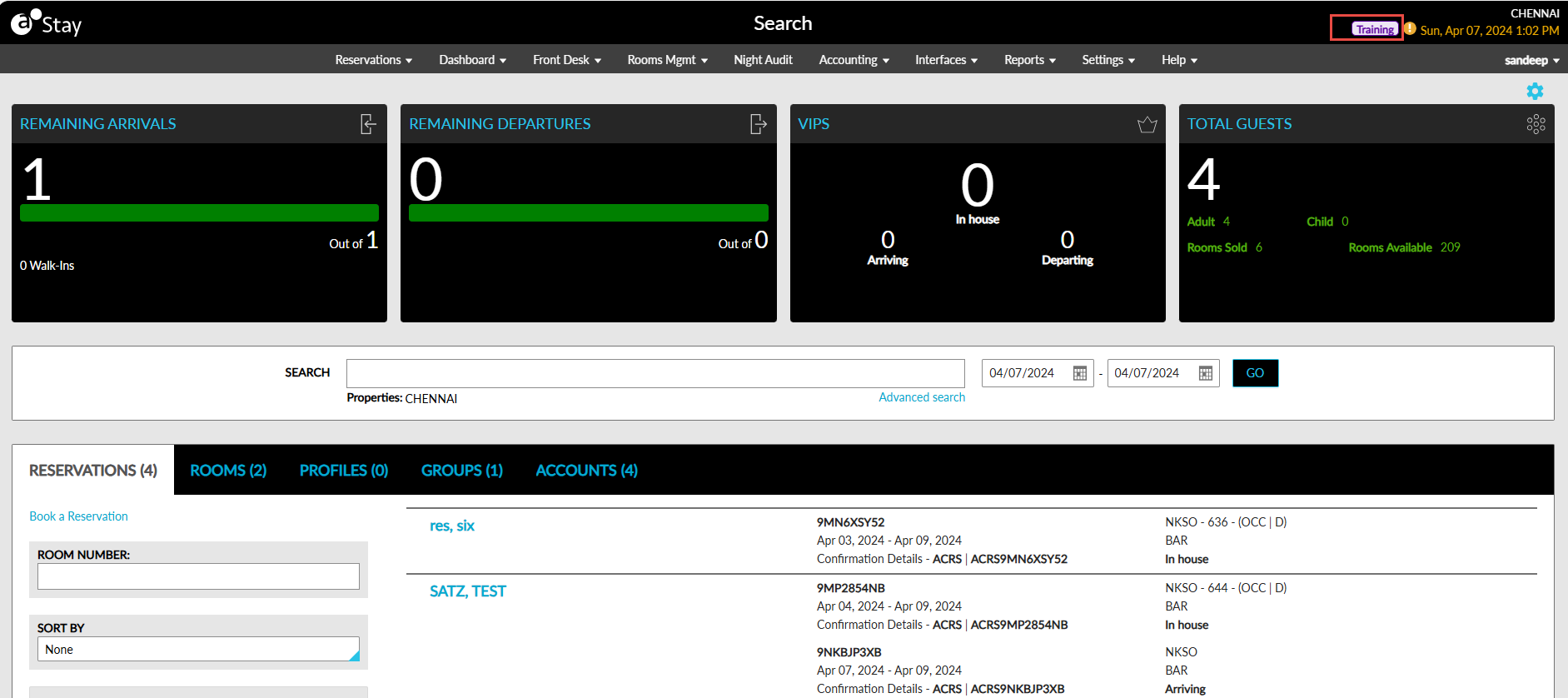
No indicator is displayed when the status is selected as Live.