How to Setup Property Using the Workbook
The section contains information on how a user can set up a profile or reservations with the help of the Profile & Reservations Import tool. The import tool is nothing but a .xlsx file. The sheets in the tool indicate the items that must be configured to set up Stay.
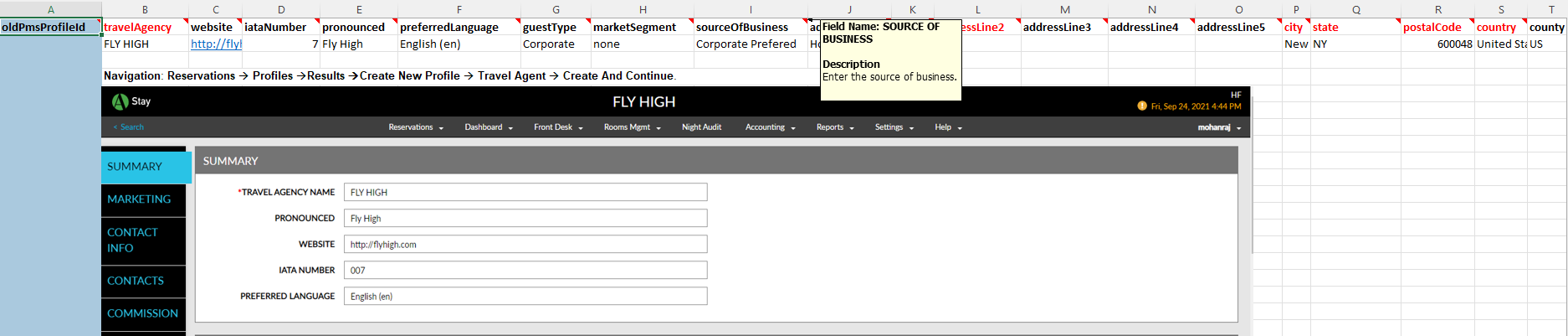
In the sample workbook, each sheet contains the following details:
-
Sample values that will help the user understand what kind of values to fill in sample values that will help the user understand kind of values to fill in
-
The notes in the column header display the following information:
-
Description of the field
-
Datatype supported
-
-
Column headers for mandatory fields are highlighted in red font.
-
The navigation of the configuration items in the application
-
A sample screen of how the records will look within the application