Regional
The Regional option allows users to create new VAT details. The Value Added Tax is a tax model that includes the tax amount, the item's price, and service charges. It is an inclusive tax. On navigating to the Regional settings in Agilysys Stay, users can set the VAT number. Its number plays an essential role while trying to generate a VAT invoice.
Perform the following steps to create the VAT details:
Navigate to Settings ➜ All Settings ➜ General ➜ Property, buildings & outlets.
Navigate to the Regional tab.
Enter the VAT Number field to enter the VAT registration details.
Enable the Hide Charge and Tax Columns checkbox if the amounts and tax columns should be hidden from the user’s view.
Enable the Show Tax Exempt checkbox. It enables the Tax-Exempt links in a reservation.
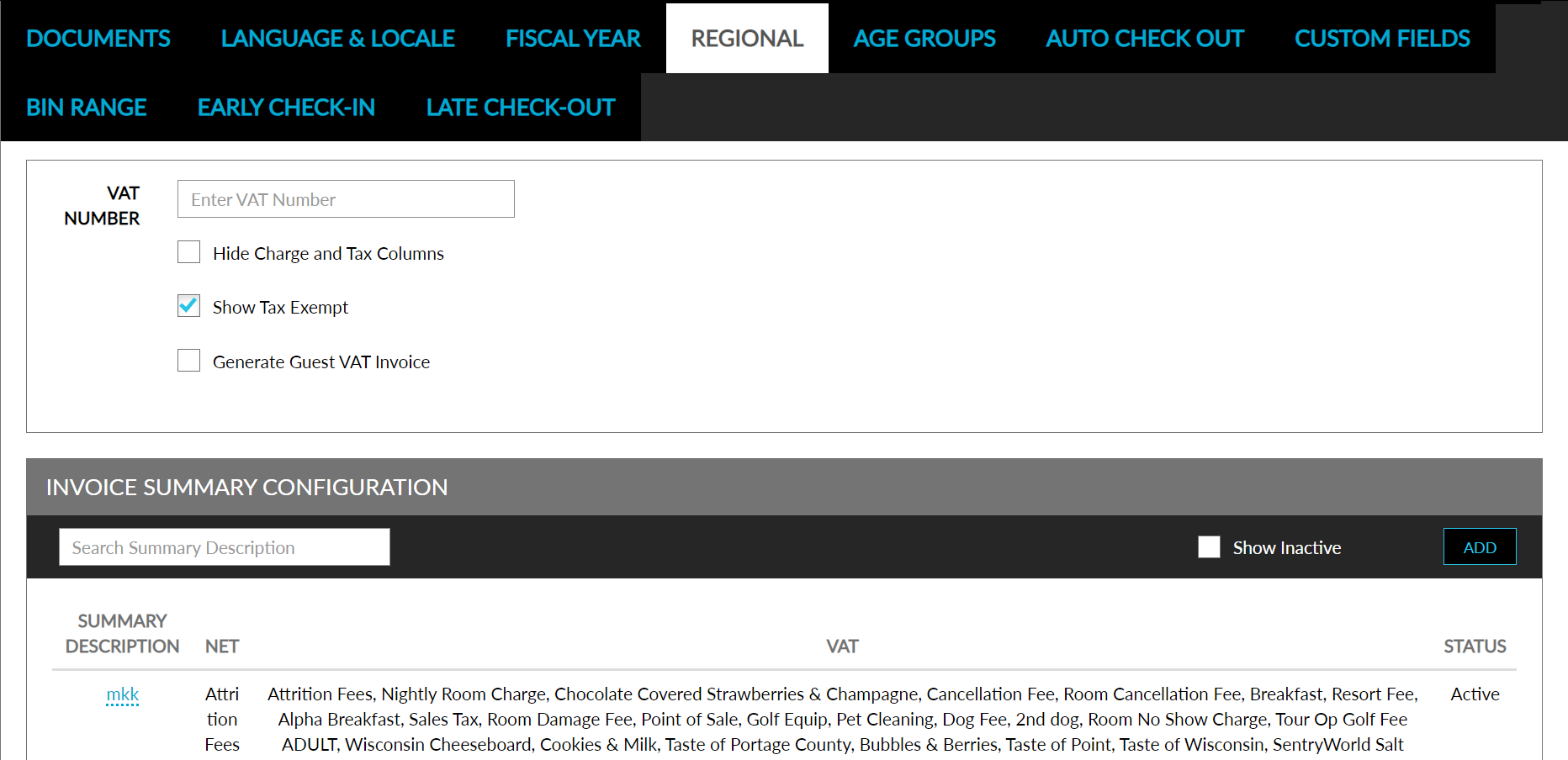
Enable Generate Guest VAT Invoice checkbox to auto-generate invoice email to the guest upon checkout.
Click Save. The VAT details are created successfully.
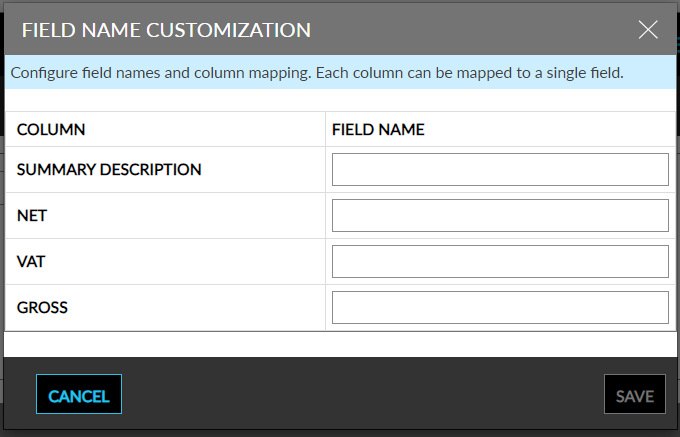
Users can configure column names for each of the following columns by clicking on the Setup button on the Invoice Summary Configuration section on the Regional tab of the Property Setup screen:
-
Summary Description
-
NET
-
VAT
-
Gross
When clicked, the Field Name Customization screen appears that allows users to configure a single field name for each of the mentioned columns. Users can enter a unique field name with a maximum of 50 characters (numeric and special characters) in length for each of the columns.
The configured field names are displayed in the following areas:
-
Reservation and Group sections of the Folio Email & Print tab on the Folio Template Setup screen
-
Tax Invoice Summary print