Registration Card Message
The Registration Card Message option allows users to create a custom message on the registration card that can be printed during the check-in process for the guest to sign. The template provides some sample liability information that users can provide but be sure to modify the text to meet the property’s needs.
Perform the following steps to create a registration card message:
Navigate to Settings ➜ All Settings ➜ Registration Card (under Templates). The Registration Card Message tab appears by default.
Enter a custom Registration Card Message field that describes the property’s liability information, or any other information to be provided. Users can use HTML to format the message.
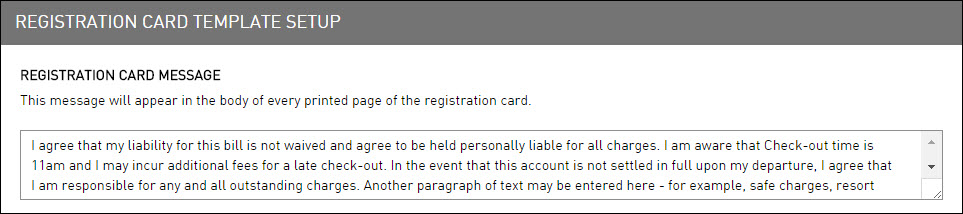
If the message is long, use the arrow keys to move up and down. Or click and drag the corner of the message box to the size needed.
Click Save to save the template.
The Save button appears at the bottom of the page when the user begins to type a message.