Reversing Comps
Users can reverse redeemed comps, and the amount is returned to the comp balance type.
Comp reversal is unavailable for Bally CMP.
Navigate to Reservations ➜ Search.
Search for the reservation in the Search field.
Click Go.
Select the reservation. The Reservation screen is displayed.
Click the Payments tab.
Click Comp Folio.
Select items to be reversed.
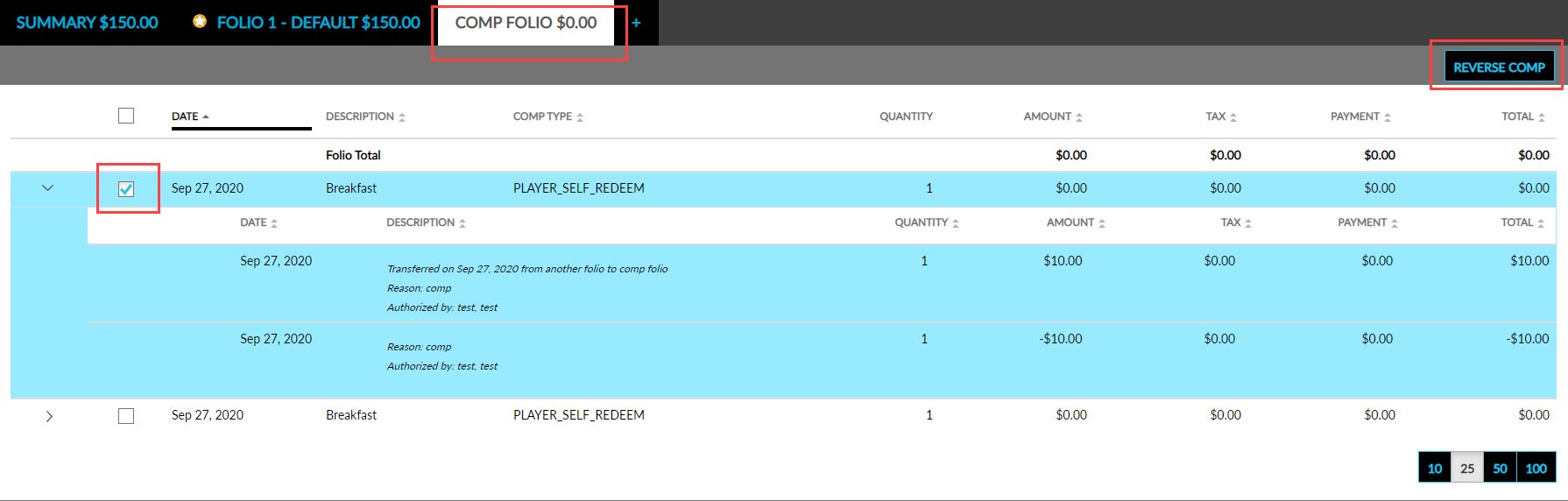
Click the Reverse Comp button. The Reverse Comp pop-up screen opens.
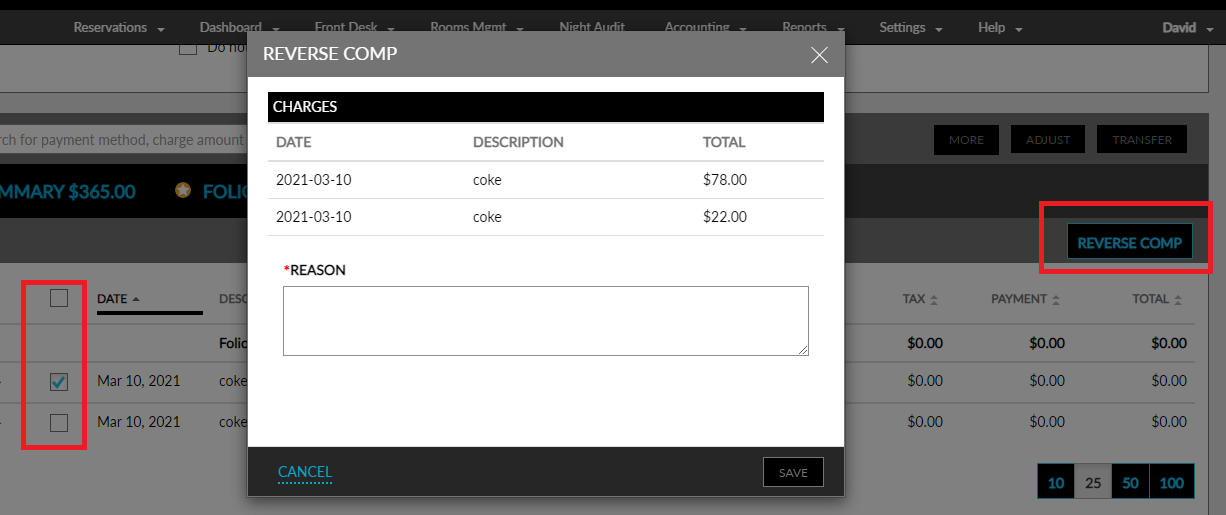
Enter a reason for the reversal in the Reason field.
Click Save. The comps will be reversed back to the comp balance type.