Universal Alerts Log Screen
The Universal Alerts Log screen (Reports ➜ Universal Alerts Log) displays the following details for the created alerts:
|
Column |
Description |
|---|---|
|
Event Name |
Displays the event name. |
|
Event Type |
Displays the event type. |
|
Alert Type |
Displays the type of alert. |
|
Recipients |
Displays the list of roles, departments, users, or email addresses of the recipients of the alerts. This field is marked as NA for reservation alerts. |
|
Date |
Displays the date and time of the alert. |
|
Account |
|
|
Name |
Displays the name of the account for which the alert was triggered.
|
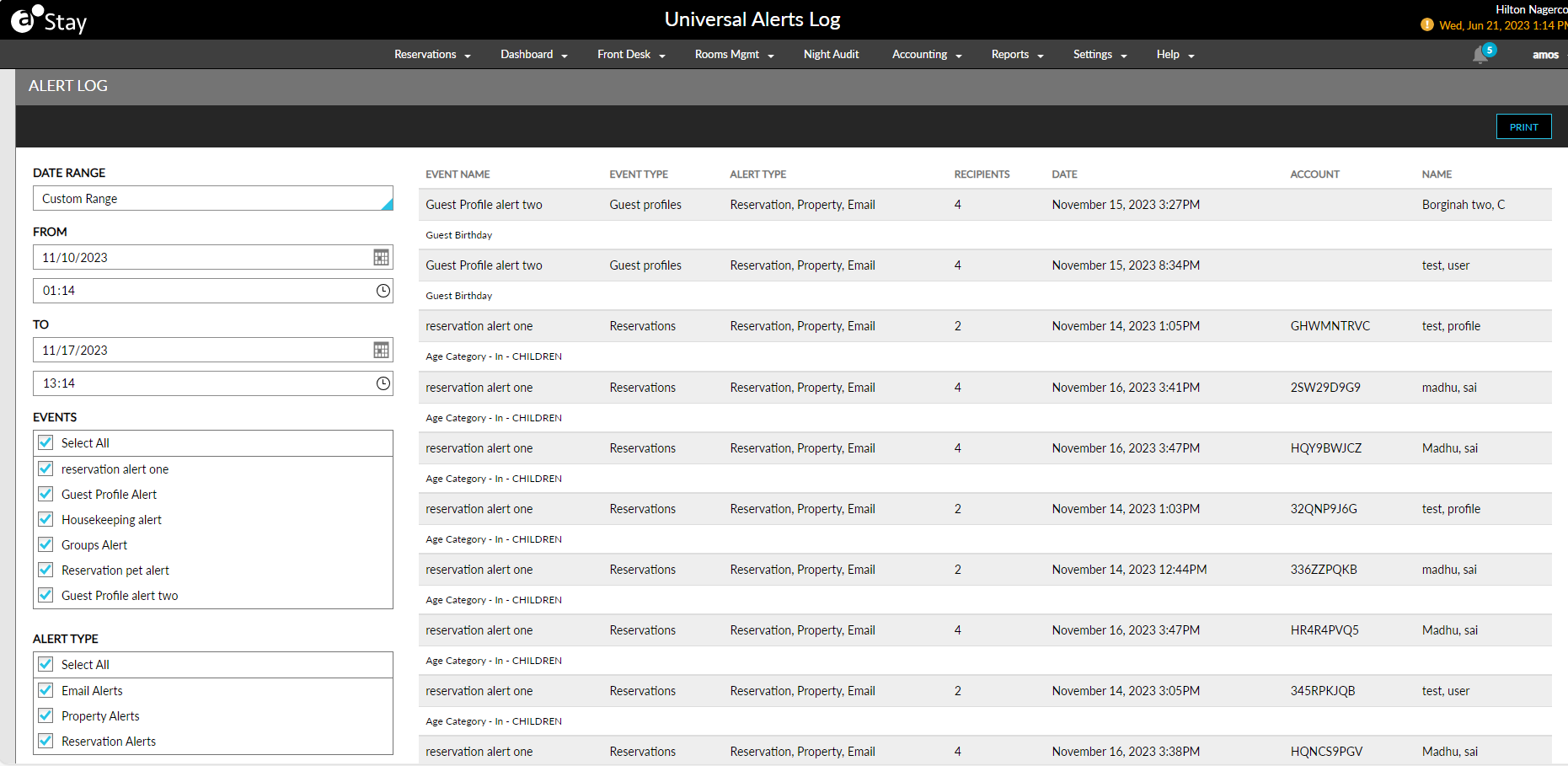
Users can generate the logs by selecting values for the following parameters:
-
Date Range
-
From
-
To
-
Event Name
-
Alert Type
The logs can be sorted, filtered, and searched. Records for the alerts that are created/modified are also created in the Audit Log screen.