AR Unapplied Payments
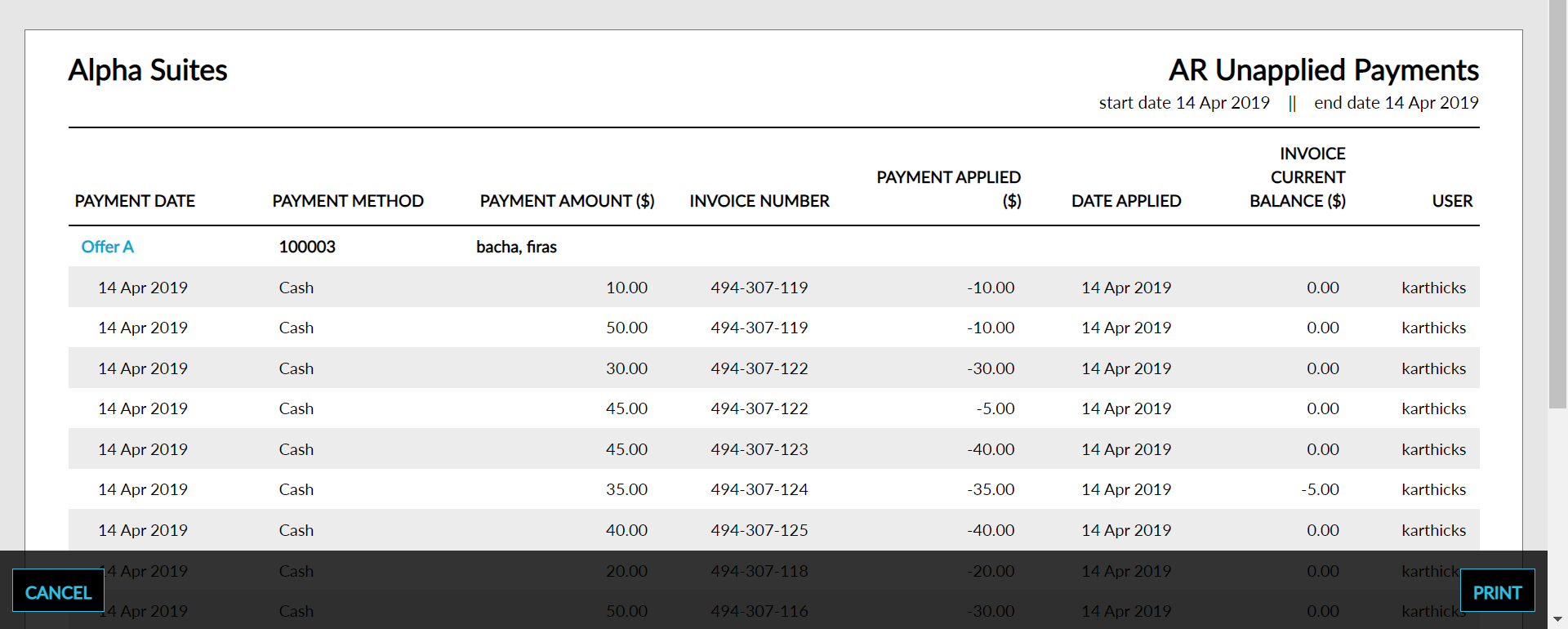
The AR Unapplied Payments report allows users to track all unapplied payments that were applied along with the account information, amount, invoices it was applied to and the details of the date and user.
Perform the following steps to generate the report:
Navigate to Reports ➜ All Reports ➜ AR Unapplied Payments (under Accounting).
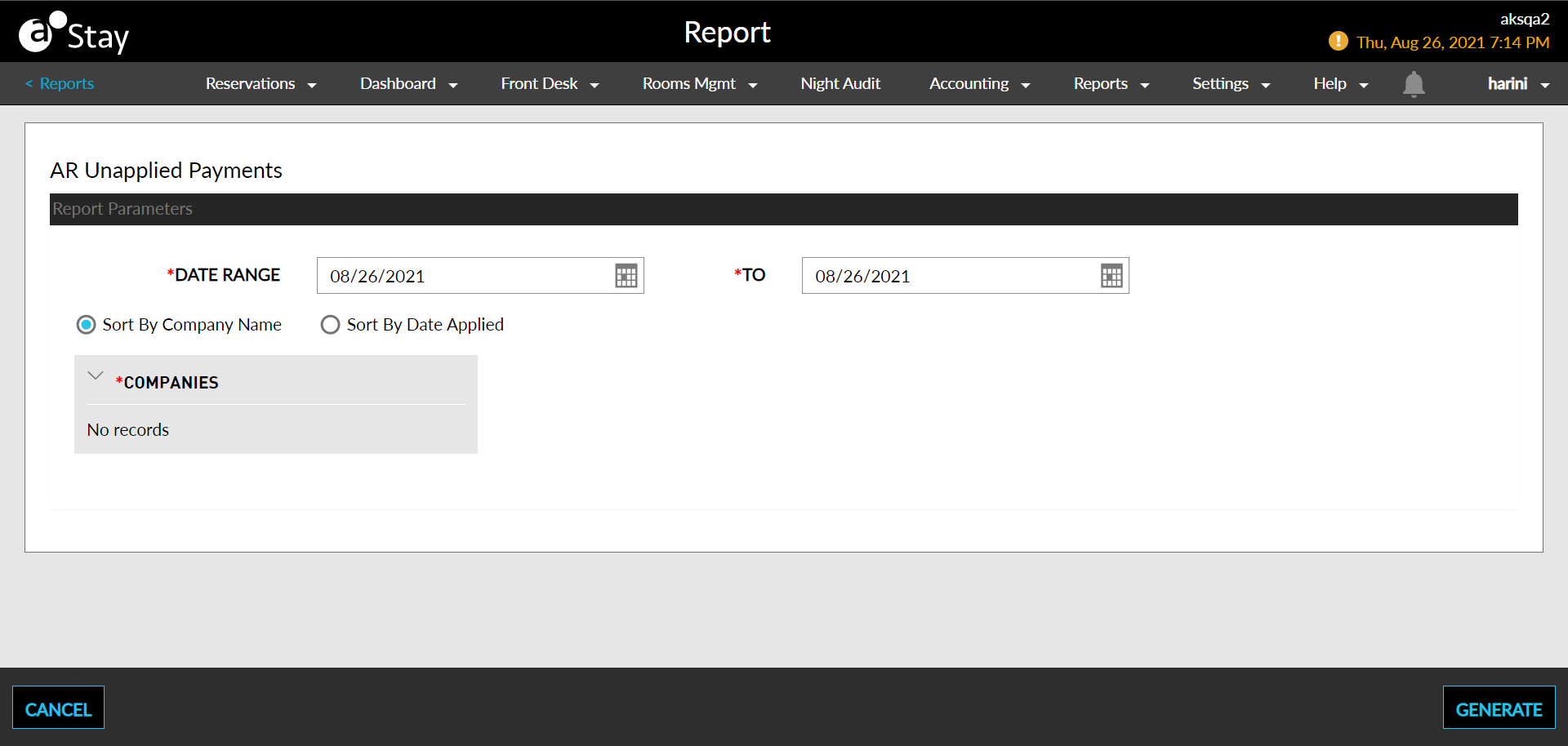
Select the Date Range field from the calendar to generate dates for the report.
The maximum days allowed in the date range is 31.
Choose which sort options to include in the report:
|
Field |
Description |
|---|---|
|
Sort by Company Name |
Sorts the report alphabetically by the Company’s name. |
|
Sort by Date Applied |
Sorts the report alphabetically by the date the payment was applied. |
Select which Companies to include in the report. Select All includes comp and no-rate reservations that occur at least one of the nights within the selected date range.
Click Generate. The report with the selected data appears.
Click Print to send a copy of the report to the printer.
Sample Reports
Report Parameters
This report displays the following parameters:
|
Field |
Description |
|---|---|
|
Payment Date |
The date the payment was made by the company. |
|
Payment Method |
The payment method code associated to the payment made. |
|
Payment Amount |
The sum of all postings identified on the selected date. |
|
Invoice Number |
The number of the invoice. |
|
Payment Applied |
The amount applied to the invoice |
|
Date Applied |
The date the amount was applied to the invoice. |
|
Invoice Current Balance |
The current balance in the invoice. |
|
User |
The user who attempted to make a payment. |