Account Balances Report
The Account Balances report allows users to track the credit limit and available credit of AR accounts and house accounts, the start date and end date of AR accounts, and the property associated with the accounts.
Perform the following steps to generate the report:
Navigate to Reports ➜ Dynamic Reports ➜ Accounting ➜ Account Balances report.
Refer to the following table and fill in the fields.
|
Field |
Description |
|---|---|
|
Report Name |
Account Balances |
|
Property |
This is a mandatory multi-select drop-down list that allows users to select the properties to be included in the generated report. |
|
For Date |
This is a mandatory field that allows users to select a date from which records must be generated in the report. By default, the current property date is displayed. Users can select both past and future dates. |
|
Include Zero Balance A/R and House Account |
When selected, the A/R and house accounts with zero balances will be included in the report. |
|
Account Types |
The account types to be included in the report. This is an optional multi-select drop-down list that displays the following options:
|
|
Account Status |
The account status of the accounts to be included in the report. This is an optional multi-select drop-down list that displays the following options:
|
|
Payment Methods |
The payment methods to be included in the report. This is an optional multi-select drop-down list that displays the payment methods available in the property. |
|
Threshold Amount |
This is an optional field that allows users to enter a threshold amount for the credit limit of AR accounts.
|
Click Run to generate the report.
Click Save to save the report under User Favorites section.
Sample Report
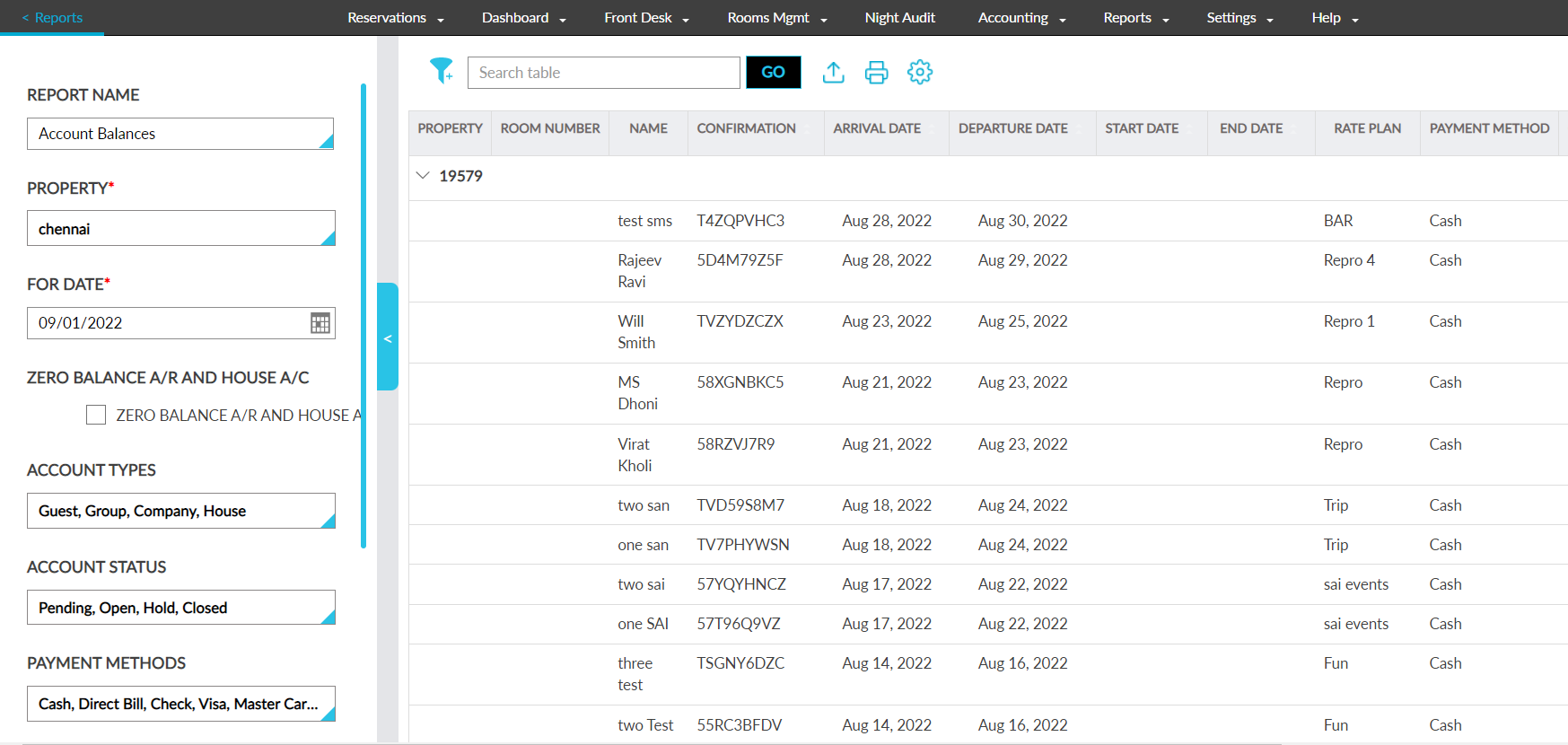
Report Fields
This report displays the following fields:
|
Field |
Description |
|---|---|
|
Property |
The property ID of each property selected for report generation is displayed with an accordion. When the accordion is expanded, values are displayed for each property, for the remaining columns. This column can be filtered. |
|
Room Number |
The room number assigned to the reservation. |
|
Name |
The guest name associated with the reservation. |
|
Confirmation |
The confirmation ID of the reservation. This column can be sorted. This column can be filtered. |
|
Arrival Date |
The arrival date of the reservation. This column can be sorted. |
|
Departure Date |
The departure date of the reservation. This column can be sorted. |
|
Start Date |
The start date set for the A/R account in the property. This column can be sorted. This column can be filtered. |
|
End Date |
The end date set for the A/R account in the property. This column can be sorted. This column can be filtered. |
|
Rate Plan |
The rate plan associated with the reservation. When the reservation has multiple rate plans, the rate plan currently in effect is displayed on the report. This column can be filtered. |
|
Payment Method |
The primary method of payment for the account. For example, cash, credit card, direct bill. This column can be filtered. |
|
Credit Limit |
The credit limit set for the house account and A/R account. This column can be sorted. |
|
Account Balance |
The sum of all folios associated with the account. This column can be sorted. |
|
Available Credit |
The difference between credit limit and account balance of the account. This column can be sorted. |
|
Account Status |
The status of the account. This column can be filtered. |
|
Account Type |
The type of the account, that is, A/R account or house account. This column can be filtered. |
|
Group |
The group name associated with the account. This column can be filtered. |
|
Card Subtype |
The card subtype configured for the primary credit card payment associated with the account. This column can be filtered. |