Advance Payment/Deposit Report
The Advance Payment/Deposit Report (Dynamic) previously called the Reservation Deposit Report (Dynamic) tracks the deposit amount collected for reservations and groups. This report displays records based on the arrival and departure dates of reservations that contain an advance payment/deposit.
Perform the following steps to generate the report:
Navigate to Reports ➜ Dynamic Reports ➜ Guests/Reservations ➜ Advance Payment/Deposit report.
Refer to the following table and fill in the fields.
|
Field |
Description |
|---|---|
|
Report Name |
Advance Payment/Deposit |
|
Start Date |
The start date from which the report must be generated. |
|
End Date |
The end date up to which the report must be generated. |
|
View By |
This is a single-select drop-down list that displays the following options:
|
|
Above Property Payment |
This is an optional single-select drop-down list that displays the following options:
|
Click Run to generate the report.
Click Save to save the report under User Favorites section.
Sample Report
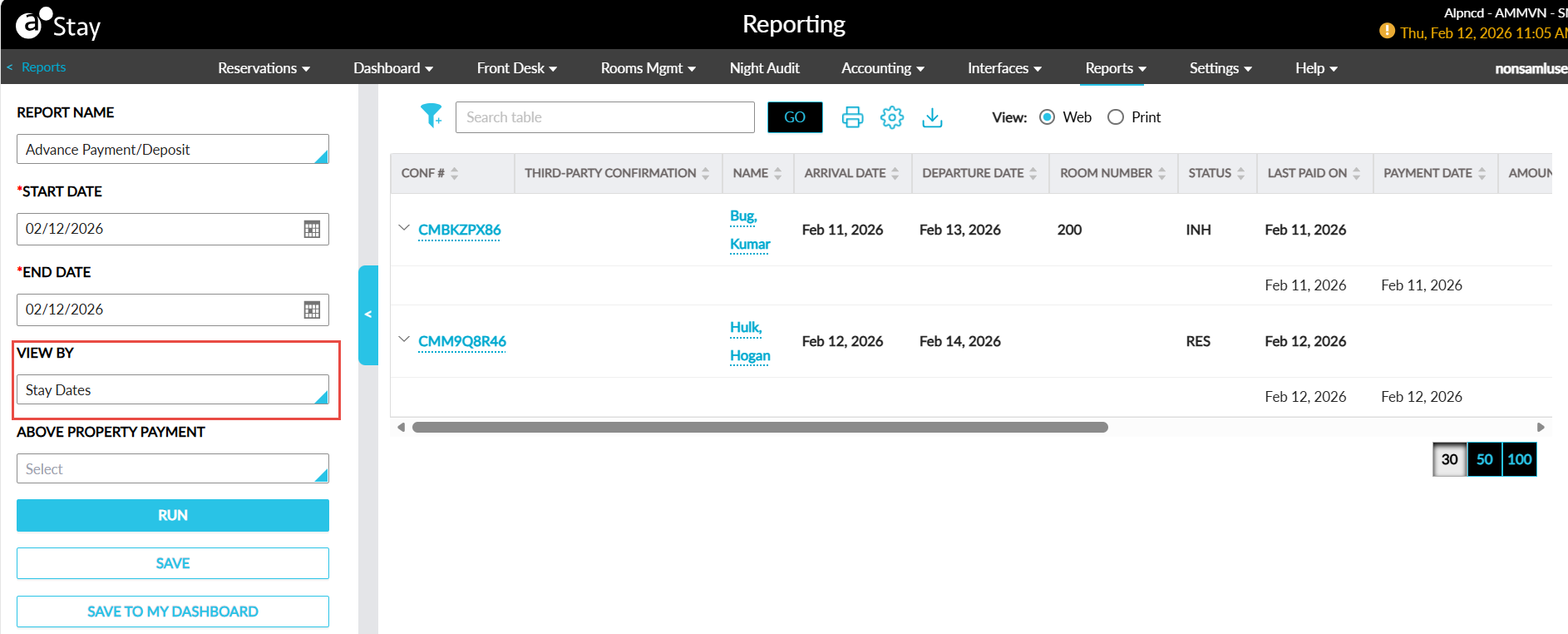
Report Fields
This report displays the following fields:
|
Field |
Description |
|---|---|
|
Conf # |
Displays the confirmation ID of the reservation or the group code of the group for which a payment or deposit was made. |
|
Third-Party Confirmation |
The third-party confirmation number for the reservation if applicable. |
|
Type |
This column will be displayed only when the Deposit policy for Group feature setting is enabled. This column displays the type of the account (reservation/group) for which a payment or deposit was made. |
|
Name |
Displays the guest name associated with a reservation or group for which a payment or deposit was made. |
|
Arrival Date |
Displays the arrival date of the reservation or group, or the arrival shoulder date of the group for which a payment or deposit was made. |
|
Departure Date |
Displays the departure date of the reservation or group, or the departure shoulder date of the group for which a payment or deposit was made. |
|
Room Number |
Displays the room number assigned to the reservations for which a payment or deposit was made. |
|
Status |
Displays the status of the reservation or group for which a payment or deposit was made. |
|
Last Paid On |
Displays the date when the last payment was made for a reservation or group. |
|
Payment Date |
Displays the date when a payment was made for a reservation or group in the selected date range. |
|
Amount Collected |
Displays the amount for which the payment was made. |
|
Method of Payment |
Displays the payment method used for making the payment for a reservation or group. |
|
GL code |
Displays the GL code of the transaction. |
|
Deposit Balance |
Displays the deposit balance of the reservation or group for which a payment or deposit was made. |