Advance Payment/Deposit
The Advance Payment/Deposit report allows users to view a list of reservations for which an advance payment or deposit has been collected. This report cannot be run for past dates.
Perform the following steps to generate the report:
Navigate to Reports ➜ All Reports ➜ Advance Payment/Deposit (under Guests/Reservations).

Select the dates from the calendar to generate dates for the report.
Click Generate. The report with the selected data appears.
Click Print to send a copy of the report to the printer.
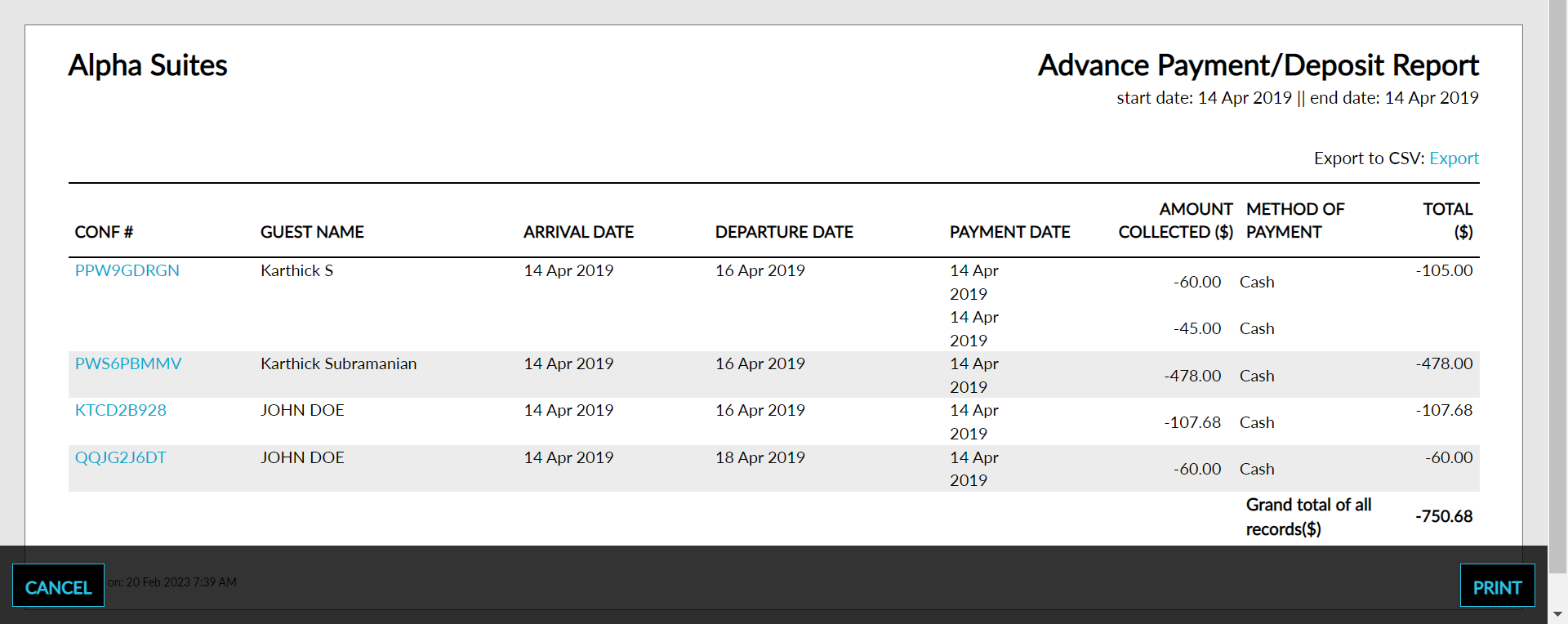
Sample Report
Report Parameters
This report displays the following parameters:
|
Field |
Description |
|---|---|
|
CONF# |
The reservation confirmation number. |
|
Guest Name |
The name of the guest from whom an advance or deposit was collected. |
|
Arrival Date |
The date of arrival of the guest. |
|
Departure Date |
The date of departure of the guest. |
|
Payment Date |
The date the payment was made by the guest. |
|
Amount Collected |
The amount that was collected from the guest. |
|
Method of Payment |
The method of payment used to make the payment. |
|
Total |
The total amount that was collected from the guest as a deposit. |