Comments
The Comments report allows users to view the list of comments that have been added to reservations. As a property manager, the user can use this information to manage guest expectations and preferences. When a confirmation number or group is available, it’s linked to the reservation and opens in a separate tab when selected. It’s not available if it does not appear in the report.
Perform the following steps to generate the report:
Navigate to Reports ➜ All Reports ➜ Front Desk ➜ Comments.
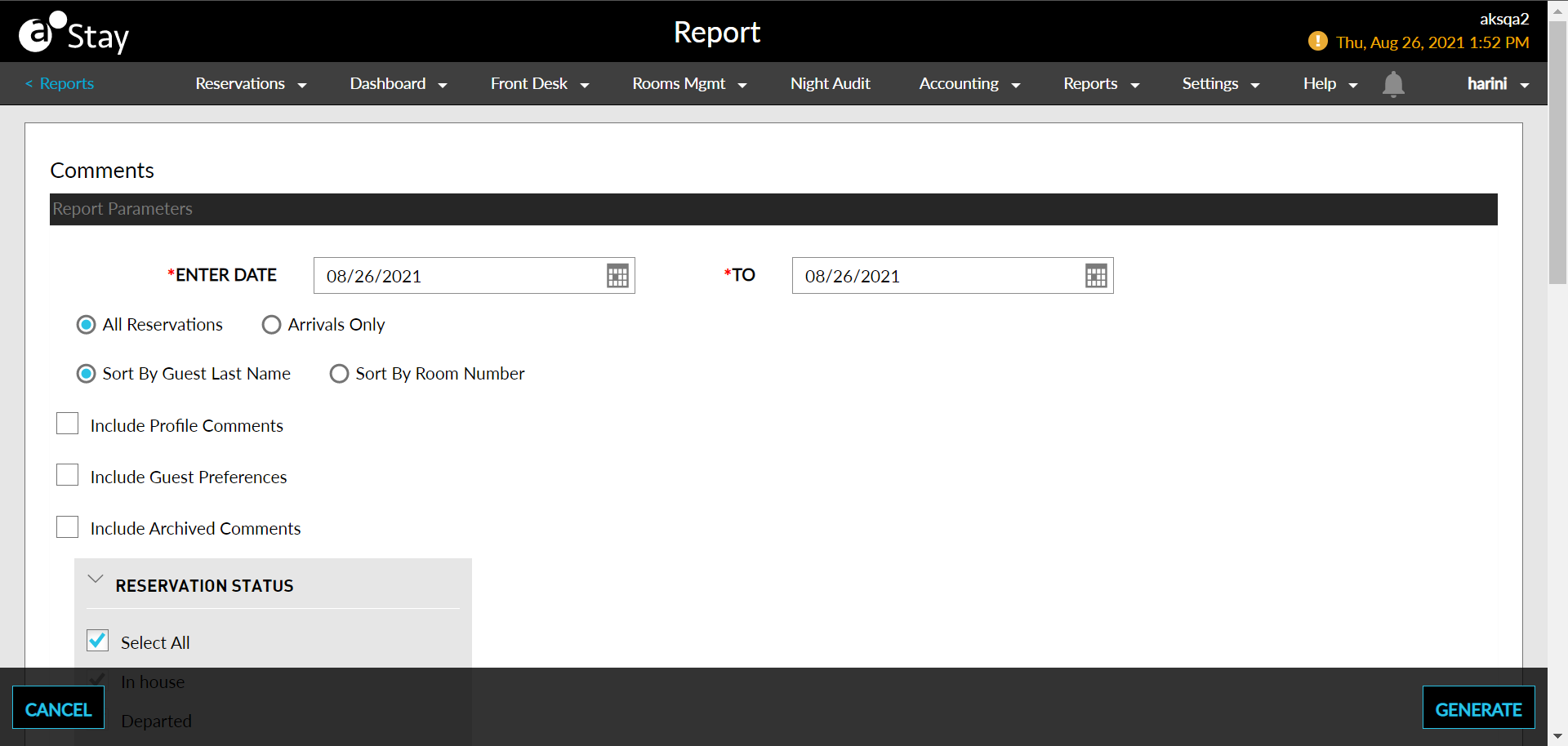
Select a date from the calendar to generate dates for the report.
Select the All Reservations radio button to include all reservations in the report.
Select the Arrivals Only radio button to include only arrivals in the report.
Choose which sorting options to include in the report:
|
Field |
Description |
|---|---|
|
Sort by Guest Last Name |
Sort by Guest Last Name |
|
Sorts by Room Number |
Sorts the report alphabetically by guest’s room number. |
Choose the checkbox under Reservation Status to include in the report:
|
Field |
Description |
|---|---|
|
Select All |
Includes all account statuses. |
|
In House |
Guests who are checked in and on the property. |
|
Departed |
Guests who already departed. |
|
Reservation |
Guests who have reservations on a future date and have not checked in. |
|
Cancelled |
Guests who abandoned their reservations, including walk-in and no-show reservations. |
|
No Show |
Guests who had guaranteed reservations but have not cancelled or arrived at the property. |
Choose the comment type to include in the report.
Choose the comment importance to include in the report.
Click Generate. The report with the selected data appears.
Click Print to send a copy of the report to the printer.
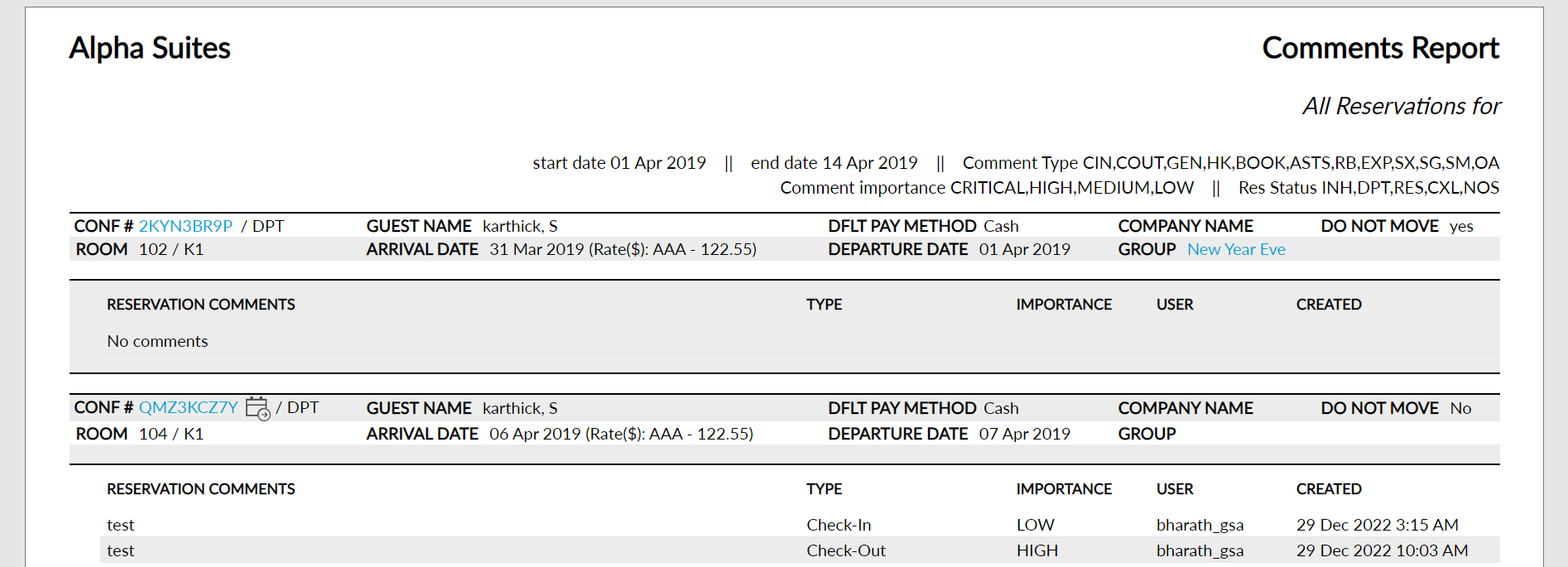
Sample Report
Report Parameters
This report displays the following parameters:
|
Field |
Description |
|---|---|
|
Room Type/Room Number |
The type of room and room number that the guest is staying in, if assigned. |
|
Confirmation Number |
The confirmation number on the reservation. |
|
Guest Name |
The guest name on the reservation. |
|
Arrival Date |
The arrival date for the reservation. |
|
Departure Date |
The departure date for the reservation. |
|
Group |
The group name on the reservation. |
|
Company |
The company name on the reservation. |
|
Comment |
The comment entered when the guest service agent made the reservation. |
|
Comment Type |
The type of comment:
|
|
Comment Importance |
The severity of each comment:
|
|
User Name |
The name of the guest service agent that entered the comment. |
|
Time |
The time that the guest service agent entered the comment. |
|
Edited |
Indicates that the comments have been edited. |
|
Deleted |
Appears if a comment was deleted. |
|
Source of Comment |
The origin of the comment. For example, reservation or a profile. |