Coupon Activity Report
The Coupon Activity report allows users to track the e-coupons used for reservations.
Perform the following steps to generate the report:
Navigate to Reports ➜ Dynamic Reports ➜ Guests/Reservations ➜ Coupon Activity.
Refer to the following table and fill in the fields.
|
Field |
Description |
|---|---|
|
Report Name |
Coupon Activity |
|
Property |
This is a single-select drop-down list that displays the properties available under a tenant. Users can select the preferred property for which the report must be generated. |
|
Start Date |
The start date from which the report must be generated. By default, the current property date is selected. Users can select a date that is a maximum of 365 days in the past. |
|
End Date |
The end date up to which the report must be generated. By default, the current property date is selected. Users can select a date that is a maximum of 365 days in the past. This report can be generated for a maximum duration of 30 days. |
|
Status |
This is a multi-select drop-down list that displays the following options:
Users can select the preferred coupon statuses. |
|
Group By |
This is a single-select drop-down list that displays the following options:
|
Click Run to generate the report.
Click Save to save the report under User Favorites section.
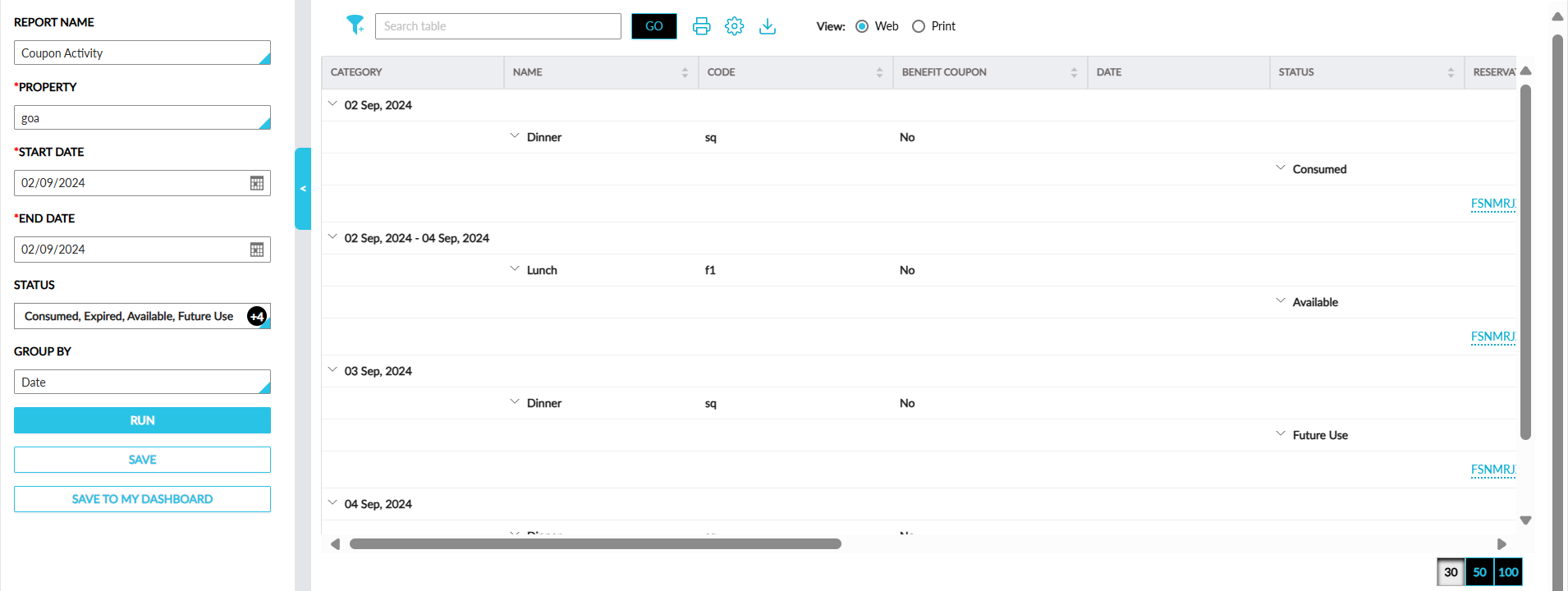
Sample Report
Report Fields
This report displays the following fields:
|
Field |
Description |
|---|---|
|
Category |
This column displays details based on the Group By value selected. By default, the records are grouped based on date. Users can filer records based on category. |
|
Name |
The coupon name configured with Stay is displayed with an accordion. This column can be sorted. |
|
Code |
The coupon code configured in Stay. Users can search for a record using the coupon code. This column can be sorted. |
|
Benefit Coupon |
Displays Yes or No depending on the loyalty/non-loyalty status of the coupon. This column can be sorted. |
|
Status |
Displays the status of the coupon (Available, Consumed, Expired, or Future Use) with an accordion. Users can filter records based on the status. Users can search for a record using the coupon status. This column can be sorted. |
|
Date |
The dates selected in the date range. The coupons with the Per Stay validity in the selected date range are displayed for each date in the selected date range. Users can filter records based on dates. |
|
Reservation |
The confirmation ID of the reservation to which the coupon is applied is displayed as a hyperlink. When clicked, users are navigated to the reservation. Users can search for a record using the confirmation ID. |
|
External Confirmation Number |
The confirmation number for reservations booked through ACRS. |
|
Guest Name |
The guest name associated with the reservation displayed as a hyperlink. When clicked, users are navigated to the guest profile. Users can search and filter records based on the guest name. This column can be sorted. |
|
Member ID |
The member ID of the loyalty program added to the coupon. |
|
Loyalty Tier |
The tier details of the loyalty program associated with the guest. |
|
Value Consumed |
The amount redeemed for a charge using the coupon. This column can be sorted. |
|
Applied For |
The item name for which the coupon is applied. This column can be sorted. |
|
Routed To |
The house account name to which the charges are routed using the coupon displayed as a hyperlink. When clicked, users are navigated to the house account. Users can search and filter records based on the house account to which charges are routed. |
|
User |
Displays the username of users based on the following status of the coupon:
|