Ledger Detail
The Ledger Detail report allows users to monitor the activity within and between the A/R, City, Deposit and Guest ledgers. This includes the beginning balance, ending balance, details, and totals by item broken down into groupings by posting type for each ledger. As a property manager, user can use this statistical information to analyze the property’s sources of revenue for the selected date.
The city ledger is made up of the following balances:
-
House Accounts
-
Group
-
Guest
Company is never included on City Ledger.
Refer to the table below for details on all ledger postings:
|
Status |
Account Status |
Transaction Type |
Ledger |
|---|---|---|---|
|
AR Accounts |
|||
|
Open |
Open |
All |
|
|
Closed |
Closed |
All |
|
|
Group |
|||
|
Prior to Group Arrival Date |
Pending |
Charge Adjustment, Charge Credit |
City |
|
Payment, Refund, Payment Credit |
Deposit |
||
|
In House (>= Arrival Date and <= Departure Date) |
Open |
All |
City |
|
Departed (> Departure Date) |
Closed |
All |
City |
|
Cancelled |
Closed |
All |
City |
|
Reservations |
|||
|
Reserved (Prior to Check-In/Arrival) |
Pending |
Charge Adjustment, Charge Credit |
City |
|
Payment, Refund, Payment Credit |
Deposit |
||
|
In House (Checked-In) |
Open |
All |
Guest |
|
Checked Out |
Closed |
All |
City |
|
Cancelled |
Closed |
All |
City |
|
House Accounts |
|||
|
All (Open, Closed) |
All (Pending, Open, Closed) |
All |
City |
When payment is made for reservations with the Make Payment as Deposit flag enabled, the deposit due for the reservation will be settled and the payment will be tracked in the Deposit Ledger. The payments made with the flag disabled will be tracked in the City Ledger.
For Check-Ins
-
From the deposit ledger, all payments, refunds, payment credits are moved to the guest ledger during check in and are then moved to the city ledger during check out.
-
From the city ledger, all charges, adjustments, charge credits are moved to the guest ledger during check in and are then moved to the city ledger during check out.
For Undoing Check-In
-
From the city ledger all payments, refunds and payment credits are first moved to the guest ledger and are then moved to the deposit ledger, to undo check in.
-
From the city ledger all charges, adjustments and charge credits are first moved to the guest ledger and are then moved to the city ledger, to undo check in.
For Cancellations
-
From the deposit ledger, all payments, refunds, payment credits are moved to the city ledger during cancellation.
-
From the city ledger, all charges, adjustments, charge credits are moved to the city ledger during cancellation.
Undo Cancel
-
From the city ledger all payments, refunds and payment credits are moved to the deposit ledger to undo cancel.
-
From the city ledger all charges, adjustments and charge credits are moved to the city ledger to undo cancel.
Perform the following steps to generate the report:
Navigate to Reports ➜ All Reports ➜ Ledger Detail (under Accounting).
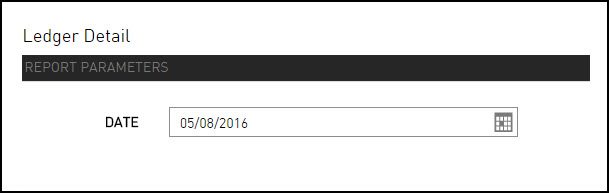
Select a date from the calendar to generate dates for the report.
Click Generate. The report with the selected data appears.
Click Print to send a copy of the report to the printer.
Sample Report
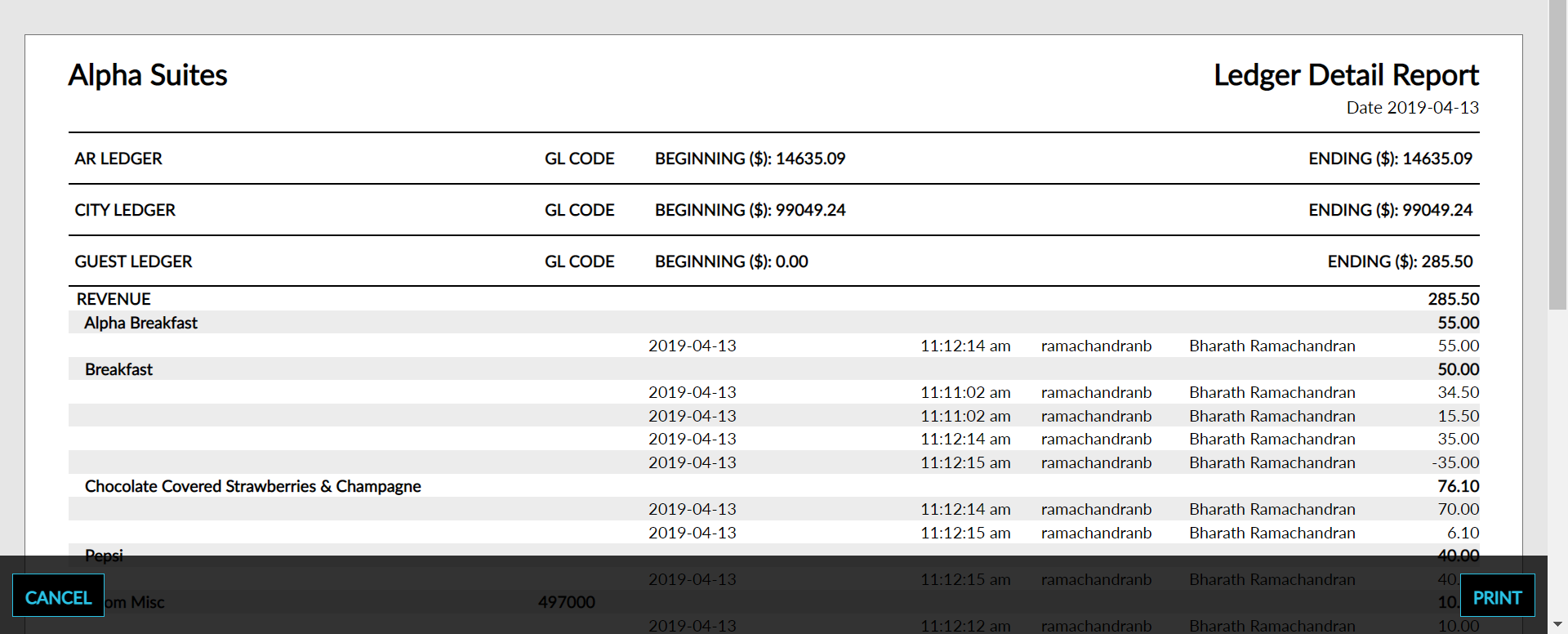
Report Parameters
This report displays the following parameters:
|
Field |
Description |
|---|---|
|
Unaudited/Audited |
Indicates whether the date selected for the report has been closed through Night Audit. If the property date is closed, audited appears next to the report date. Alternatively, Unaudited appears if the date is not closed. |
|
Ledger |
The ledger where revenue, payments, and transfer amounts are found. The transaction amounts are grouped by the ledger assigned to the transaction. |
|
Beginning |
The opening balance of the ledger where revenue, payments, and transfer amounts are found. The beginning balance of each ledger will match the ending balance of the ledger from the previous date. |
|
Ending |
The closing balance of the ledger where revenue, payments, and transfer amounts are found. The ending balance is the sum of the opening balance plus the revenue for that ledger for the selected date, in addition to the transfers for the ledger for that date. |
|
Revenue |
Each ledger has a main group and three subgroups consisting of revenues, payments, and transfers. Each posting item has its own row in the report. |
|
Payments |
Each ledger has a main group and three subgroups consisting of revenues, payments, and transfers. Each posting has its own payments section on the report. |
|
Transfers |
Each ledger has a main group and three subgroups consisting of revenues, payments, and transfers. Each posting has its own section of the report. |
|
Posting Item |
The description of each posting item that has at least one transaction identified as revenue on the selected date. |
|
Amount |
The sum of all postings identified as revenue on the selected date. |