Maintenance Service Request-Owned Units Report
The Maintenance Service Request-Owned Units Report allows users to track the maintenance services performed for the owned units in the property for the selected date range.
Perform the following steps to generate the report:
Navigate to Reports ➜ Dynamic Reports ➜ Housekeeping ➜ Maintenance Service Request-Owned Units.
Refer to the following table and fill in the fields.
|
Field |
Description |
|---|---|
|
Report Name |
Housekeeping Maintenance Service Request-Owned Units. |
|
Start Date |
The start date from which the report must be generated. Displays the current property date by default. Users can select any date in the past. |
|
End Date |
The end date up to which the report must be generated. Displays the current property date by default. Users can select any date in the past that is greater than the start date. |
|
Group By |
Users can select from the following options based on which the records must be grouped and displayed:
|
|
Owned Units |
This is a multi-select drop-down list that displays all the owned units available at the property. Users can select the preferred units for which the report must be generated. |
|
Service Name |
This is a multi-select drop-down list that displays all the maintenance services configured at the property. Users can select the preferred services for which the report must be generated. |
|
Severity |
This is a multi-select drop-down list that displays all the severity levels configured for the maintenance services at the property. |
|
Status |
This is a multi-select drop-down list that displays all the status configured for the maintenance services at the property. |
Click Run to generate the report.
Click Save to save the report under User Favorites section.
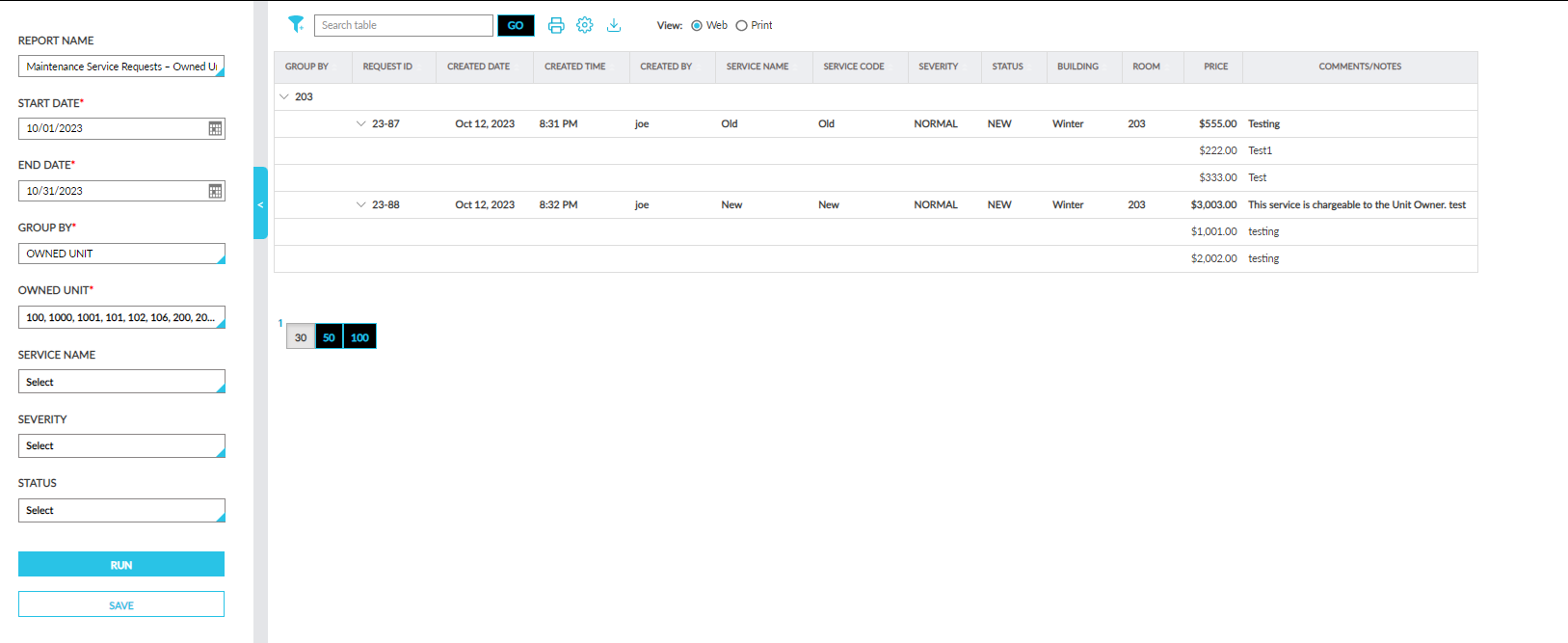
Sample Report
Report Fields
This report displays the following fields:
|
Field |
Description |
|---|---|
|
Group By |
Displays the group by option selected. |
|
Created Date |
Displays the date when the maintenance service request was created. |
|
Created Time |
Displays the time when the maintenance service request was created. |
|
Created By |
Displays the username of the user who created the request. |
|
Service Name |
Displays the name of the maintenance service request created. |
|
Service Code |
Displays the code of the maintenance service request created. |
|
Request ID |
Displays the unique ID of the created request. |
|
Building |
Displays the name of the building in which the room for which the maintenance service is to be performed is located. |
|
Room |
Displays the room number of the unit for which the maintenance service request was created. |
|
Assigned To |
Displays the name of the employee to whom the created request is assigned. |
|
Scheduled Date |
Displays the scheduled date of the maintenance service request. |
|
Scheduled Time |
Displays the time when the maintenance service request is scheduled. |
|
Guest Name |
Displays the guest name associated with the owned unit. |
|
Closed Date |
Displays the date when the maintenance service request was closed. |
|
Closed Time |
Displays the time when the maintenance service request was closed. |
|
Price |
|
|
Comments/Notes |
|