Maintenance Service Requests
The Maintenance Service Requests report allows users to view a list of all open maintenance requests. Exporting the report enables user to download and view a summary or detailed version of the report in Excel. When a guest name is available, its linked to the reservation and opens in a separate tab when selected. It's not available if it does not appear in the report. As a property manager, user can analyze and monitor maintenance service requests types and frequency.
Perform the following steps to generate the report:
Navigate to Reports ➜ All Reports ➜ Housekeeping ➜ Maintenance Service Requests.
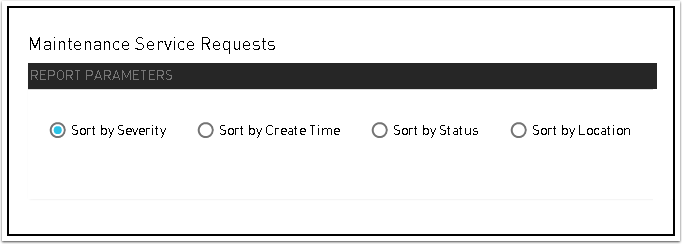
Choose which sorting options to include in the report:
|
Field |
Description |
|---|---|
|
Sort by Severity |
Sorts the report alphabetically by severity of the service request. Places Critical, followed by High, Medium, and Low. Within each severity, the most recent comment entered is listed first. |
|
Sort by Create Time |
Sorts the report ascending by the create date of the service request. |
|
Sort by Status |
Sorts the report by service request status. |
|
Sort by Location |
Sorts the report alphabetically by location of the service request. |
Click Generate. The report with the selected data appears.
Click Print to send a copy of the report to the printer.
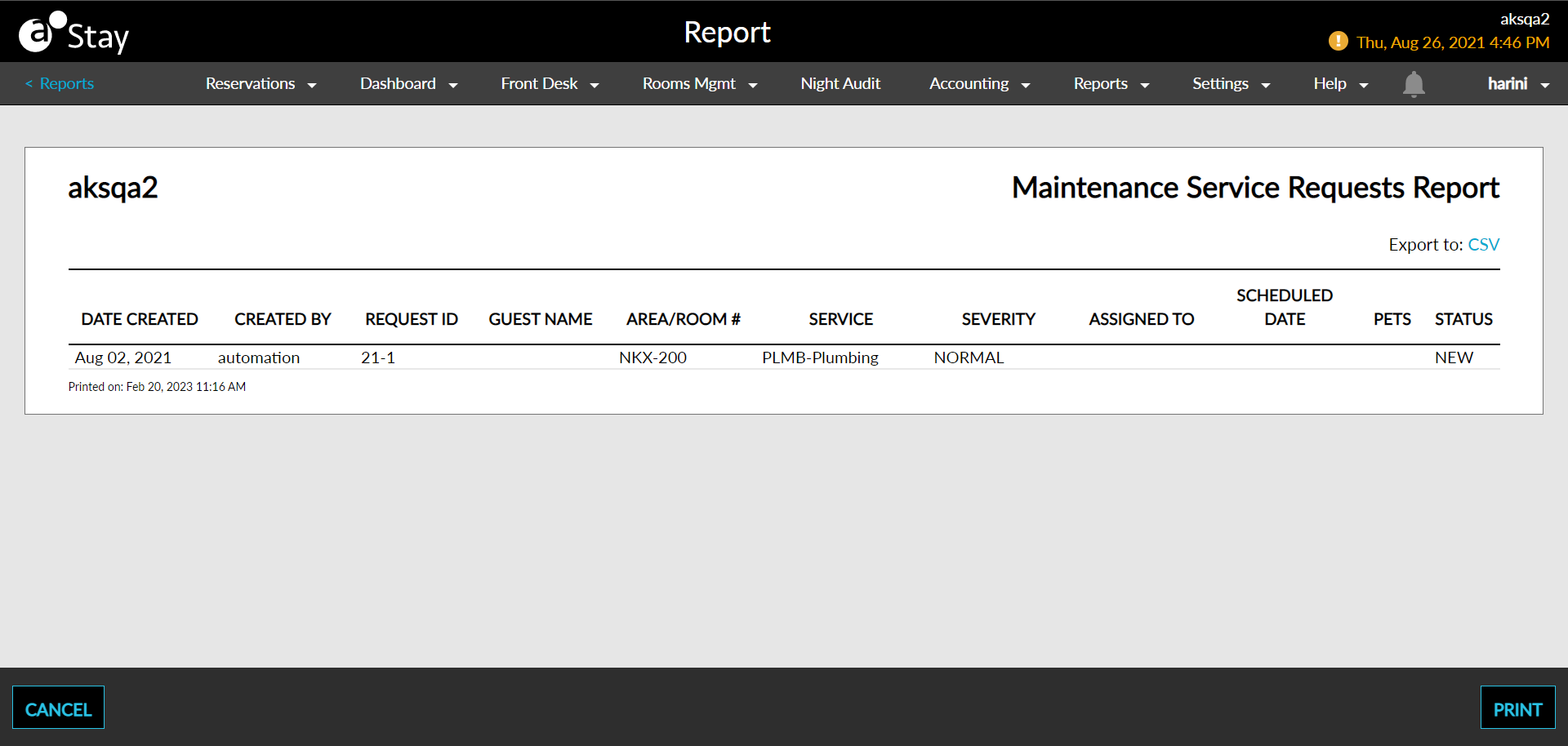
Sample Report
Report Parameters
This report displays the following parameters:
|
Field |
Description |
|---|---|
|
Date Created |
The date the maintenance service request was created. |
|
Created By |
The user who created the maintenance service request. |
|
Request ID |
The service request ID. |
|
Guest Name |
The name of the guest needing the maintenance service request. |
|
Area/Room# |
The area/room number that the maintenance service request is taking place in. |
|
Service |
Maintenance service associated with the area/room number that the maintenance request is taking place in. For example, Checkout service (COS) |
|
Notes |
Comments entered about the maintenance service request. |
|
Severity |
The severity of each maintenance service request:
|
|
Assigned To |
The staff member assigned to perform the maintenance service request, if assigned. |
|
Scheduled Date |
The date when the service request was scheduled to be worked on. |
|
Status |
The status of the maintenance service request. Status includes:
|