Pantry
The Pantry report displays a summary of the pantry items purchased by guests. Users can view the report by sorting the pantry items. Exporting the report enables users to download and view a summary of the report in Excel.
Perform the following steps to generate the report:
Navigate to Reports ➜ All Reports ➜ Transactions (under Accounting).
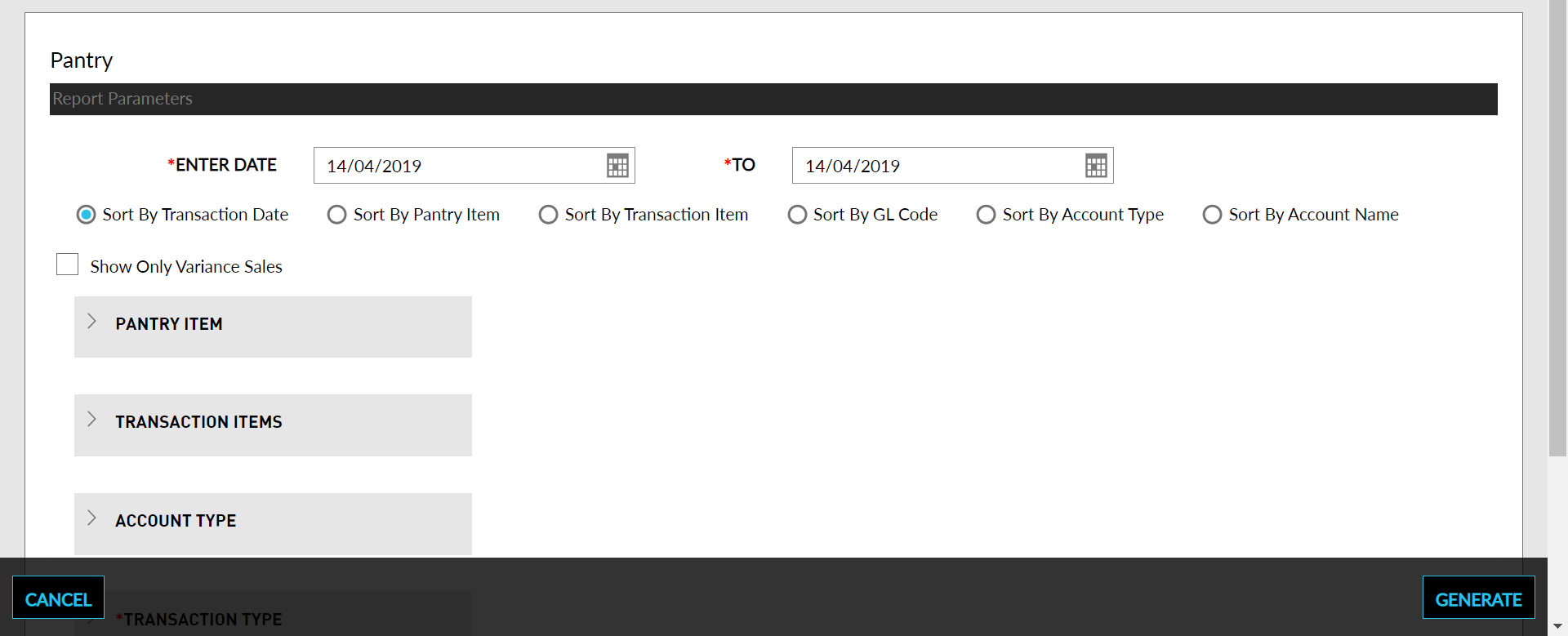
Select a date range field from the calendar to generate dates for the report.
Select any one of the following categories to sort the report: Transaction Date, Pantry Items, Transaction Items, GL Code, Account Type, or Account Name.
Select the Show Only Variance Sales checkbox to show only the difference in the default amount and charged amount for the pantry item.
Choose which Pantry Items field to include in the report.
Choose which Transaction Items field to include in the report.
Choose which Account Type field to include in the report.
Choose which Transaction Type field to include in the report.
Click Generate. The report with the selected data appears.
Click Print to send a copy of the report to the printer.
Sample Report
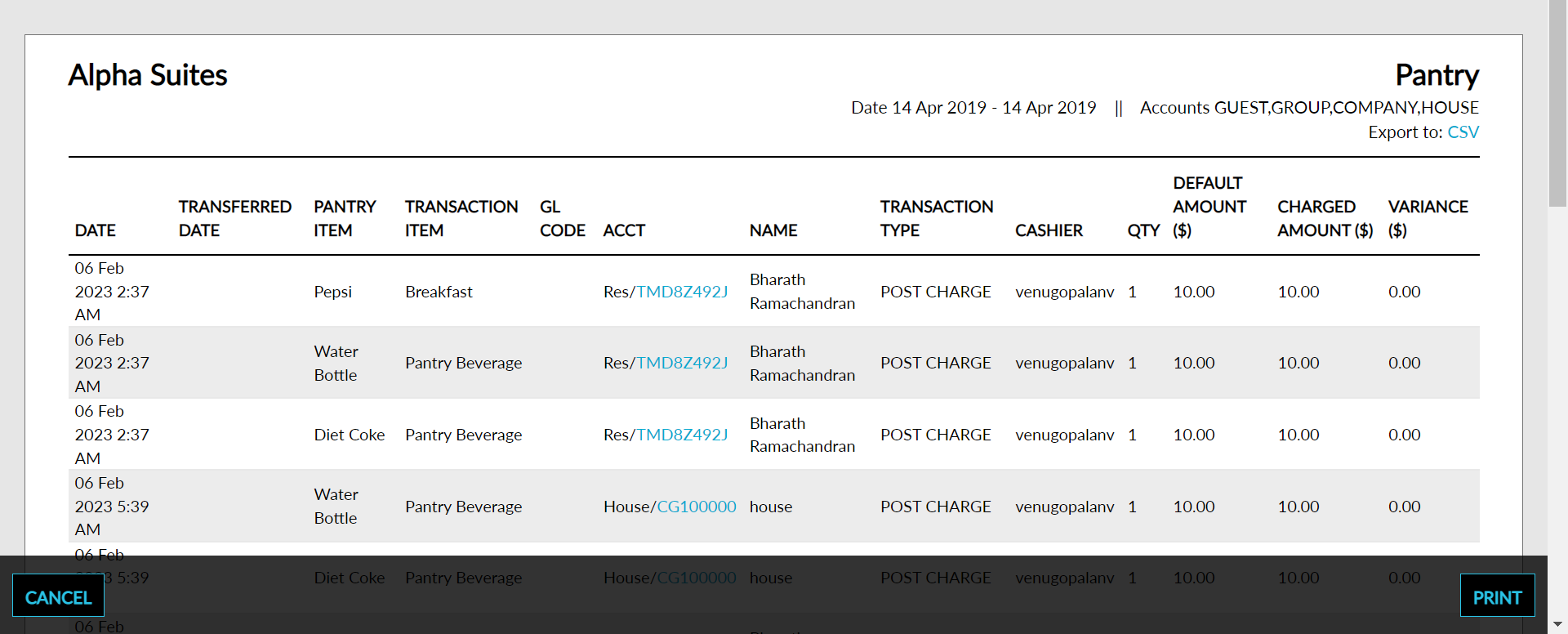
Report Parameters
This report displays the following parameters:
|
Field |
Description |
|---|---|
|
Date |
The date the pantry item was purchased. |
|
Transferred Date |
The date charges are transferred from the initial destination account to any other destination account(s). |
|
Pantry Item |
The name of the panty item. |
|
Transaction Item |
The transaction item, the pantry item is associated to. |
|
GL Code |
The GL account code. |
|
Acct |
The account type and the account number to which a pantry item is finally posted. |
|
Name |
The name of the account. |
|
Transaction Type |
The transaction type whether it’s a post charge, transfer, or adjustment. |
|
Cashier |
The cashier in-charge when the transaction was made. |
|
QTY |
The quantity of pantry items purchased |
|
Default Amount |
The default amount of the pantry items purchased. |
|
Charged Amount |
The charged amount on the pantry items purchased. |
|
Variance |
The difference in the default amount and charged amount for the pantry item. |