Rate Override Reasons Report
The Rate Override Reasons report allows users to track the rate overrides performed in a reservation, the users who performed them, and the reason selected for override. Only the reservations that have items with overridden rates are tracked in this report.
Perform the following steps to generate the report:
Navigate to Reports ➜ Dynamic Reports ➜ Guests/Reservations ➜ Rate Override Reasons report
Refer to the following table and fill in the fields.
|
Field |
Description |
|---|---|
|
Property |
Property associated with the reservations. |
|
Start Date |
The date from which the report must be generated |
|
End Date |
The end date until when the report must be generated |
|
Reservation Status |
The reservation status of the applicable reservations |
|
Rate Type |
The rate type of the transaction items (room rate or non-room rate) for which the override was performed. |
|
Adjustment Type |
The type of adjustment performed (increased, decreased or no adjustment) |
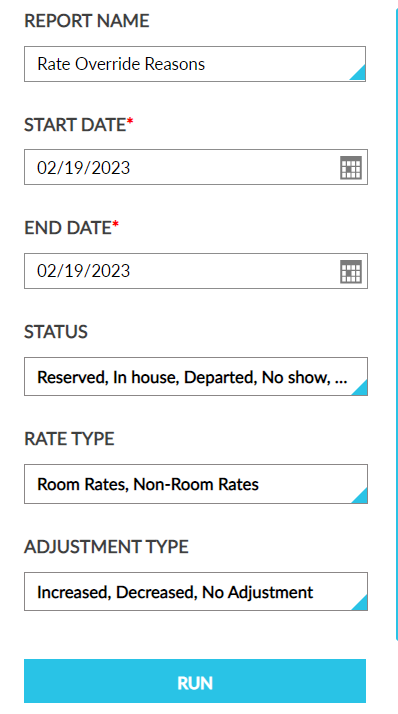
Click Run to generate the report.
Click Save to save the report under User Favorites section.
Sample Report
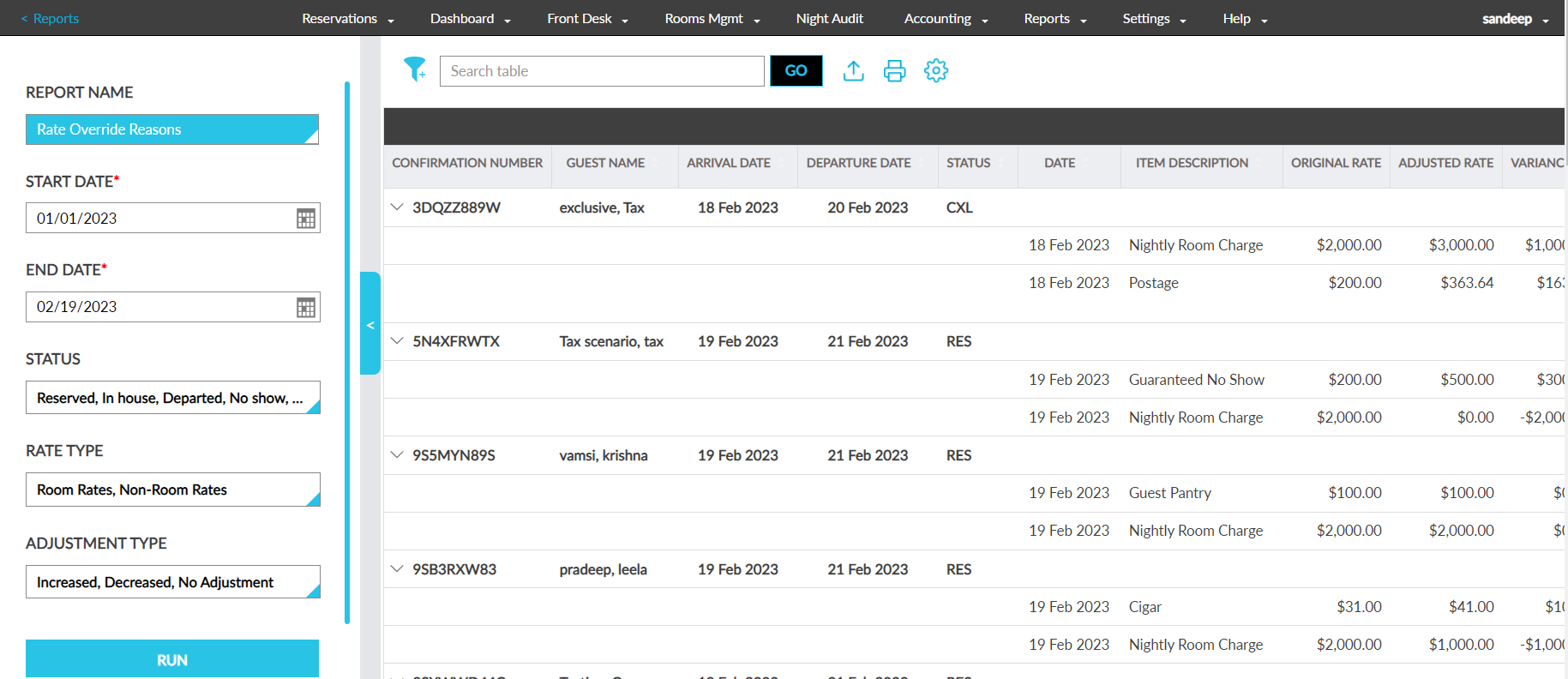
Report Fields
This report displays the following fields:
|
Field |
Description |
|---|---|
|
Confirmation |
The confirmation number of the reservations |
|
Guest Name |
The guest name associated with the reservations |
|
Arrival Date |
The arrival date of the reservations |
|
Departure Date |
The departure date of the reservations |
|
Status |
The reservation status |
|
Stay Dates |
The stay date on which the item’s rate was overridden |
|
Item Description |
The name of the item for which rate override was performed |
|
Original Rate |
The original rate of the item |
|
Adjusted Rate |
The latest updated rate |
|
Difference |
The difference between the adjusted rate and the original rate |
|
Adjustment Type |
The type of adjustment performed (increased, decreased or no adjustment) |
|
Rate Adjustment Details |
The following details are displayed:
|