Recurring Charges
The Recurring Charges report allows users to view a list of scheduled recurring postings for each reservation. As a night auditor, user can run the report as part of the night audit process for the current day’s reservations. This enables the user to review recurring postings and verify what will post in case they need to make changes before posting and tax is applied.
Perform the following steps to generate the report:
Navigate to Reports ➜ All Reports ➜ Front Desk ➜ Recurring Charges.
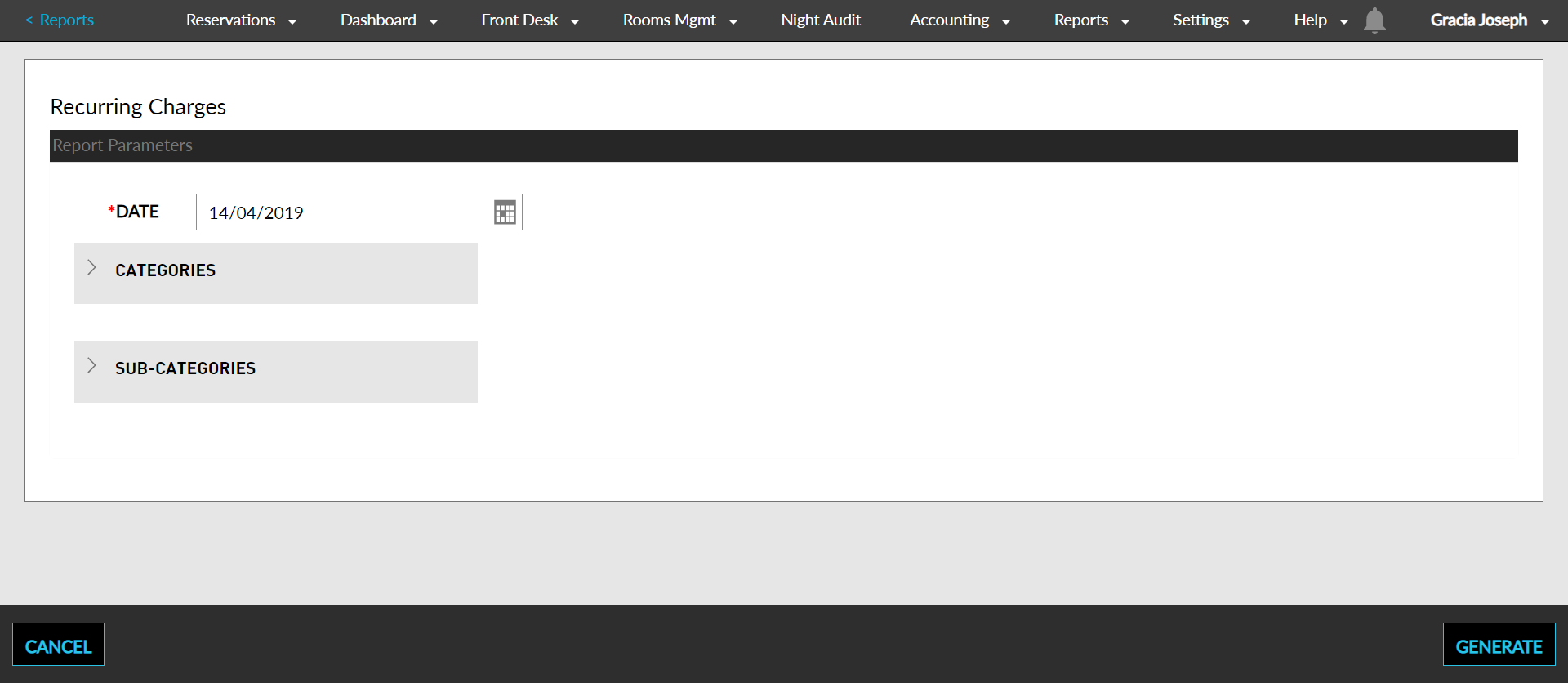
Select a date from the calendar to generate dates for the report.
Select a Category and a Sub-Category.
Click Generate. The report with the selected data appears.
Click Print to send a copy of the report to the printer.
Sample Report
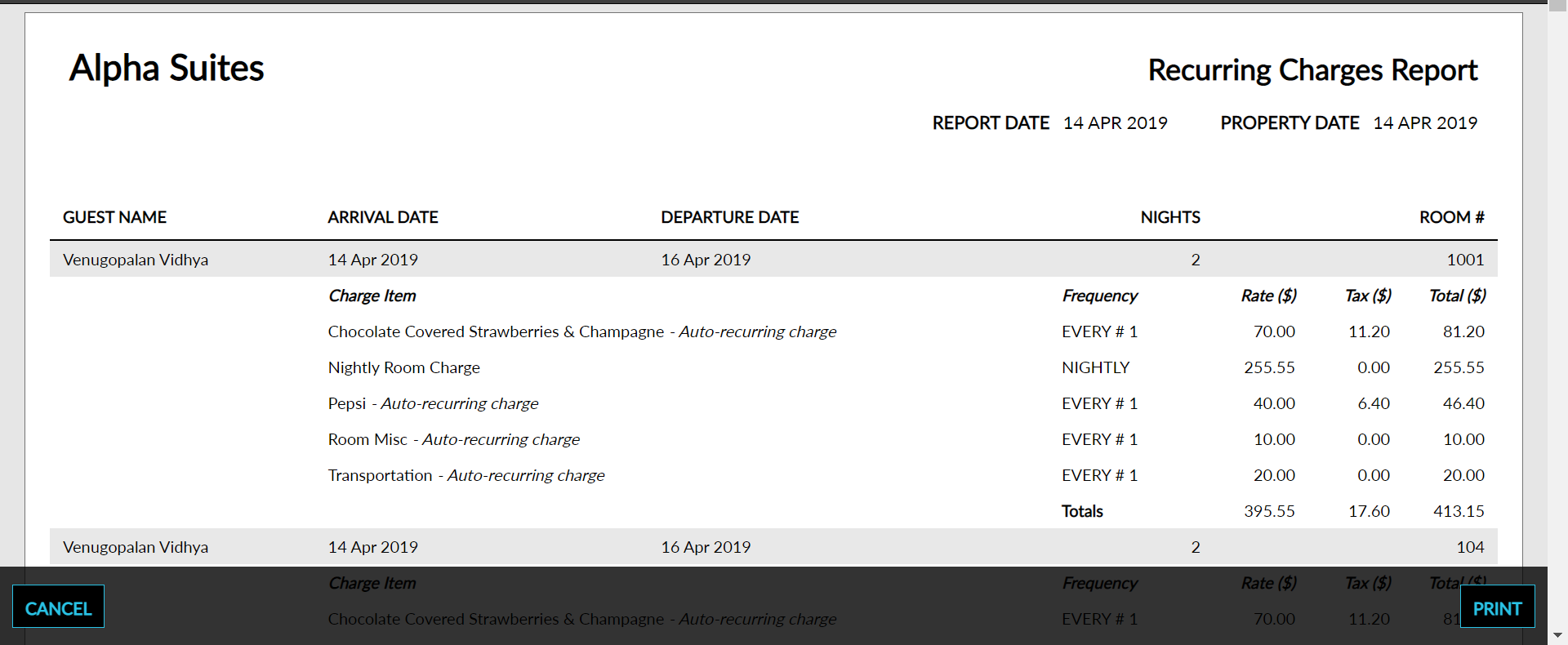
Report Parameters
This report displays the following parameters:
|
Field |
Description |
|---|---|
|
Guest Name |
The guest name on the reservation. |
|
Arrival Date |
The arrival date for the reservation. |
|
Departure Date |
The departure date for the reservation. |
|
Nights |
The number of nights that the guest is staying for the reservation. |
|
Room # |
The room number that the guest is staying in, if assigned. |