Revenue by Market Segment with Groups Report
The Revenue by Market Segment with Groups Report allows users to track the revenue generated from group reservations. This report also calculates and displays the revenue forecasted for rooms that have not been picked up for groups.
Perform the following steps to generate the report:
Navigate to Reports ➜ Dynamic Reports ➜ Revenue/Forecasting ➜ Revenue by Market Segment with Groups Report
Refer to the following table and fill in the fields.
|
Field |
Description |
|---|---|
|
Report Name |
Revenue by Market Segment with Groups. |
|
Property |
Displays the current property by default. Users can select the required properties for which the report must be generated. |
|
Start Date |
Users can select the start date from which the report must be generated. |
|
End Date |
Users can select the end date up to which the report must be generated. |
|
Include Unpicked Group Blocks |
|
|
Include Zero Balance Days |
|
|
Include Room Type |
|
|
Group By Date |
|
|
Group By |
Users can select from the following options:
|
|
Segment Filter |
Users can select from the market segments configured at the property. |
Click Run to generate the report.
Click Save to save the report under User Favorites section.
Sample Report
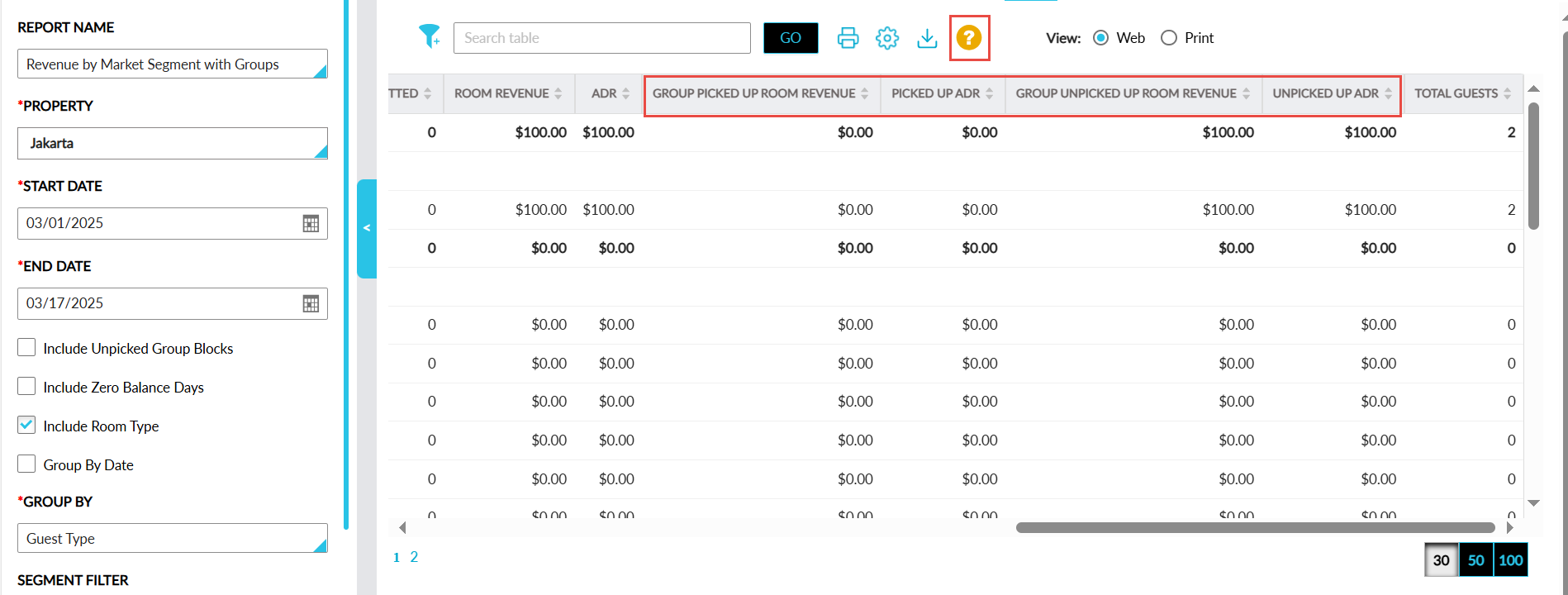
Report Fields
This report displays the following fields:
|
Field |
Description |
|---|---|
|
Date |
Displays each date in the selected date range. |
|
Category |
Displays the Guest Types & Segments configured at the property with an accordion. When expanded, all the reservations with the associated guest type are displayed. |
|
Market Segment |
Displays the market segment value associated with the reservation. |
|
Guest Type |
Displays the guest type value associated with the reservation. |
|
Room Type |
Displays the room type with which the reservation was booked. |
|
Group Not Picked Up |
Displays the count of the group rooms that are not picked up. |
|
Rooms Sold |
Displays the count of the group rooms that are assigned to the reservations. |
|
Comp Rooms |
Displays the count of the complimentary rooms. |
|
Rooms Committed |
Displays the count of bedded rooms that are assigned to reservations. |
|
Non-Bedded Rooms Committed |
Displays the count of non-bedded rooms that are assigned to reservations. |
|
Group Unpicked Up Room Revenue |
Displays the revenue generated from rooms that have not been picked up for a group. |
|
Room Revenue |
Displays the room revenue for the group blocks including rooms that are not picked up. |
|
ADR |
Displays the Average Daily Rate calculated as follows: Total Room Revenue/Total Rooms Sold. |
|
Total Guests |
Displays the total number of guests associated with the reservation. |
|
Group Picked Up Room Revenue |
The revenue generated from the rooms that are picked up for a group. This column can be sorted. |
|
Picked Up ADR |
The Average Daily Rate (ADR) calculated as follows: Total Picked Up Room Revenue/Total Picked Up Rooms. This column can be sorted. |
|
Unpicked Up ADR |
The Average Daily Rate (ADR) calculated as follows: Total Unpicked Up Room Revenue/Total Unpicked Up Rooms. This column can be sorted. |