Room Upgrade Tracking Report
The Room Upgrade Tracking report allows users to track details of the upgrades made to the reservations. Perform the following steps to generate the report:
Navigate to Reports ➜ Dynamic Reports ➜ Manager ➜ Room Upgrade Tracking.
Refer to the following table and fill in the fields.
|
Field |
Description |
|---|---|
|
Report Name |
The name of the report |
|
Property |
The property for which the report must be generated |
|
Start Date |
The date from which the report must be generated |
|
End Date |
The end date until when the report must be generated |
|
Type |
The type of upgrade made to the reservation.
|
|
Reservation Status |
The reservation status of the room.
|
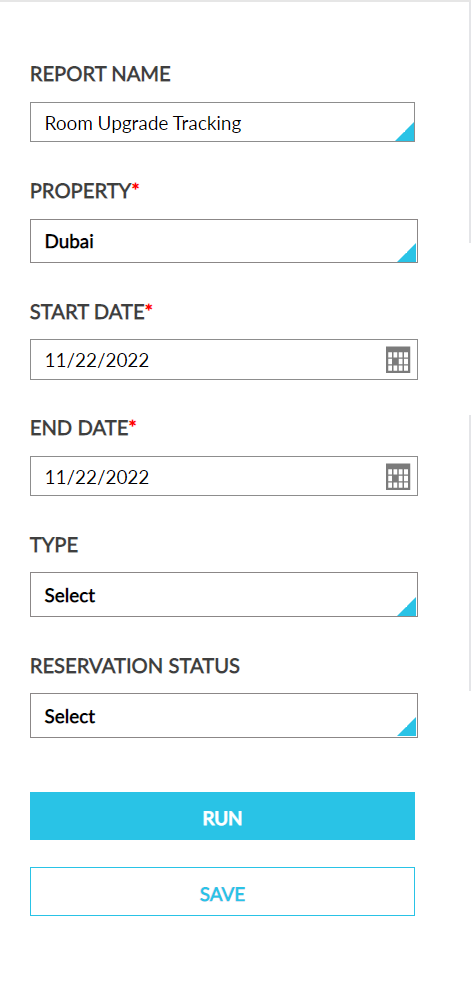
Click Run to generate the report.
Click Save to save the report under User Favorites section.
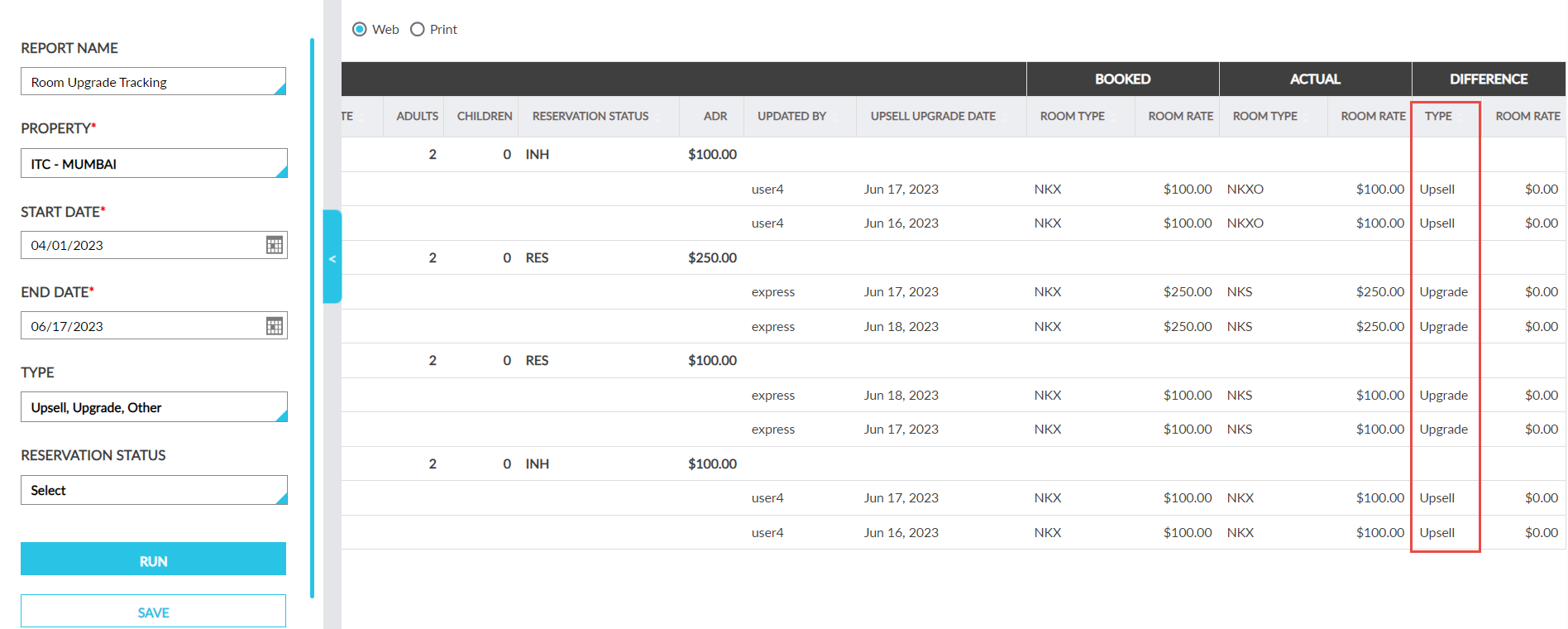
Sample Report
Report Fields
This report displays the following fields:
|
Field |
Description |
|---|---|
|
Confirmation |
The confirmation number of the reservation |
|
Third-Party Confirmation |
The third-party confirmation number for the reservation if available. |
|
First Name |
The first name of the guest on the reservation |
|
Last Name |
Th last name of the guest on the reservation |
|
Arrival Date |
The arrival date for the reservation |
|
Departure Date |
The departure date for the reservation |
|
Adults |
The number of adults associated with each reservation |
|
Children |
The number of children associated with each reservation |
|
Reservation Status |
The reservation status that indicates whether the reservation is still in house, due to depart, or already departed |
|
ADR |
The average daily rate based on the amount of room revenue for the selected date and rooms committed |
|
Updated By |
The user who performed the upgrage |
|
Upgrade Date |
The date in which the reservation was upgraded |
|
Booked |
|
|
Room Type |
The type of room that the guest has reserved |
|
Room Rate |
The rate being charged for each reservation |
|
Actual |
|
|
Room Type |
The type of room that the guest has reserved |
|
Room Rate |
The rate being charged for each reservation. |
|
Difference |
|
|
Type |
Displays the Category configured for the room move reason. |
|
Room Rate |
The rate being charged for each reservation. |