Scheduling Dynamic Reports
The Schedule option allows users to setup a scheduler that generates and exports the saved report as a csv file and triggers a scheduled email to the user with the attached report. A scheduler can be added if the report is saved as a User Favorites report.
Open the saved report and click on the scheduler option. The Scheduler screen is displayed.
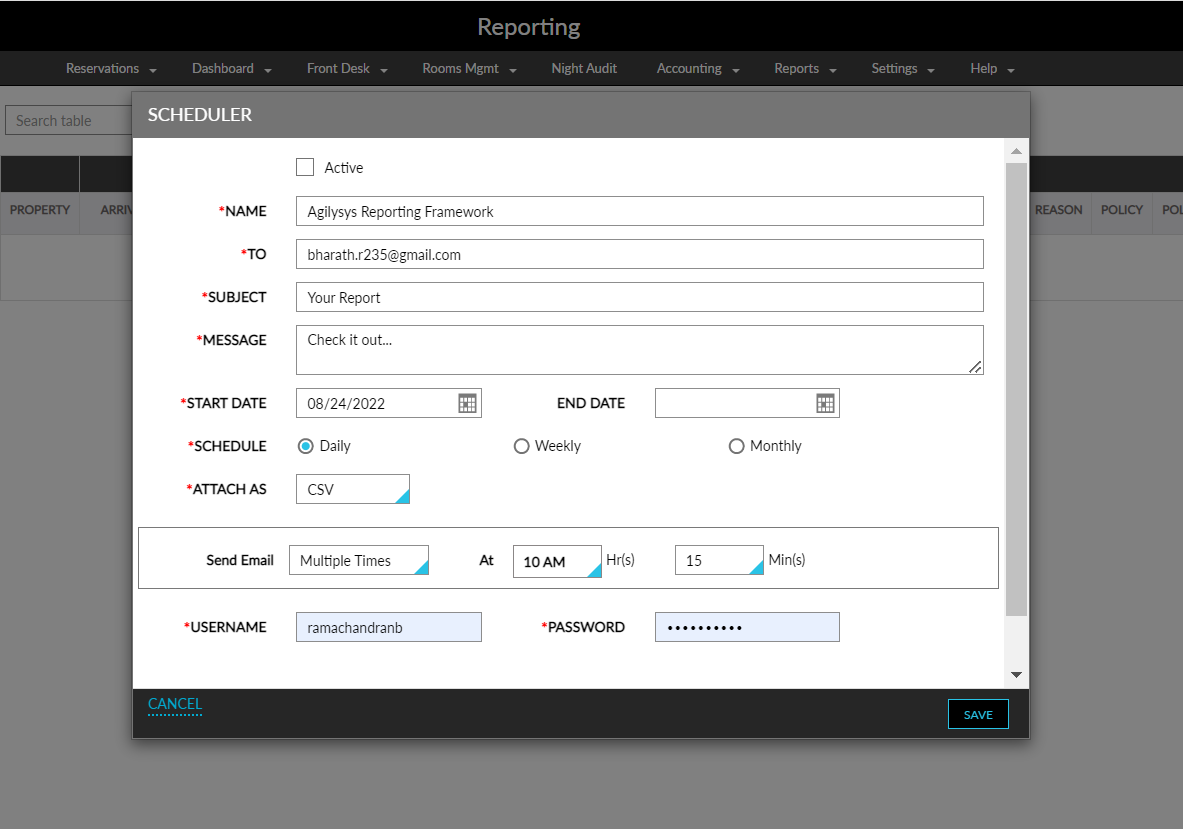
Enter the following details.
|
Field |
Description |
|---|---|
|
Active |
Enable the checkbox to activate the scheduler |
|
Name |
The name of the report |
|
To |
A valid email address to which the report must be mailed |
|
Subject |
The subject line for the email |
|
Message |
Message to be entered in the email |
|
Start Date |
The date from which the report must be generated |
|
End Date |
The end date until when the report must be generated |
|
Schedule |
The schedule of the mail to be triggered.
|
|
Attach As |
The format in which the report must be generated. Only csv format is available for dynamic reports. |
|
Send Email |
|
|
At |
The time the mail must be sent |
|
Username |
The username of the profile |
|
Password |
The password of the profile |
Click Save.