Shift
The Shift report allows users to view the beginning and ending balances for each daily shift. As a property manager, user can determine the balance of payments for the day to balance the cash drawer.
Perform the following steps to generate the report:
Navigate to Reports ➜ All Reports ➜ Front Desk ➜Shift.
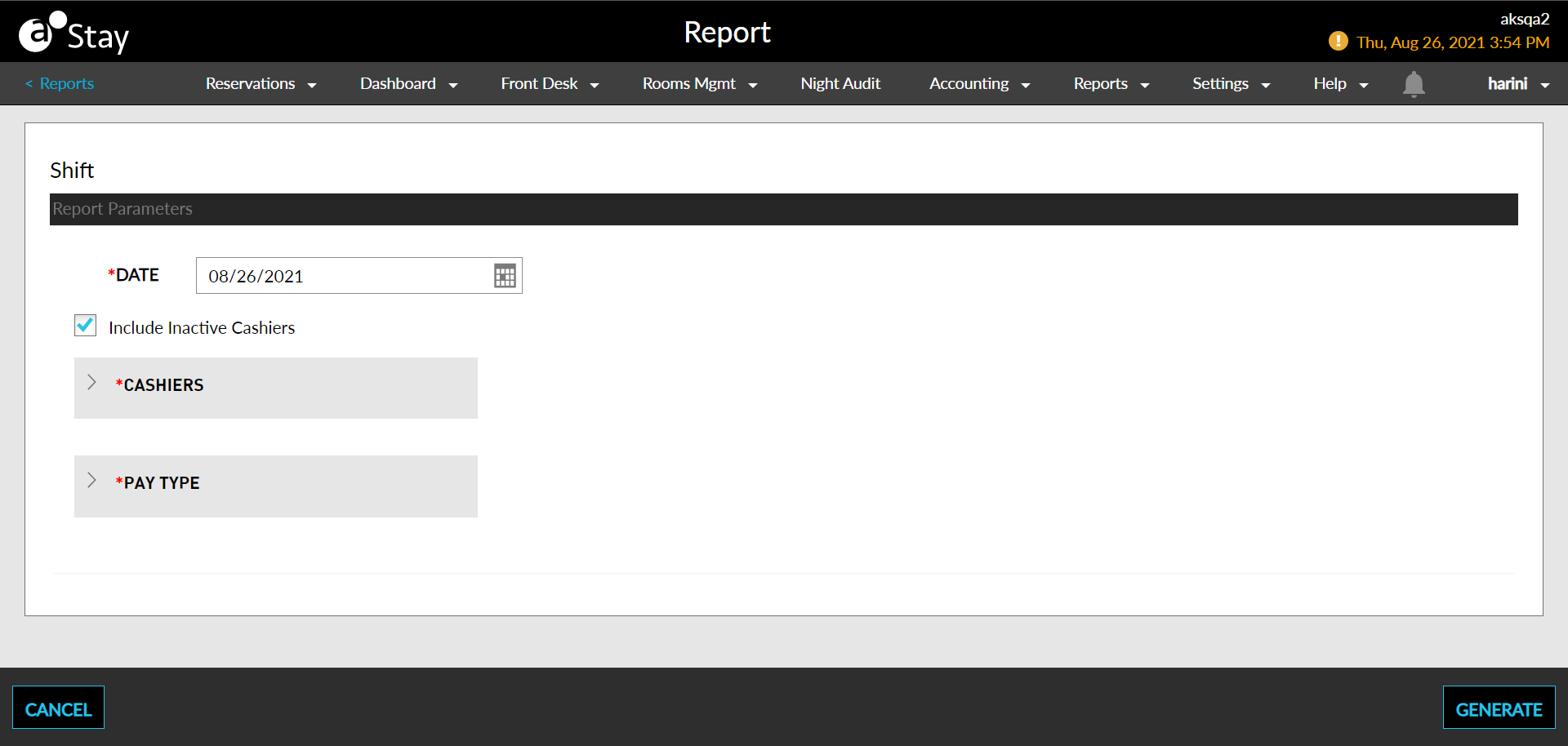
Select a date from the calendar to generate dates for the report.
Enable the checkbox Include Inactive Cashiers to include inactive cashiers in the report.
Select the cashiers to be displayed in the Cashiers dropdown.
Select the pay type to be displayed in the Pay Type dropdown.
Click Generate. The report with the selected data appears.
Click Print to send a copy of the report to the printer.
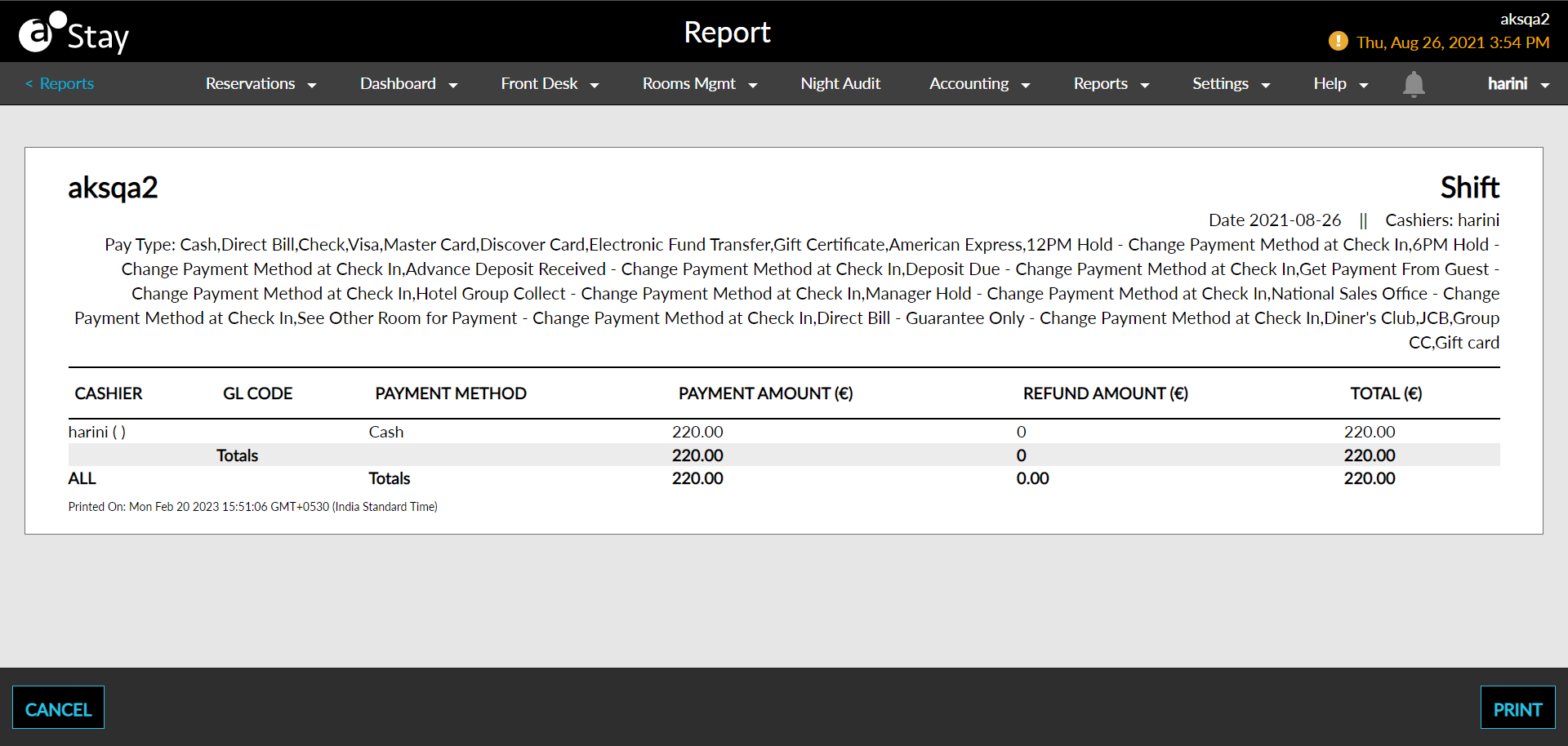
Sample Report
Report Parameters
This report displays the following parameters:
|
Field |
Description |
|---|---|
|
Cashier |
The name of Cashiers for whom the shift report is generated. |
|
GL Code |
The GL account code. |
|
Payment Method |
The mode of payment. |
|
Payment Amount |
The sum of all postings identified as revenue on the selected date. |
|
Refund Amount |
The sum of all the amount identified as refund for the selected date. |
|
Total |
The total sum of amount. |