Trial Balance Report
The Trial Balance report provides a summary of all general ledger accounts and their debit and credit balances for the selected date. It is used to verify that total debits equal total credits, helping ensure the accuracy and integrity of financial records before preparing financial statements.
Perform the following steps to generate the report:
Navigate to Reports ➜ Dynamic Reports ➜ Accounting ➜ Trial Balance.
Refer to the following table and fill in the fields.
|
Field |
Description |
|---|---|
|
Report Name |
Trial Balance. |
|
Date |
The start date for report generation. This is a mandatory field that displays the current property date by default. Users can select any date in the past up to the current property date. Future dates cannot be selected. |
Click Run to generate the report.
Click Save to save the report under User Favorites section.
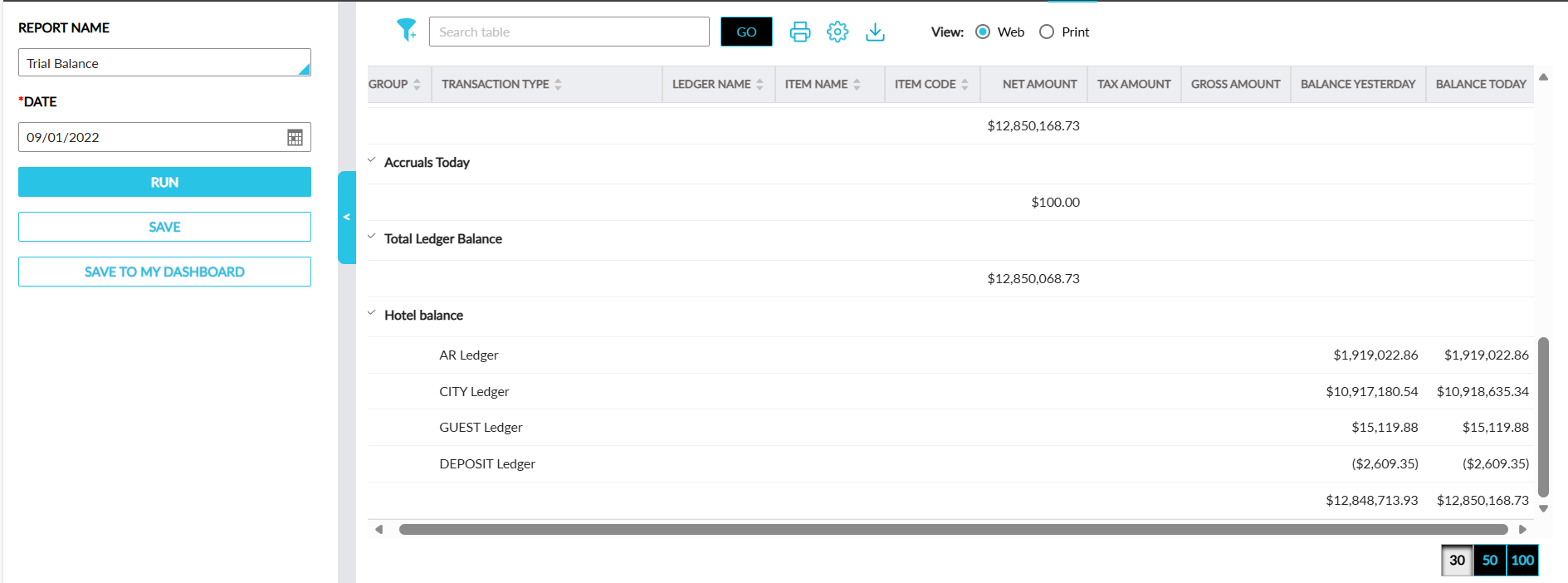
Sample Report
Report Fields
This report displays the following fields:
|
Field |
Description |
|---|---|
|
Group |
The categories in which records are grouped. For example, Balance Brought Forward, Transactions, Transaction Total Today, Transfers, Grand Total Today, Transfers, Grand Total Today, Balance Carried Forward, Hotel Balance and so on. This column can be sorted. |
|
Transaction Type |
The specific type of financial transaction. For example, Room Revenue, Non Room Revenue, Payment, Refund and so on. This column can be filtered and sorted. |
|
Ledger Name |
The name of the ledger account impacted. This column can be sorted. |
|
Item Name |
The name of the specific item or service. This column can be filtered and sorted. |
|
Item Code |
The accounting code associated with the item. This column can be sorted. |
|
Net Amount |
The transaction amount excluding taxes. |
|
Tax Amount |
The tax amount associated with the transaction amount. |
|
Gross Amount |
The total transaction amount calculated as follows: Net + Tax. |
|
Balance Yesterday |
The closing balance of the ledger from the previous day. |
|
Balance Today |
The closing balance of the ledger for the current reported date. |