Waitlist and Inquiry Report
The Waitlist and Inquiry report helps users to track the waitlist and inquiry records created at a property.
Perform the following steps to generate the report:
Navigate to Reports ➜ Dynamic Reports ➜ Guests/Reservations ➜ Waitlist and Inquiry report.
Refer to the following table and fill in the fields.
|
Parameters |
Description |
|---|---|
|
Report Name |
Waitlist and Inquiry. |
|
Arrival Start Date |
The arrival start date from which records must be retrieved. This is a mandatory field that displays the current property date by default. Users can select past or future dates. |
|
Arrival End Date |
The arrival end date up to which records must be retrieved. This is a mandatory field that displays the current property date by default. Users can select past or future dates. |
|
Category |
This is an optional multi-select drop-down list that allows users to select from the following options:
|
|
Status |
This is an optional multi-select drop-down list that allows users to select from the following statuses of the created waitlist/inquiry records to be included in the report:
|
|
Rate Plans |
This is an optional multi-select drop-down list that allows users to select from the rate plans available at the property for which the waitlist/inquiry records were created. |
|
Room Types |
This is an optional multi-select drop-down list that allows users to select from the room types available at the property for which the waitlist/inquiry records were created. |
|
Buildings |
This is an optional multi-select drop-down list that allows users to select from the buildings available at the property where the selected room types are located. |
Click Run to generate the report.
Click Save to save the report under User Favorites section.
Sample Report
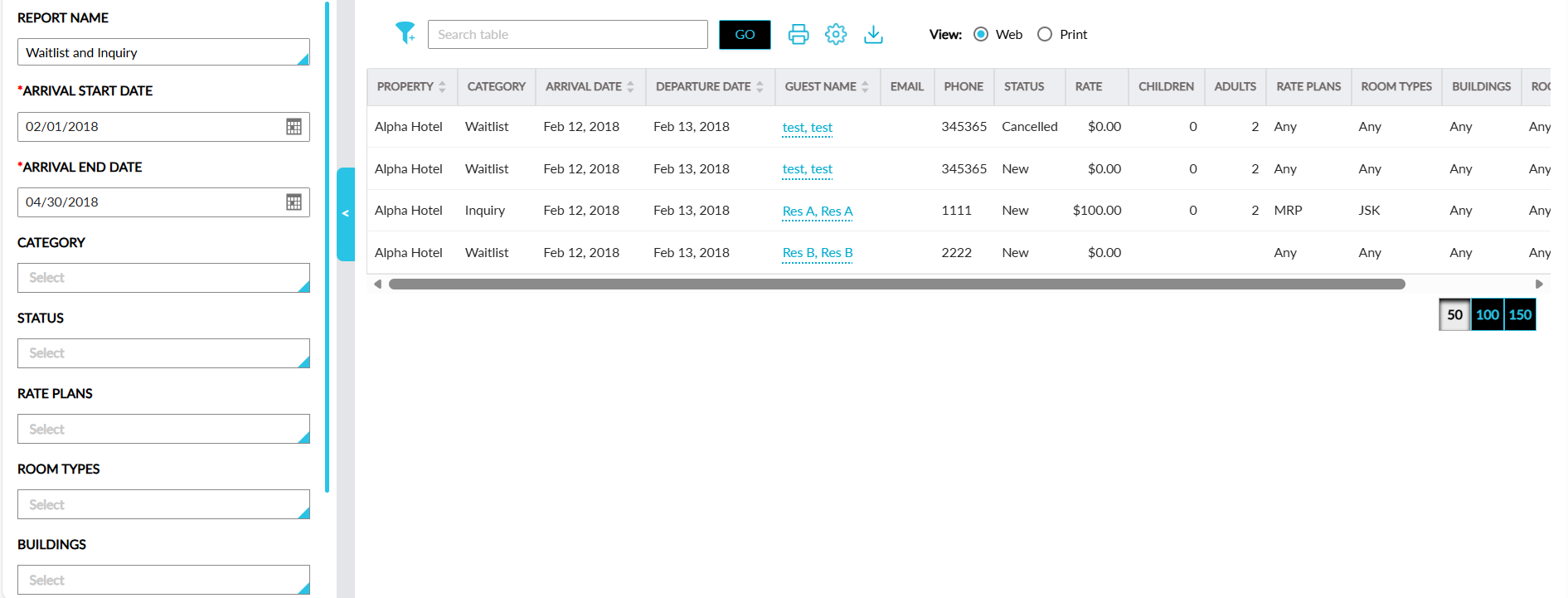
Report Fields
This report displays the following fields:
|
Field |
Description |
|---|---|
|
Property |
The property for which the waitlist/inquiry record was created. This column can be sorted. |
|
Category |
The category of the record. This column can be filtered. |
|
Arrival Date |
The arrival date of the reservation. This column can be sorted. |
|
Departure Date |
The departure date of the reservation. This column can be sorted. |
|
Guest Name |
The guest name associated with the reservation. This column can be filtered and sorted. |
|
|
The email address of the guest. |
|
Phone |
The phone number of the guest. |
|
Status |
The status of the record. This column can be filtered. |
|
Rate |
The nightly room rate of the reservation. |
|
Children |
The count of children in the reservation. |
|
Adults |
The count of adults in the reservation. |
|
Rate Plans |
The rate plans selected in the record. This column can be filtered. |
|
Room Types |
The room types selected in the record. This column can be filtered. |
|
Buildings |
The buildings selected in the record. This column can be filtered . |
|
Room Number |
The room numbers selected in the record. |
|
Reason |
The reason selected in the record. |
|
Cancellation Reason |
The cancellation reason selected by the user. |