Walk In Reservations
The Walk In Reservations report allows users to view a list of guests that checked in on the same date that the reservation was made. Exporting the report enables users to download and view a summary or detailed version of the report in excel. When a confirmation number is available, it's linked to the reservation and opens in a separate tab when selected. It's not available if it does not appear in the report. As a property manager, use this information to identify unexpected arrivals and revenue for the selected date.
Perform the following steps to generate the report:
Navigate to Reports ➜ All Reports ➜ Walk In Reservations (under Guests/Reservations).
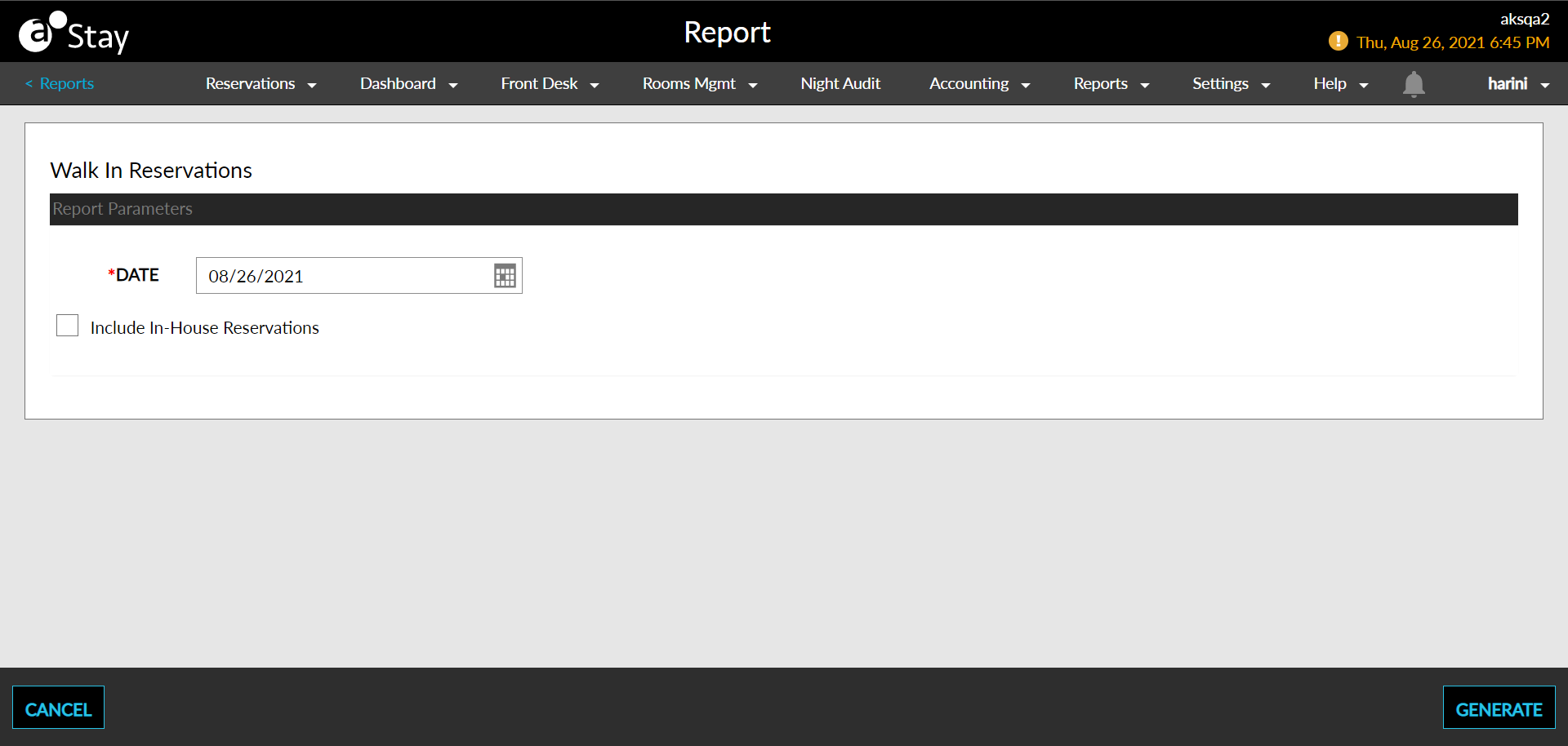
Select a date from the calendar to generate dates for the report.
Select the Include In-House Reservations checkbox to include in house reservations on the report. If the checkbox is selected, the inhouse reservations with the property appear in the columns of the report.
Click Generate. The report with the selected data appears.
Click Print to send a copy of the report to the printer.
Sample Report
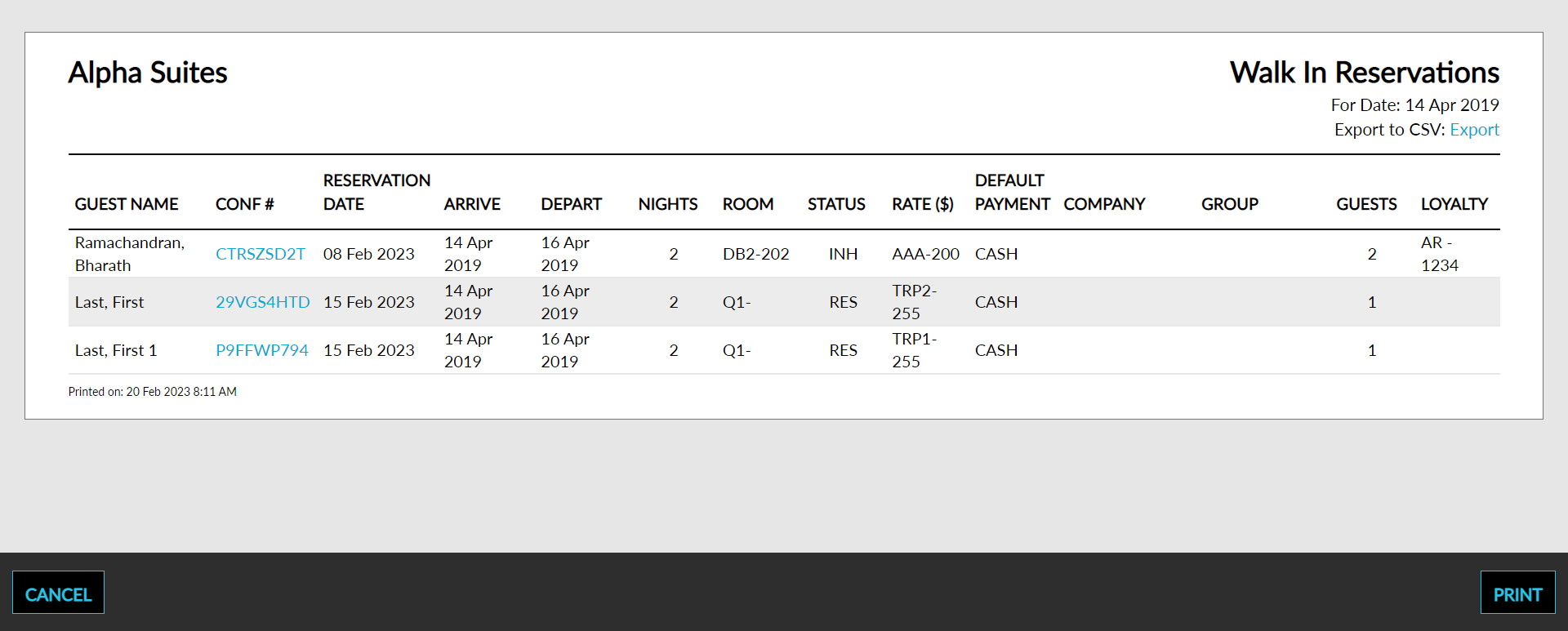
Report Parameters
This report displays the following parameters:
|
Field |
Description |
|---|---|
|
Building/Wing |
The building/property associated with the reservation, if one applies. |
|
Room Number |
The room number that the guest is staying in, if assigned. |
|
Confirmation Number |
The confirmation number on the reservation. |
|
Guest Name |
The guest name on the reservation. |
|
Arrival Date |
The arrival date of the reservation. |
|
Arrival Time |
The departure date of the reservation. |
|
Number of Nights |
The number of nights that the guest is staying for the reservation. |
|
Room Type |
The type of room that the guest has reserved. |
|
Rate |
The rate being charged for each reservation. |
|
Company |
The group name associated with the reservation if one applies. |
|
Number of Guests |
The total number of reservations arriving on each date. |
|
Check in Clerk |
The username used to check in the reservation. |
|
Total Reservations Walked In |
The total number of reservations that have a matching arrival and check in date. |
|
Total Arrival Night Revenue |
The sum of room postings for reservations arriving today. |
|
Average Arrival Night Revenue |
The average sum of room postings for reservations arriving today. |