Adding Group Components
The Components tab allows users to add components to Group bookings. It makes it easier to allocate gifts or other complimentary items only to the guests in a group (components, just like a package). Once components are added to the group's rate, the group rate is converted to a group package. The option to add components can be enabled or disabled using the feature setting named Add Group Components. Any components added before disabling the option will not be removed from the group.
Navigate to Reservations ➜ Profiles.
Click the Groups tab to view the group reservations.
Click the group name for which the status of a room block must be checked. The group's detail page appears.
If the list of groups is long, use the Group Status filters on the Groups tab to narrow the results.
Click the Components tab.
Click Add Components. The Add Components page is displayed.

Click on Add Allowance or Add Fixed Component to add components to this group.
Click Save. The added component is displayed in the Components tab of the group.
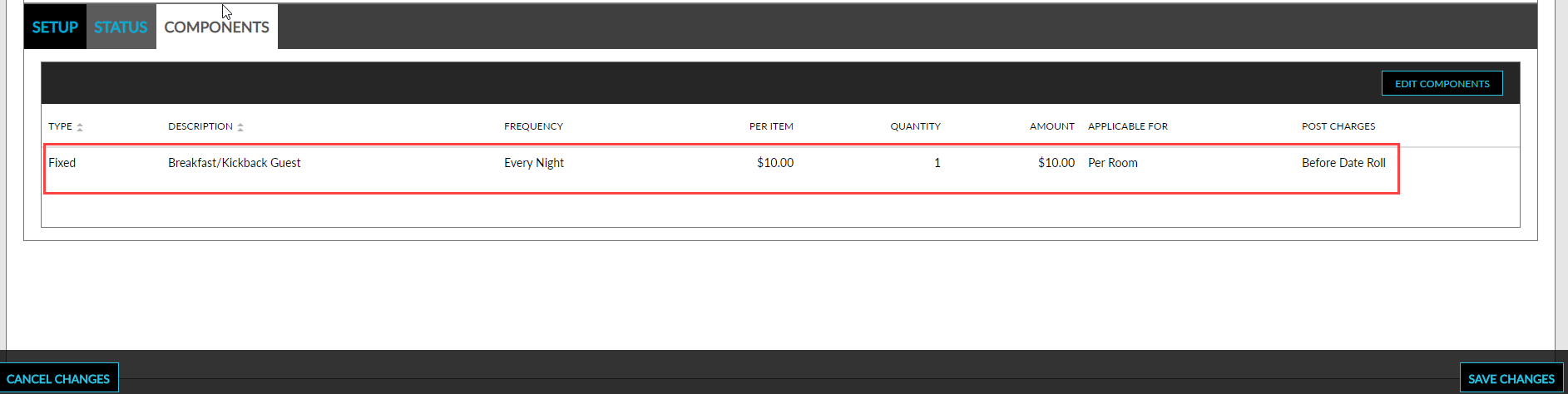
Click Save Changes to save the changes made.
Clicking on Edit Components allows users to edit any of the components added to the group.