Applying Early Departure Fee to Reservations
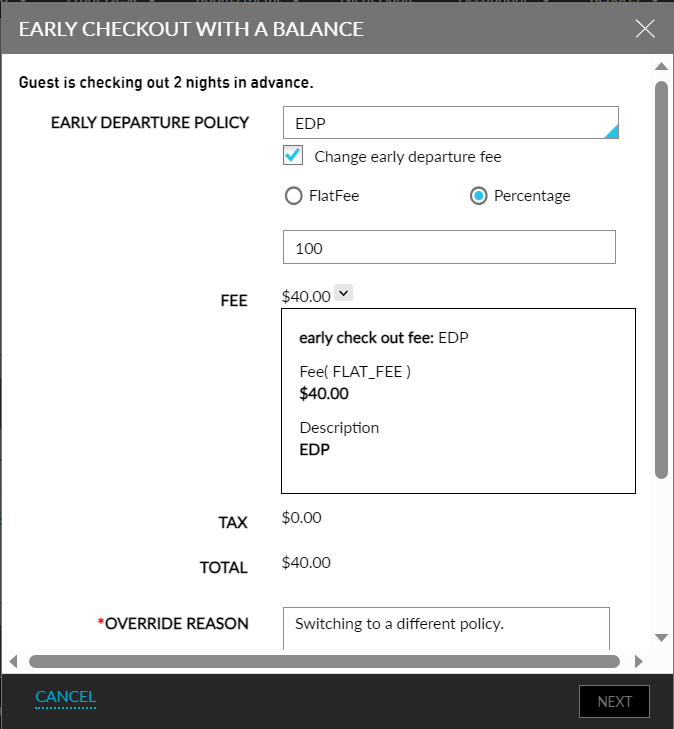
If the reservation is checked-out prior to its departure date, an early departure fee is applied to the reservations on the Early Checkout with a Balance screen based on the early departure policy associated with the reservation. This screen displays the following additional details:
-
The number of nights the guest is checking out early is displayed in the following format: The guest is checking out <Number of nights pending in reservation> nights in advance.
-
Early Departure Policy: This is a single-select drop-down list that displays the early departure policy that is associated with the reservation. Users can select a different policy from the drop-down list if required.
-
Change Early Departure Fee: Users can enable this checkbox to override and change the early departure fee for the reservation. When enabled, the following additional options are displayed to change the early departure fee:
-
Flat Fee: When selected, users can modify the fee amount directly. The entered amount is displayed in the Fee field and is applied as the new early departure fee for the reservation.
-
Percent: When selected, users can modify the fee amount in percentage. By default, the percentage is displayed as 100. Users can modify the percentage above or below 100. The updated amount based on the percentage is displayed in the Fee field and is applied as the new early departure fee.
-
-
Users can click on the expander next to the Fee field to view the details of the policy.
-
Below the early departure fee, the tax applicable for the early departure fee is displayed in the Tax field. The tax amount is calculated based on the tax classes mapped for the transaction item associated with the early departure policy.
-
The total of the early departure fee and the applicable taxes is displayed in the Total field below the tax field.
-
When users change the early departure policy or the fee amount, the Override Reason field is mandatory. Users must enter a reason for the override in this field.
-
Users must enter their credentials to override and change the early departure policy or fee. The credentials are validated to check if the Stay_OverrideEarlyDepartuePolicy permission is mapped. The following message is displayed to users without the permission: Access denied to override early departure policy.
Users can click the Next button to proceed with the check-out. When the early departure fee is paid, the early departure fee is posted to the reservation folio along with the tax. If there are any routing rules set for the transaction item associated with the early departure policy, the early departure fee is routed accordingly. If the charges are scheduled to be split in the routing rules, the early departure fee is split amongst the payment methods.
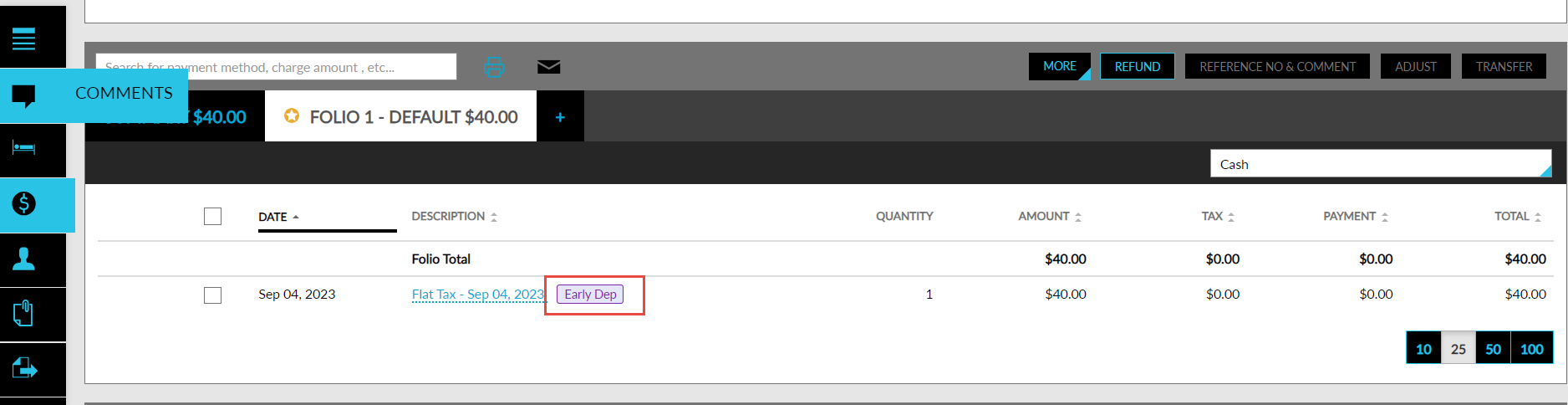
The early departure fee is posted to the reservation folios with the Early Dept indicator. This indicator is also displayed when the folio is printed or emailed.