Display Guest Preferred Rooms
When the feature setting is enabled, the Guest Preferred Rooms section is displayed in the Room Assignment tab of the Book a Reservation screen. Based on the preferences selected by the guest (Guest Profile ➜ Preferences & History ➜ Guest Preferences), the rooms from all the room types that are ranked higher than the currently selected room type are listed in this section.
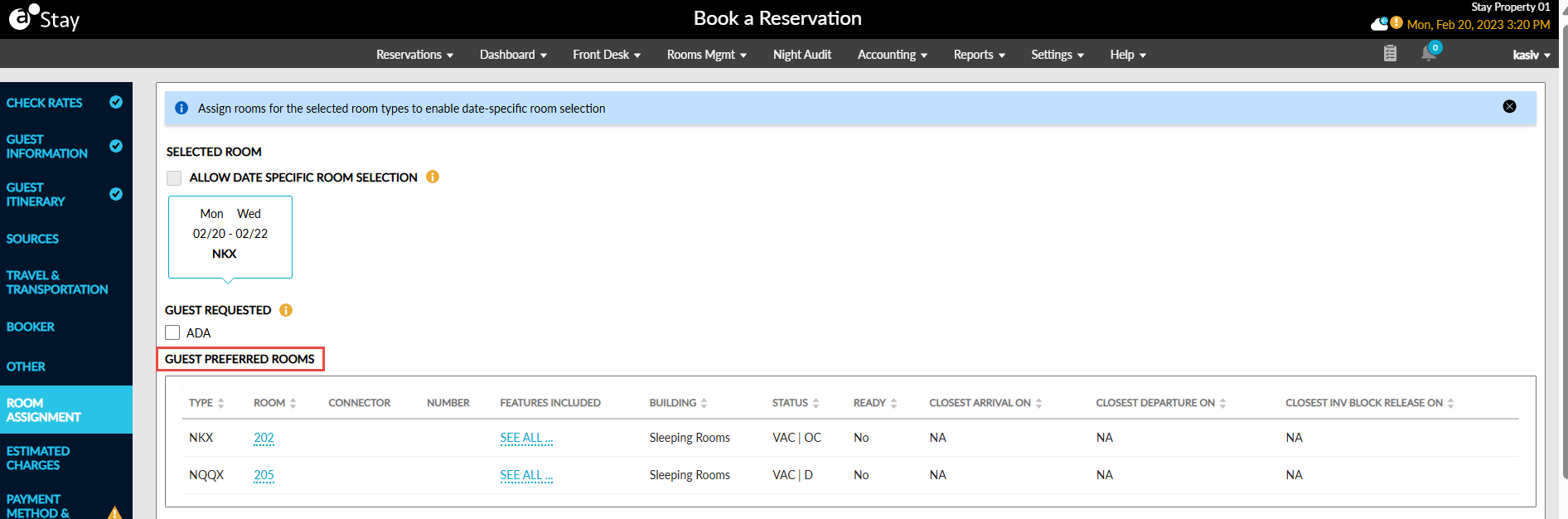
When users select a room that belongs to a different room type, the following parameters for the room are validated:
-
The room type must be associated with the selected rate plan
-
The room must be available for the duration of stay
-
The Max Guests count of the room type must be higher than the guest count of the reservation
-
The room selected must not be overbooked
-
The selected room type must not have any restrictions such as Closed (C), Closed to Arrival (CTA), Closed to Departure (CTD), Minimum Length of Stay (Min LOS), and Maximum Length of Stay (Max LOS)
When the mentioned conditions are satisfied, the Room Move Confirmation pop-up screen appears that displays the following details for the current room and the newly selected room:
-
Room number: The room number is displayed. When the room number is not assigned, it is left blank.
-
Room Type: The room type code is displayed.
-
Room Rate: Room rate for the room excluding tax is displayed.
When users click Save, the selected room is assigned and the following message is displayed in the Estimated Charges section of the Book a Reservation screen: Changing the room type may impact ARF, inventory items, addons and pets if they were applied.
When a room from a different room type is selected and assigned, the following fields are updated for the reservation:
-
Room Rate: The room rate for each night of stay is updated based on the selected room type.
-
Auto Recurring Fee (ARF) Rule: The ARF rule associated with the selected room type is applied. When the room type is not associated with any ARF rule, the previously applied rule is removed.
-
Recurring Charges: When any inventory item is added as a recurring charge and if it is restricted to the newly selected room type, the item must be removed.
-
Pets: When pet(s) were added and if the newly selected room type does not support pets, the associated charges must be removed. Also, when the count of the pets added in the old room type exceeds the count allowed in the newly selected room type, the associated charges must be removed.
-
Add-Ons: When an inventory item was added as an add-on and if it is restricted to the newly selected room type, the package/ individual add-on must be removed.
-
Offers: An offer applied to the reservation will continue to be applied. If there is a variation in price, it will be adjusted during the offer redemption.
When the room type is modified during the creation of multiple reservations at a time, the change in room type will be applied to all the reservations. When the Scheduled Room Move (SRM) feature setting is enabled, users can modify the reservations for more than one night of stay.