Display Guest Type and Market Segment Details for Each Night of Stay
The guest type and market segment details is displayed for each night of the reservation. Previously, when reservations were booked using multiple rate plans with different guest type and market segments, the guest type and market segment details were displayed only for the arrival date of the reservations. With this enhancement, users can view and modify the guest type and market segment details for each night of stay.
Feature Setting
-
Name: Date Wide Market Segment & Guest Type Display
-
Value: Must be enabled
-
Comments: License is not required.
When the Date Wide Market Segment & Guest Type Display feature setting is enabled, users can view and modify the guest type and market segment details for each night of stay. A new section, Marketing, is displayed on expanding the Estimated Charges section of a reservation. Users can select the preferred market segment and guest types by clicking the by clicking the Edit hyperlink that is present beneath the Marketing section.
When clicked, the Market Segment & Guest Type Details screen appears that displays the following details:
|
Field |
Description |
|---|---|
|
Date |
Displays the stay dates of the reservation individually. This field cannot be modified. |
|
Rate Plan |
|
|
Package |
|
|
Market Segment |
|
|
Guest Type |
This field is left empty for the stay dates for which no guest type is associated with the rate plan/package. |
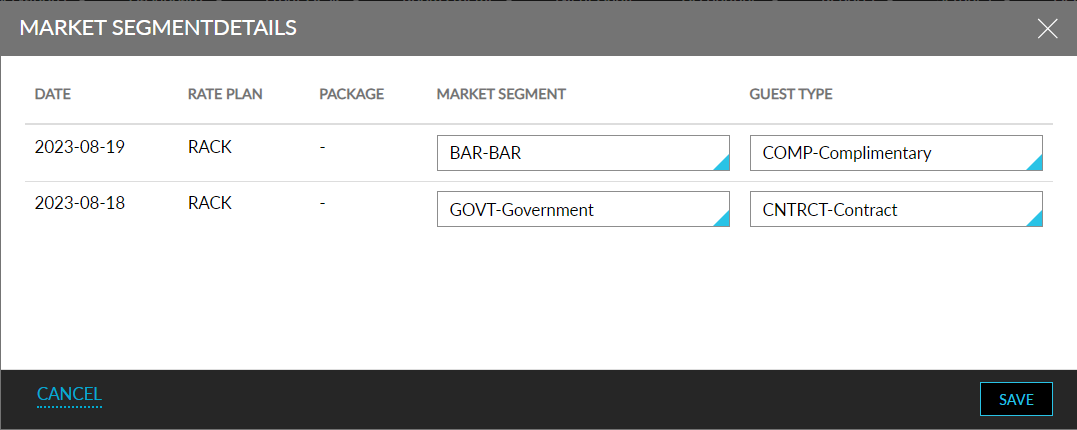
The guest type and market segment selected for each stay date of the reservation is displayed in the following Dynamic reports:
-
Revenue by Market Segment (when the Group by Dates checkbox is enabled)
-
Pace