Function Room Calendar
A calendar styled view of the function rooms available at the property grouped by day/week/month is displayed in the Function Room Calendar dashboard (Dashboard ➜ Function Room Calendar).
Users can view the function room bookings for the property based on the following options selected in the View field:
-
Property
-
Function rooms
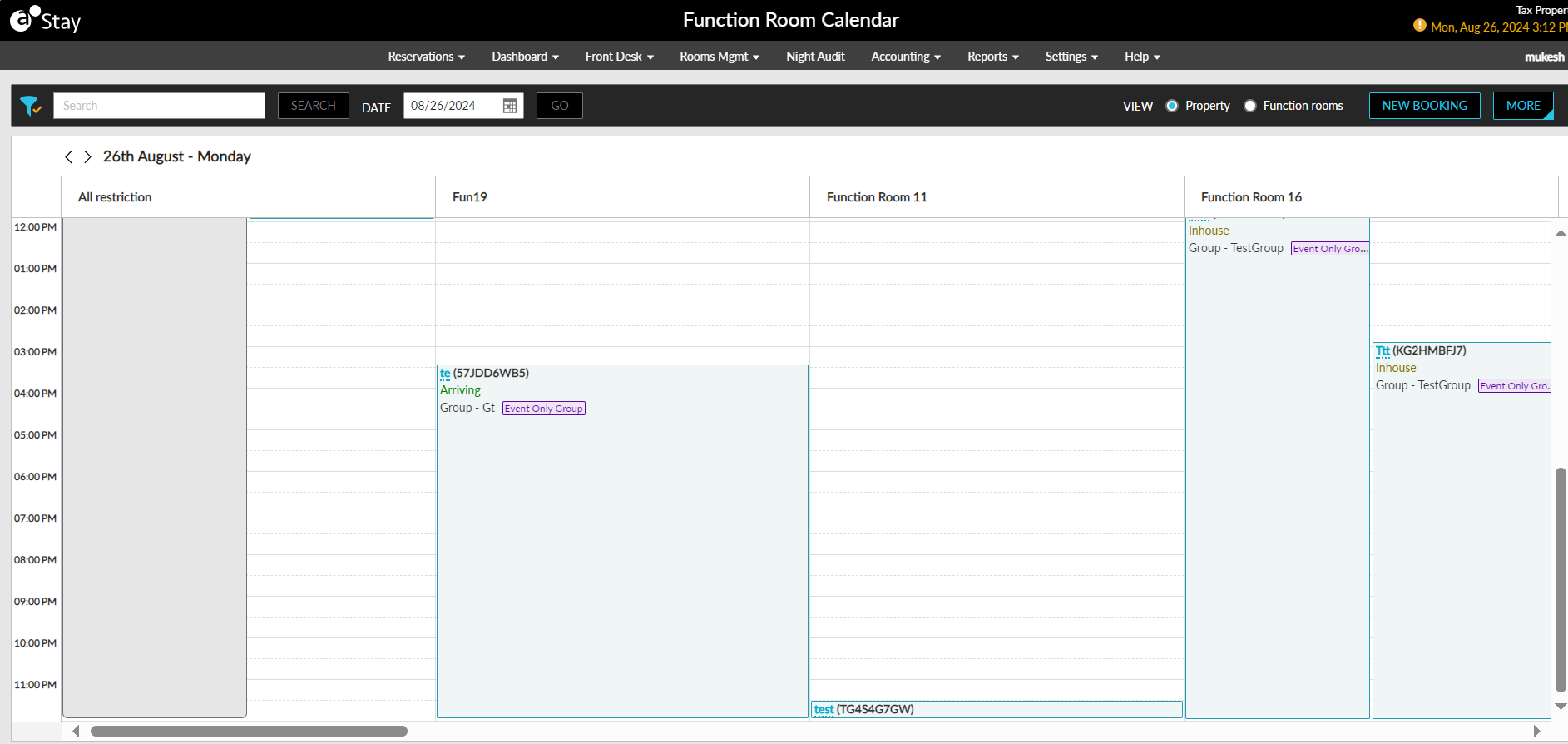
The Property option is selected by default. When selected, the function room bookings for the current property date are displayed. When a date is selected in the Date field, all function rooms booked at the property for the selected date are displayed.
When the Function rooms option is selected, a date range option is provided, allowing users to view function room bookings across a selected period. In this view, users can choose which function rooms to display.
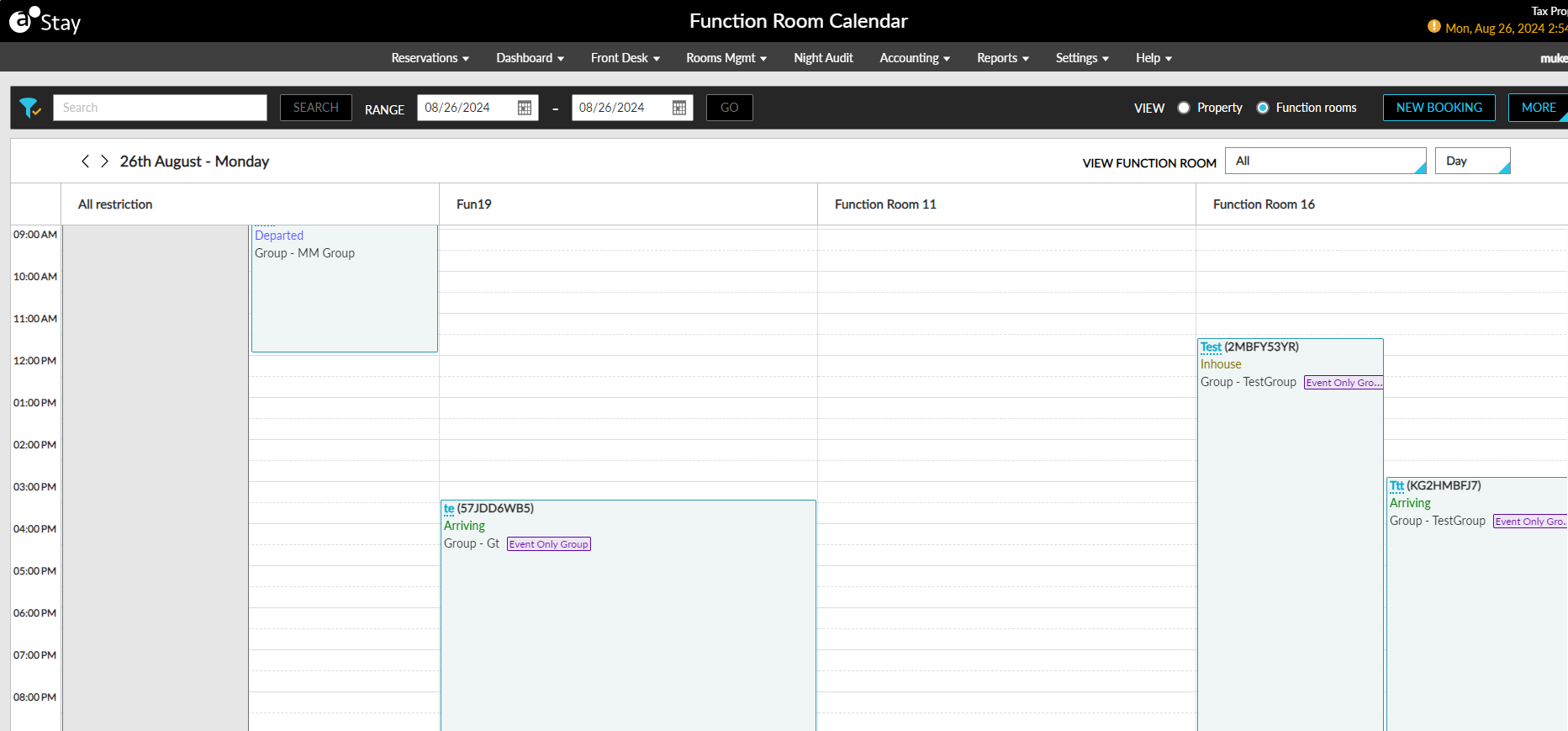
The function rooms are displayed as horizontal blocks. The following details are displayed in each block:
-
Event name (confirmation code)
-
Function room reservation status
When users hover over the function block, the following additional details will be displayed:
-
Event name (confirmation code) - status
-
Function room name - style name (max style occupancy)
-
Timings - start and end time
-
Group- Group name (Event-only indicator if applicable)
-
Company - Company name
-
Status - Guaranteed or Non-Guaranteed
When users click on the event name displayed as a hyperlink, the function room details will be displayed in a new tab. To create a new function room booking, users must select the New Booking option. When selected, users are navigated to the Book a Function Room screen where users can create a new booking.
Users can print, email, and download the confirmation letters for function room bookings by selecting the preferred option from the More menu. Users can also download the booking confirmation letters of function room bookings made for a day, week, or month as a PDF file using the Download Confirmation Letter option.
Users can search records in the dashboard using the event name, confirmation ID, and group name. Records can be filtered based on the Guaranteed status values of the function rooms.