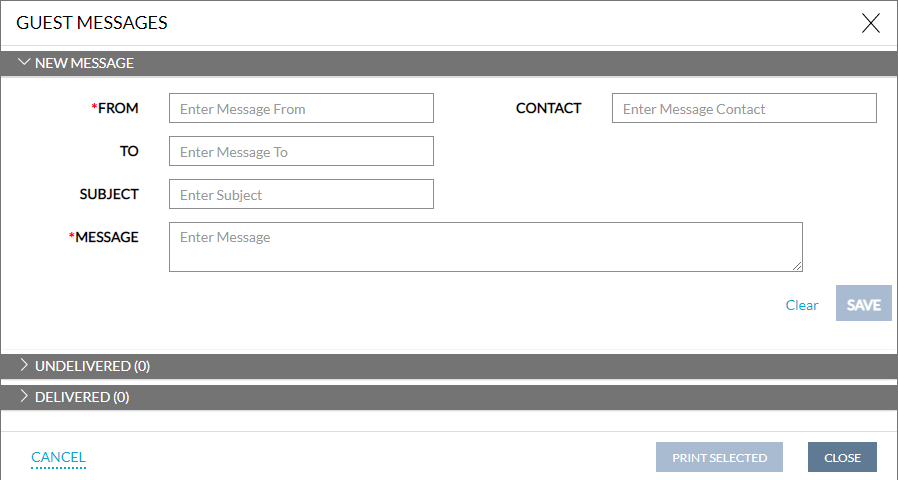
Guest Messages
Users can send messages and communicate with guests at any moment with this feature. Please follow the instructions below to send a message to a guest.
Navigate to Reservation Summary ➜ MSG and click on the button.
The Guest Messages pop-up box appears.
Refer to the below table and fill in the appropriate fields.
|
Field |
Description |
|---|---|
|
From |
The email address of the sender. |
|
To |
The email address of the guest. |
|
Subject |
The subject of the email. |
|
Contact |
The contact detail. |
|
Message |
The message that needs to be sent out to the guest. |
Users can also examine the message's status, such as whether it has been delivered or not.