Indicating Early Departure Policies in Reservations
The early departure policy to be applied to the reservation is displayed in the following screens:
-
Book a Reservation: When the user selects the rooms and the rate plans for the required dates, the early departure fee applicable for the reservation based on the policy associated with the rate plan selected for the first night of stay is displayed in the Policies pop-up screen that appears when users click the Policies hyperlink in the Book a Reservation screen. This field is left empty if there is no policy mapped to the rate plan selected for the first night of stay.
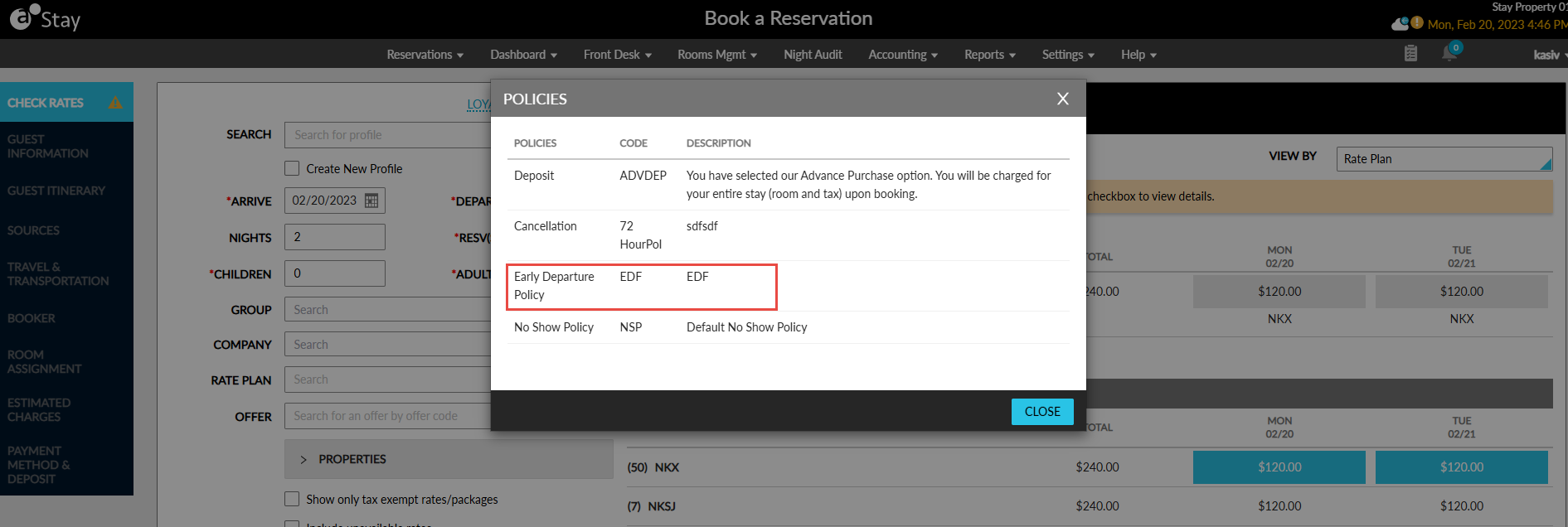
The early departure fee applicable for the reservation is also displayed in the Estimated Charges section of the Book a Reservation screen.
-
Reservation: After the reservation is created, the early departure policy associated with the reservation is displayed on the Estimated Charges section of the reservation. Like the deposit and cancellation policy details, the early departure policy is displayed when the Estimated Charges section is expanded. The policy code is displayed as a hyperlink. When clicked, users can change the early departure policy associated with the reservation.