Lost and Found Dashboard
The Lost and Found dashboard provides a centralized view of the overall status. It displays the following details.
|
Field |
Description |
|---|---|
|
Lost Items |
The current number of items lost. |
|
Found Items |
The current number of found items with those that have been claimed and unclaimed. |
|
Recent Items |
The types of items that were most recently added to the lost and found repository. |
|
Aging |
The number of items lost, based on a date range. The date ranges are 0-29 days, 30-59 days, 60-89 days, and 90 days. |
Perform the following steps to view the lost and found dashboard:
Navigate to Room Mgmt ➜ Lost and Found.
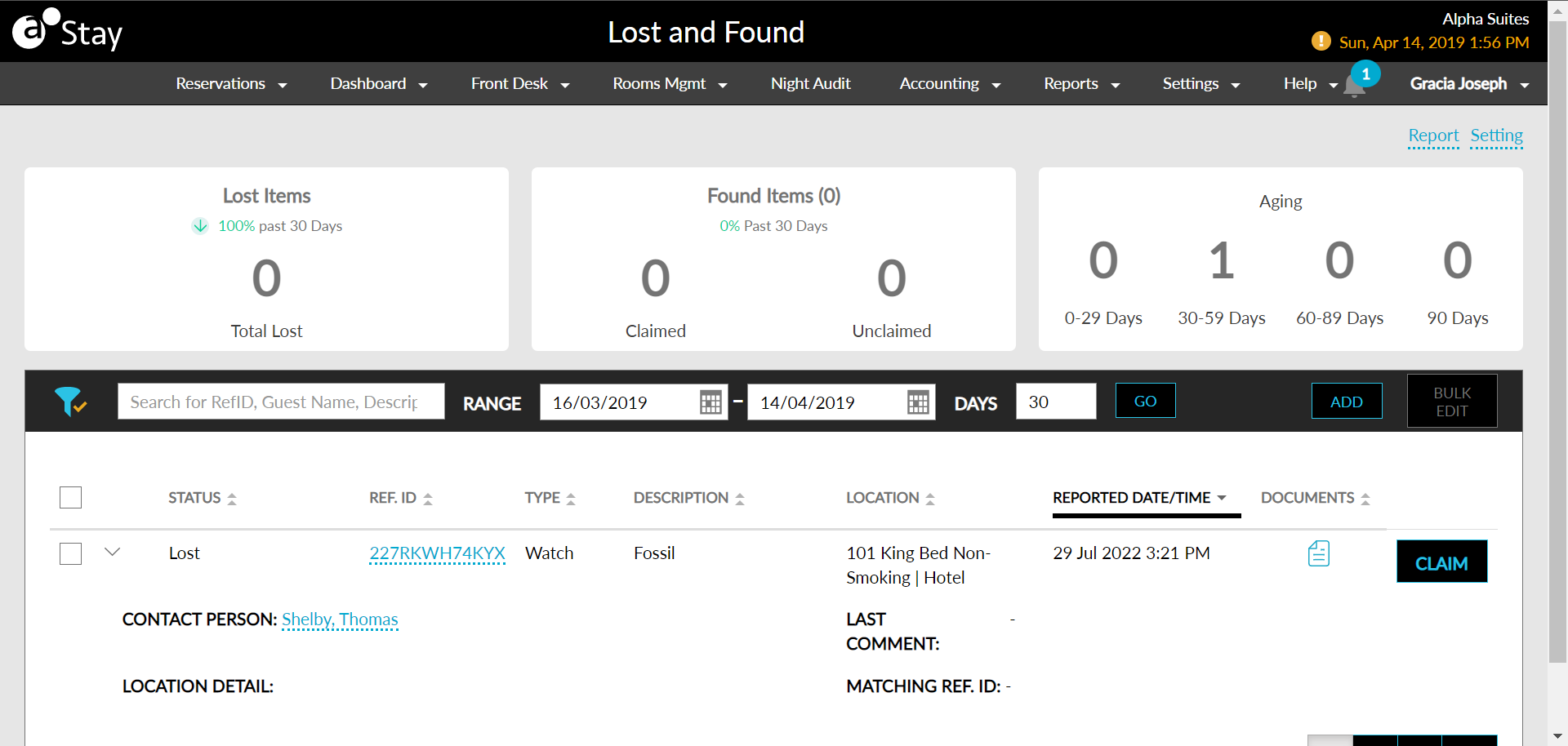
View the visual dashboard displaying the current statistics.
Scroll down to view the list of items. The grid displays the current status of the items reported as lost or found.
Use the search panel and date range to filter the list and view specific items.