Marking Rooms as Connected or Nearby
Users can mark rooms as Connected or Nearby from the Property Configuration tab of the Rooms Setup screen (All Settings ➜ General ➜ Rooms & Room Types ➜ Property Configuration ➜ More ➜ Connect/Nearby).
When users select rooms and mark them as connected, the room number of the connected room is displayed in the room number tile.
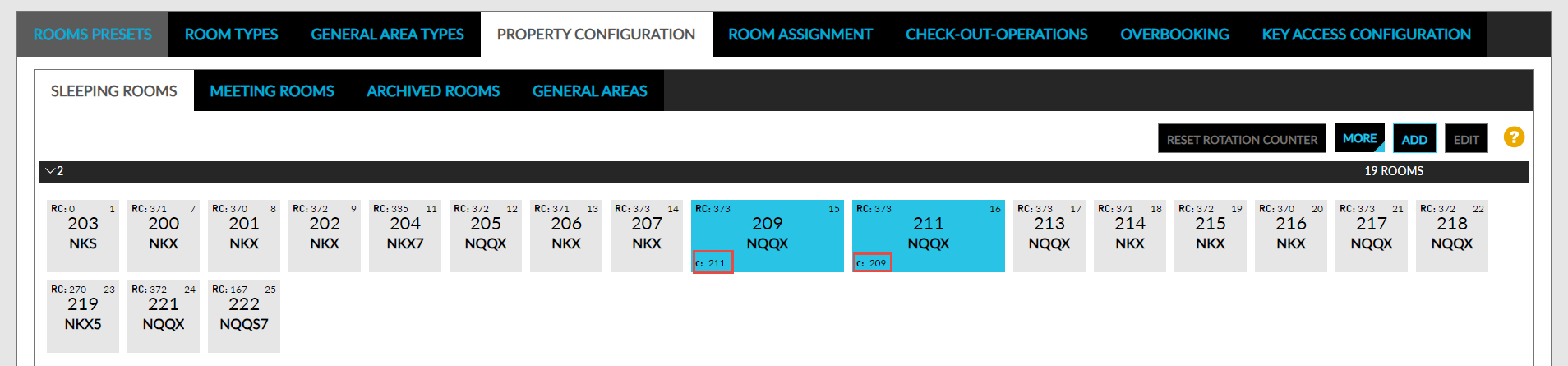
When users select rooms and mark them as nearby, the room number of the rooms that are in proximity are displayed in the room number tile.
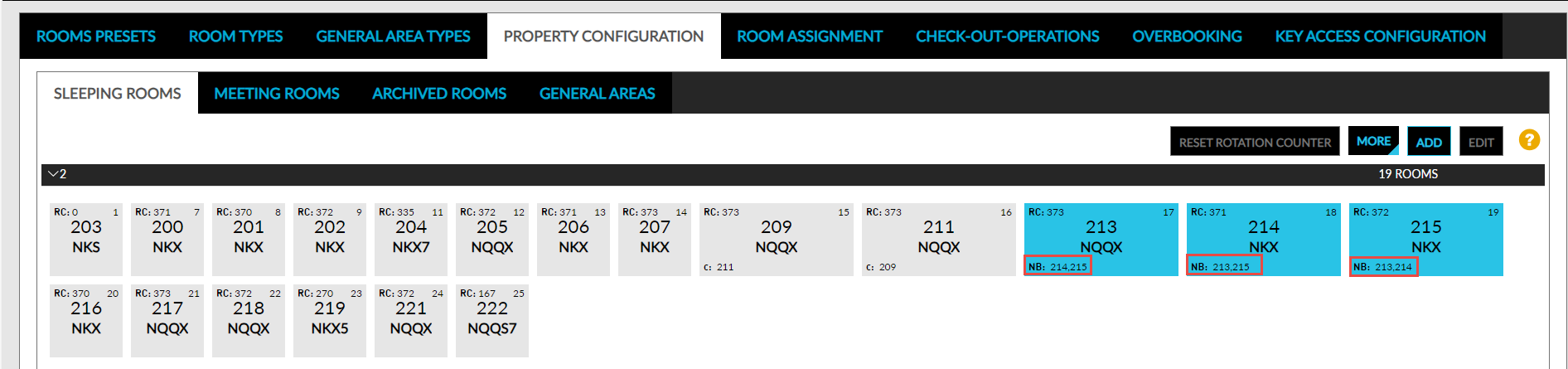
Rooms cannot be marked as connected and nearby at the same time.