Other Options
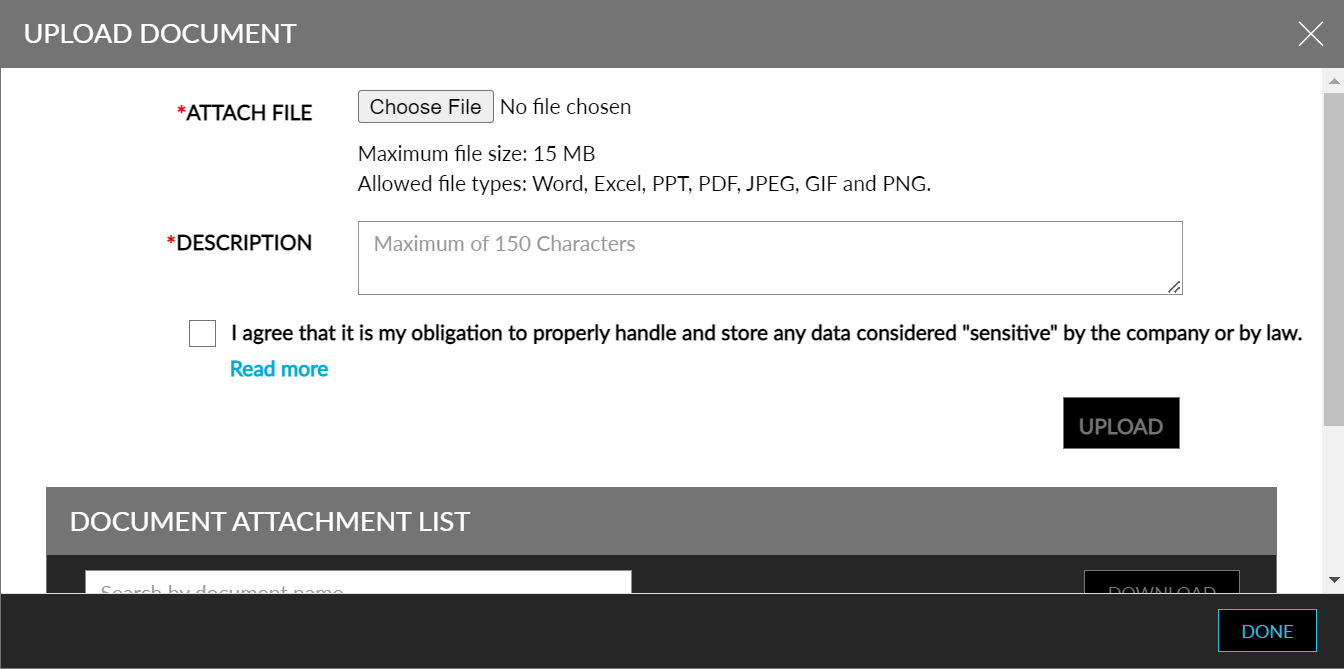
Supporting documents for the items can be uploaded by clicking the Document upload icon. Clicking the icon opens the Upload Document pop-up screen where multiple documents can be uploaded, and the history of uploads can be tracked.
The status of multiple items can be edited together.
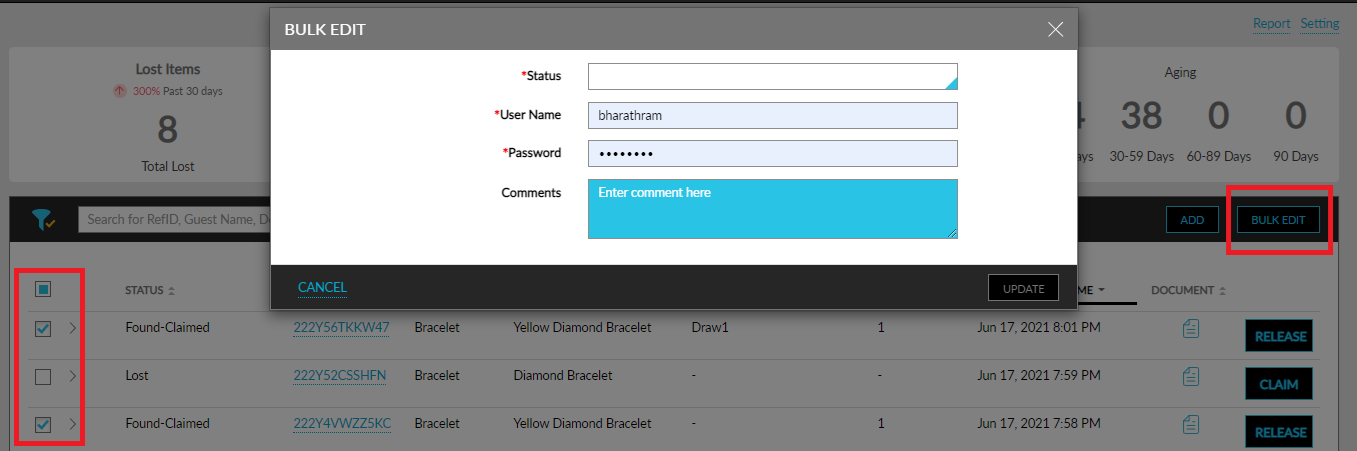
Select multiple items.
Click the Bulk Edit button.
Select the status in the Bulk Edit pop-up screen, verify credentials, and enter any supportive comments.
Click Update to save the statuses of the items.
The Report link on the top right corner of the screen takes the user to the Lost and Found reports screen. And the Settings link will lead to the Lost and Found settings page, where item types and storage locations can be updated.
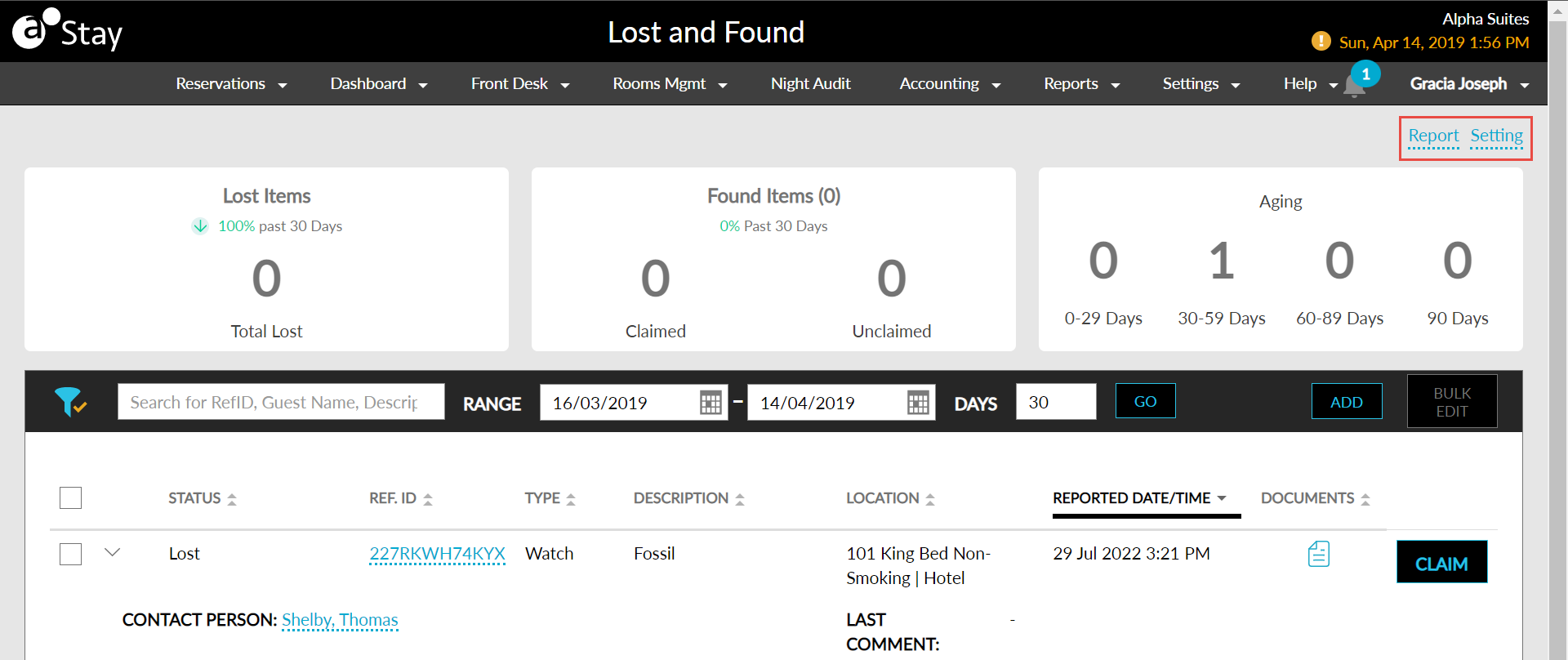
For more information on Lost and Found settings, refer to the Lost and Found settings page.