Override Reason for Deposit Policy/Amount for Groups
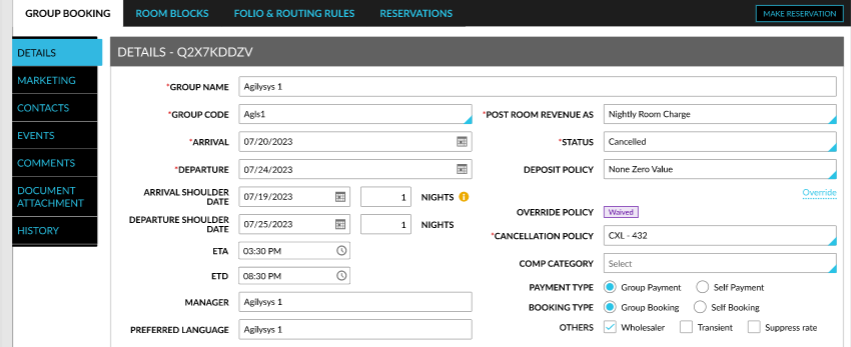
When the Deposit Policy for Group feature setting is enabled, users can modify or waive the deposit policy selected for a group from the Deposit Policy drop-down list in the Details section of the Group Booking tab. When users click the Override hyperlink, the Deposit Override Reason pop-up screen appears. Users can modify/waive the deposit policy/amount in this screen and select a reason for the override. When users click Save, the deposit policy/amount is overridden, and the Modified or Waived indicator is displayed next to the Override Policy field.