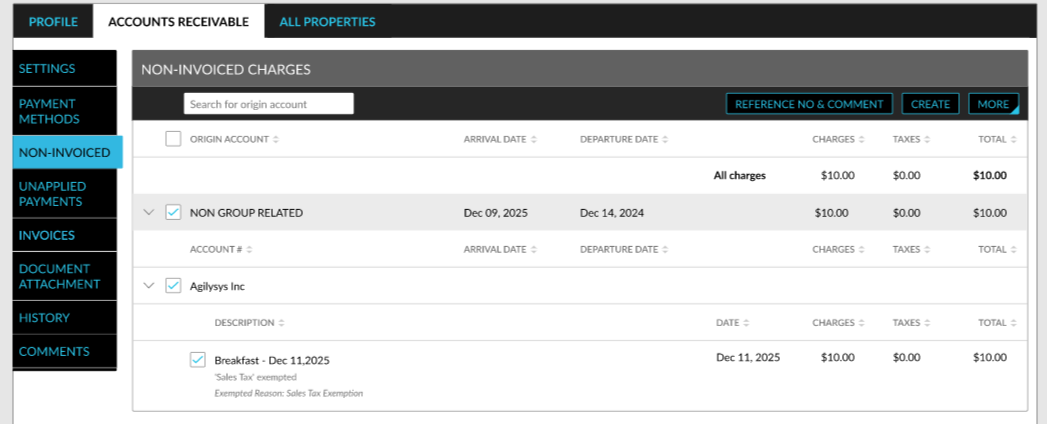
Post Tax Amount to A/R Accounts
For tax-exempted A/R accounts, the tax amount is posted to the Non-Invoiced Charges section initially and then adjusted to $0.00. A new record is created in the folios to display the following details:
-
The exempt reason selected. The reason selected for a tax class in the Tax Exempt Settings pop-up screen (A/R account ➜ Summary ➜ Tax Exempt) is displayed.
Tax exemption is also applied when a charge is adjusted or corrected. Only the latest tax exemption entry is displayed in the Non-Invoiced Charges section when the charge is adjusted or corrected.