Protect Inventory from Automated Digital Check-Ins
Stay allows users to protect a count of inventory items for a room type from automated digital check-ins.
Feature Setting
The following feature setting must be enabled to allow users to protect inventory from automated digital check-in.
-
Name: Automated Digital Check-In
-
Value: Must be enabled
-
Comments: License is not required
Permission
The following permissions have been introduced to allow users to modify/view the protected inventory for automated digital check-in:
-
Stay_WriteDigitalProtectInventory: Users with this permission can edit the following fields for protecting inventory from automated digital check-in:
-
Protected Count
-
Protected Room Number
-
-
Stay_ReadDigitalProtectInventory: Users with this permission can only view the protected inventory for automated digital check-in.
These permissions are provided to users with access to the following roles by default:
-
System Administrator
-
Stay Hotel Manager
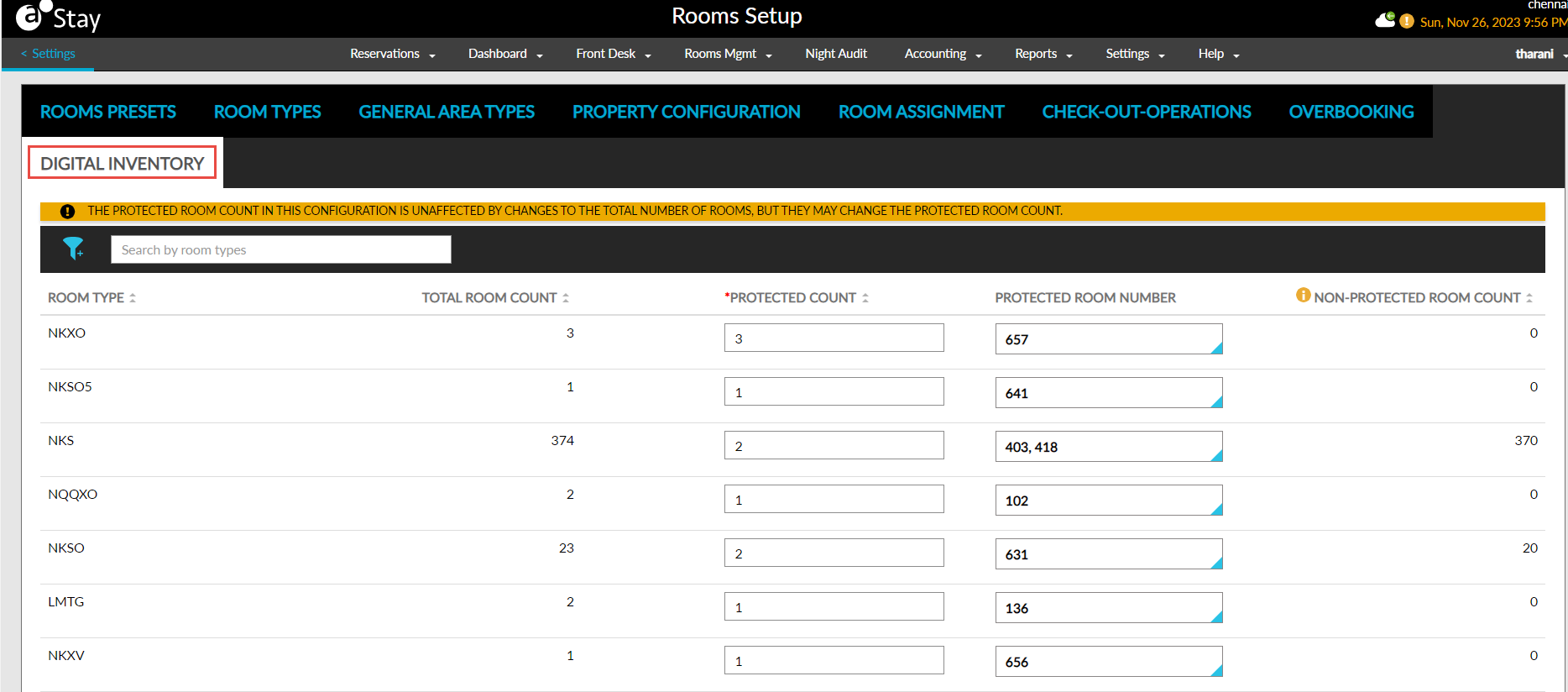
Users can protect the inventory from automated digital check-in by entering the count to be protected for a reservation in the Digital Inventory tab on the Rooms Setup screen. This tab displays the following columns:
|
Column |
Description |
|---|---|
|
Room Type |
Displays all the room types available at the property. This column cannot be edited. Users can filter and search records based on room types. |
|
Total Room Count |
|
|
Protected Count |
|
|
Protected Room Number |
|
|
Non-Protected Room Count |
|
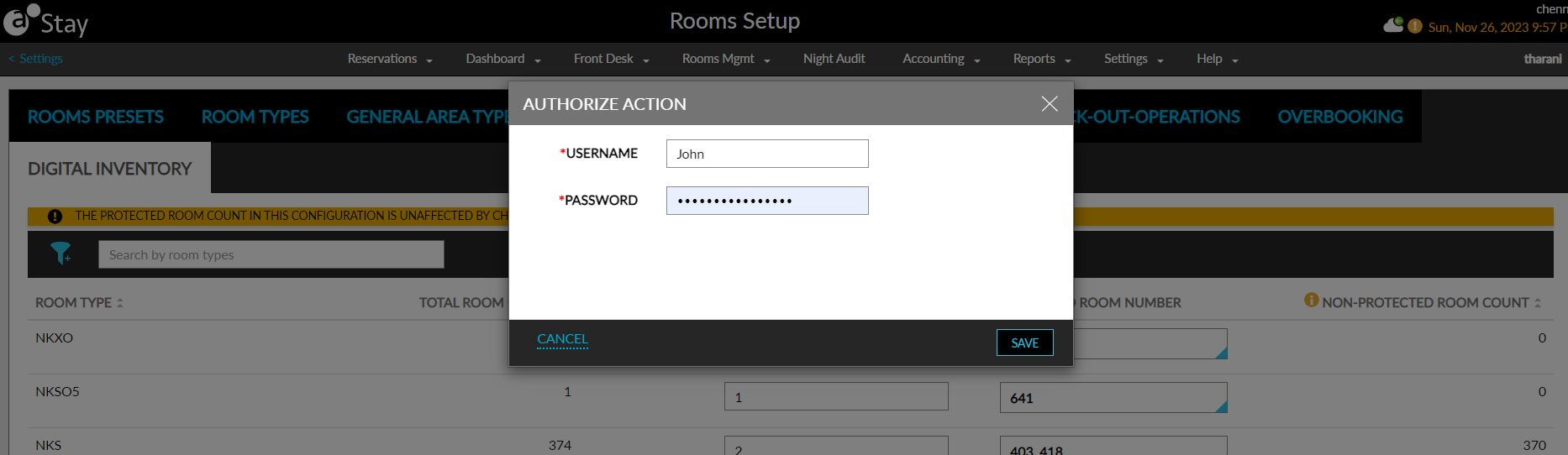
When users click Save, the Authorize Action pop-up screen appears that prompts users to enter their credentials. When the user does not have the required permissions, the message, User does not have the appropriate permissions/ credentials to complete this task, is displayed.
The protected count of rooms and the room numbers configured are protected from auto check-in. The non-protected rooms are available for auto check-in through automated digital check-in/digital key check-in based on the housekeeping condition. When the entire count of the rooms in a room type is protected from auto check-in, no automated check-in will be performed, and no keys will be issued. The rooms and room types that are removed from the property are removed from the Digital Inventory tab automatically.
If the room assigned to a reservation is protected from auto check-in, when the guest proceeds for digital check-in/digital key check-in, the process will not be completed. The guest will have to complete the check-in by contacting the front desk agent only.
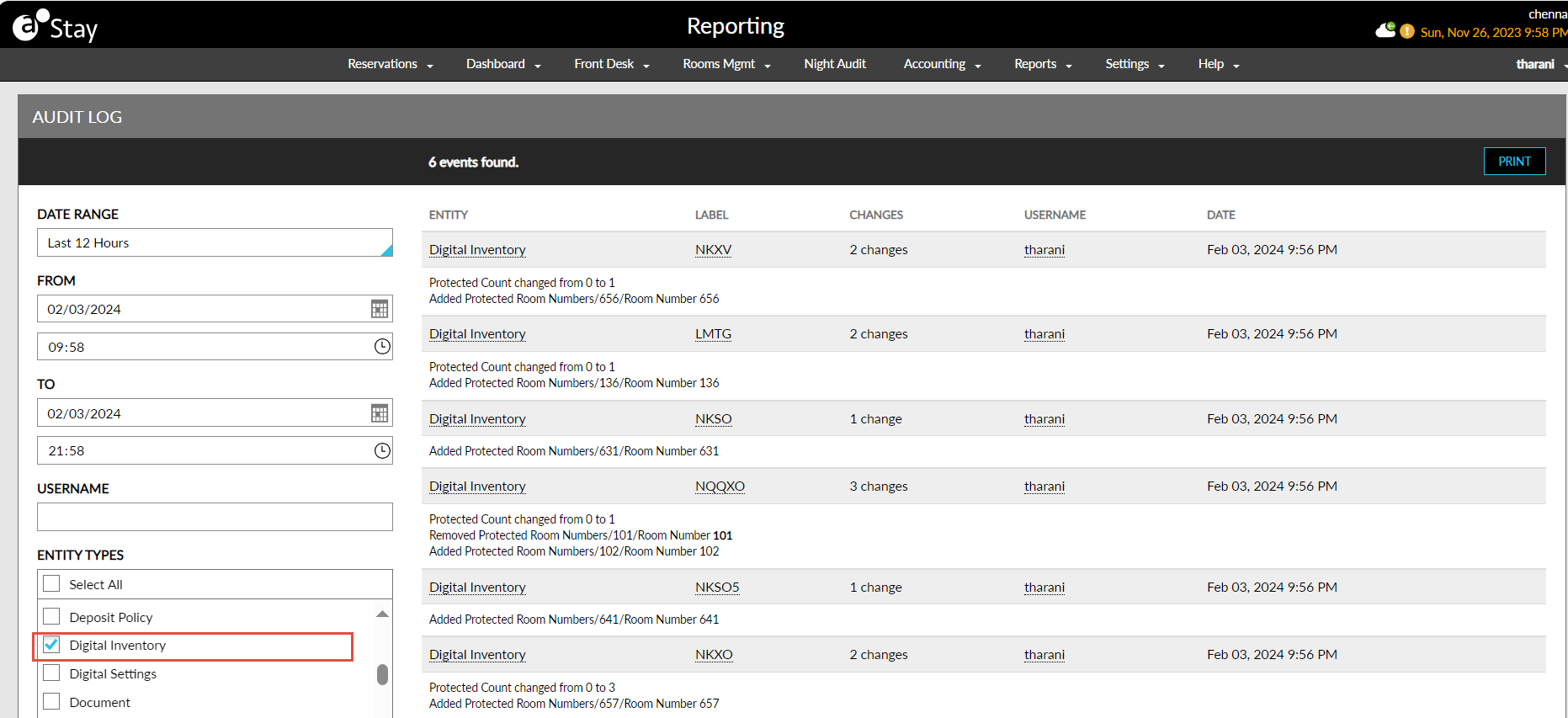
The entity type, Digital Inventory, in the Audit Log screen must be selected to capture the username, date, and time for the following changes made by the users:
-
When the Protected Count is added/updated.
-
When the Protected Room Number is added/updated.