Recommend Room Upgrades Based on Guest Stay History
When the feature setting is enabled, the Recommended Room Upgrades Based on Guest Stay History section is displayed in the Room Assignment tab of the Book a Reservation screen. Based on the guest’s stay history (Guest Profile ➜ Guest Stay History ➜ Past), the rooms from all the room types in which the guests have previously stayed in that are ranked higher than the currently selected room type are listed when users click the Click here to load hyperlink in this section.
The vacant rooms in conditions that are available for check-in such as Vacant, Vacant Inspected, Vacant Clean, Vacant Dirty, and Vacant Pick-Up and the rooms that meet the criteria mentioned in the User Preferred Rooms section are displayed. When users click the See All hyperlink for a room, the Room Features pop-up screen appears that displays the features available for the room.
If there are no rooms that meet the criteria, the message, There are no rooms to list as they do not match the reservation criteria, is displayed. When the guest has no record of staying at the property, the Recommended Room Upgrades Based on Guest Stay History section will not be displayed.
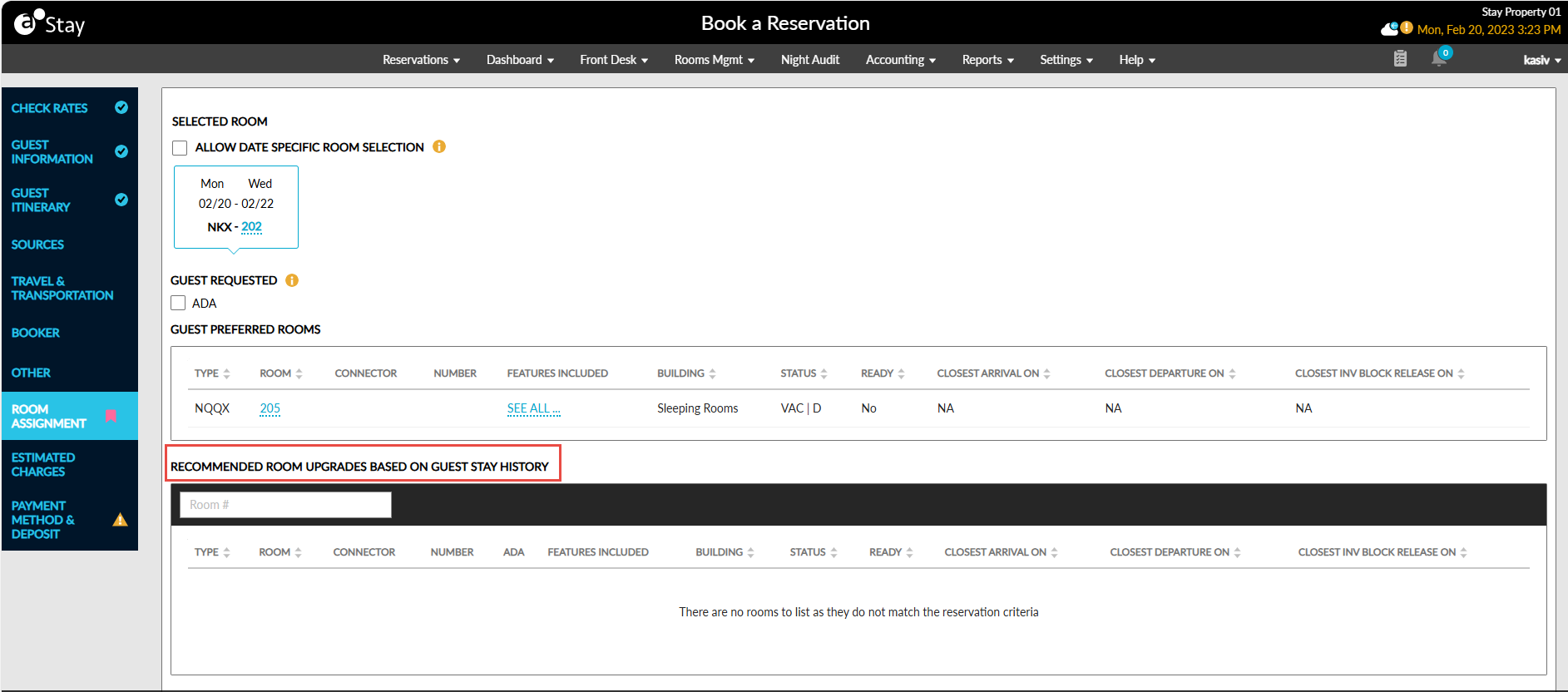
The rooms are listed in the Recommended Room Upgrades Based on Guest Stay History section based on the room types of the previous reservation that are ranked higher than the currently selected room type and the features available for the room.
For example, let us assume that the following room types based on guest’s history are ranked higher than the currently selected room type:
|
Room Type |
Room |
Features |
|---|---|---|
|
King |
100 |
Sofa, Refrigerator, Sea view |
|
King |
101 |
Mini Bar, Sofa, Refrigerator |
|
Queen |
200 |
Mini Bar |
|
NKX |
300 |
Mini Bar, Sea view, Pool |
|
NKX |
300 |
Mini Bar, Sea view, Pool |
|
NKX |
300 |
Mini Bar, Sea view, Pool |
|
NKX |
300 |
Mini Bar, Sea view, Pool |
The percentage for each room/room type/feature is calculated as follows: No of occurrence/Total number of past stays * 100.
For example, let us assume the following percentage values calculated for the rooms, room types, and features based on the number of occurrences and the total number of past stays.
|
Room |
Percentage |
|---|---|
|
100 |
14.28 |
|
101 |
14.28 |
|
200 |
14.28 |
|
300 |
57.14 |
|
Room Type |
Percentage |
|---|---|
|
King |
14.28 |
|
Queen |
28.57 |
|
NKX |
57.14 |
|
Feature |
Percentage |
|---|---|
|
Sofa |
28.57 |
|
Refrigerator |
28.57 |
|
Sea view |
71.42 |
|
Mini bar |
85.71 |
|
Pool |
57.14 |
The rooms that have the highest percentage value for the room- type-feature combination is displayed first followed by the combination that has the next highest value. In this example, NKX-300 is displayed first followed by Queen-200 and so on.
Users can search for a record in this section using the room number.