Scenarios Where the Selected Room Cannot be Assigned
The following are the various scenarios in which the selected room cannot be assigned to the current reservation:
-
When the guest has already checked in to the selected room
-
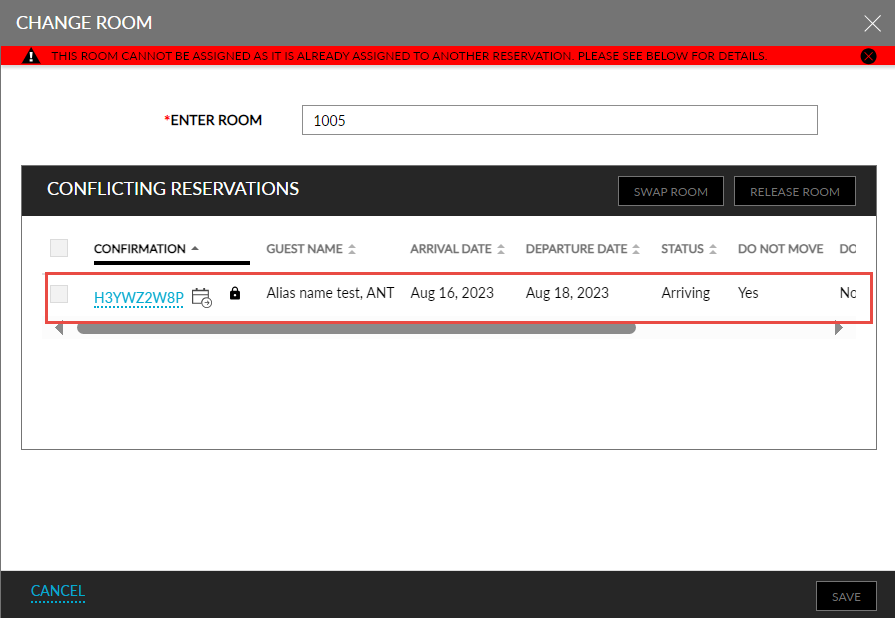
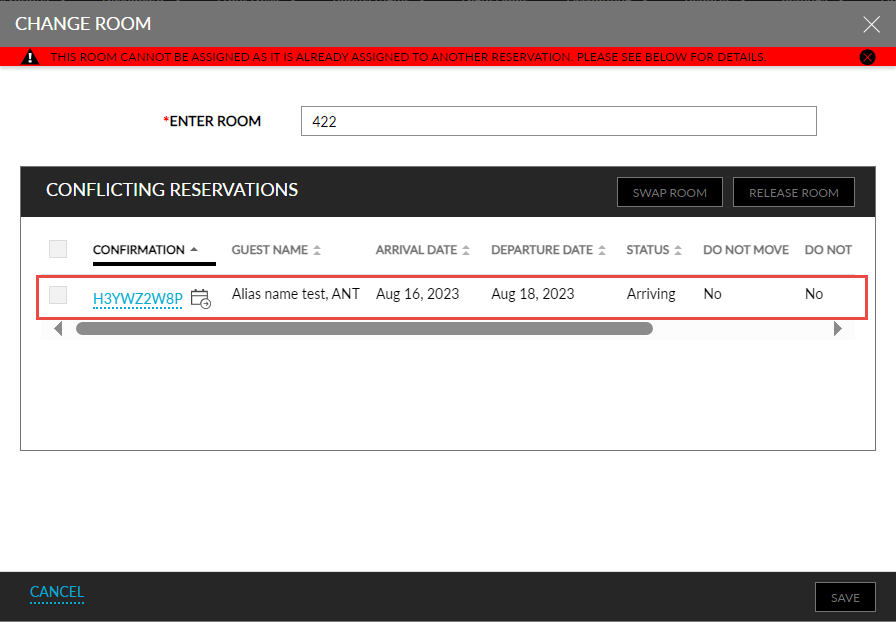
When the selected room is part of the Scheduled Room Move (SRM) for a reservation. In this case, the Scheduled Room Move icon is displayed for the conflicting reservation in the Change Room pop-up screen and the checkbox to select the reservation is greyed out.
-
When the selected room is marked as Do not move guest. In this case, the Do not move guest icon is displayed for the conflicting reservation in the Change Room pop-up screen and the checkbox to select the reservation is greyed out.