Split Payments for Selected Pantry Items
Stay allows users to post payments made for the selected pantry items to the default house account or a reservation and the charges incurred for the remaining unpaid items to a reservation.
This feature is only applicable to the payments made from the Pantry screen that is accessed from the Front Desk menu (Front Desk ➜ Pantry) not from reservations (Reservations ➜ More ➜ Pantry).
Feature Setting
The following feature setting must be enabled to use this feature:
-
Name: Split Payments in Pantry
-
Comments: License is required
When this feature setting is enabled, the Split payment and post charges section is displayed in the Pantry tab of the Pantry screen. When this option is selected, the Split By - Amount option will not be displayed. Users can select the pantry items, the number of payment methods, and the default house account or a reservation to which the payment must be posted.
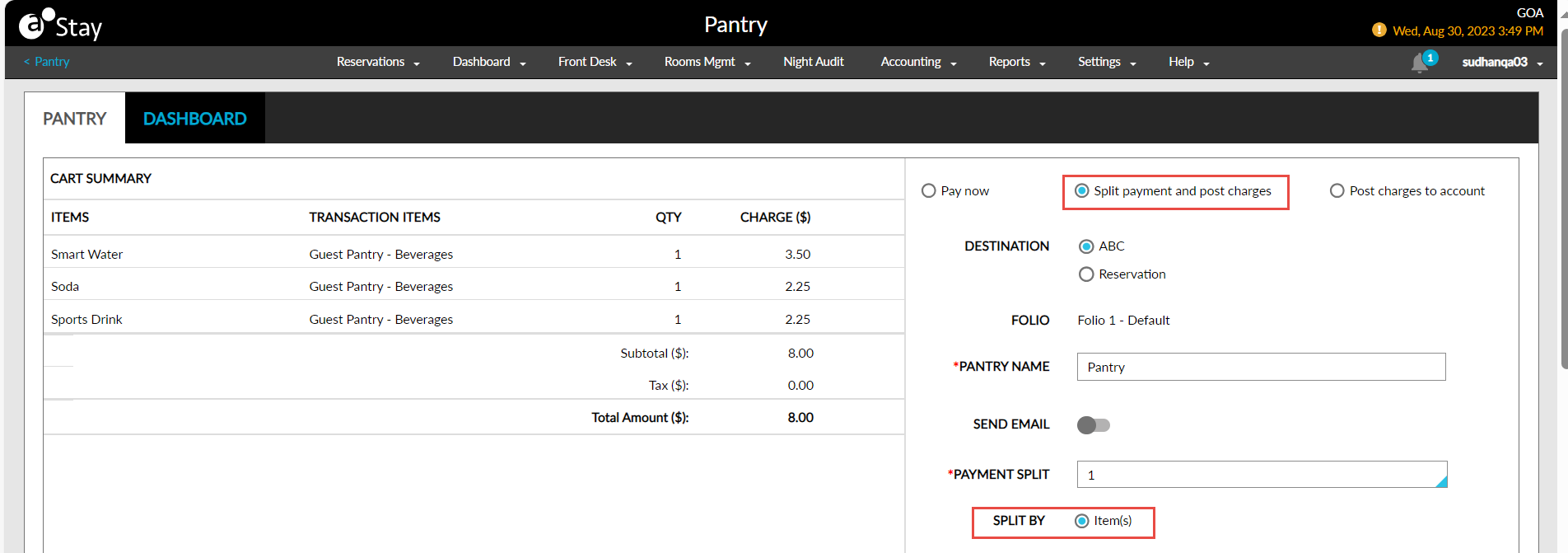
For the remaining unselected items, users can select a reservation to which the charges must be posted by clicking the +Add reservation hyperlink in the Post Charges to Reservation section. This hyperlink is enabled for selection only when there is at least one pantry item for which payment is not made. When this hyperlink is clicked, the following fields are displayed:
-
Reservation: Users can enter the confirmation ID or the guest name associated with the preferred reservation.
-
Pantry Item: Users can select the pantry items whose charges must be transferred to the reservation from this multi-select drop-down list.
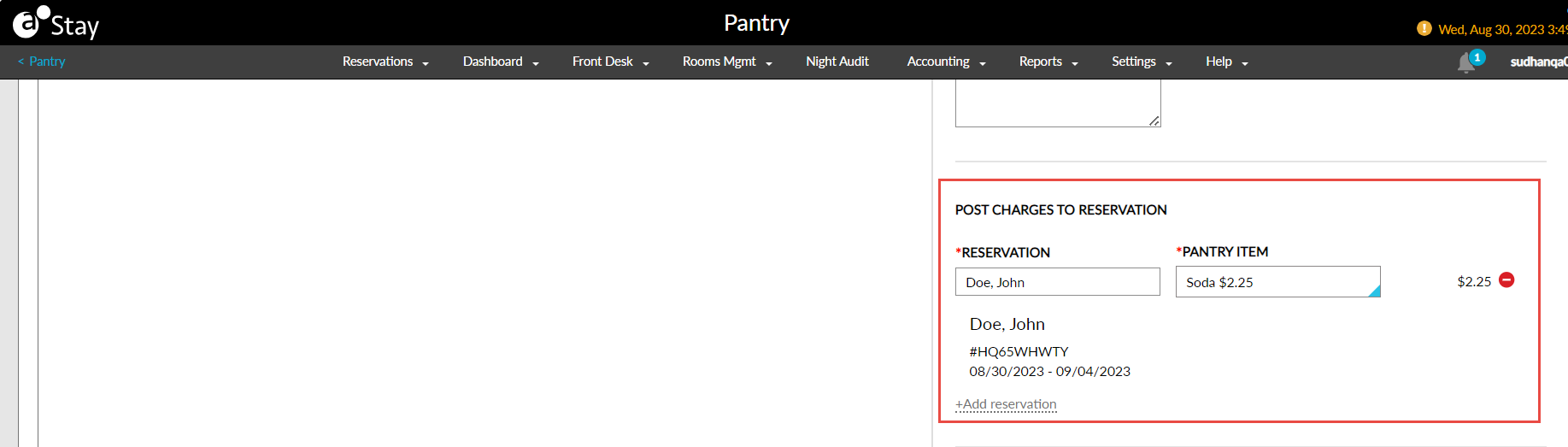
Once the reservation is selected, the guest name, confirmation ID, arrival and departure dates of the reservation are displayed. When users click Confirm, the selected charges are posted to the reservation, and the Process Split Payments pop-up screen appears to process payments for the default house account/reservation.