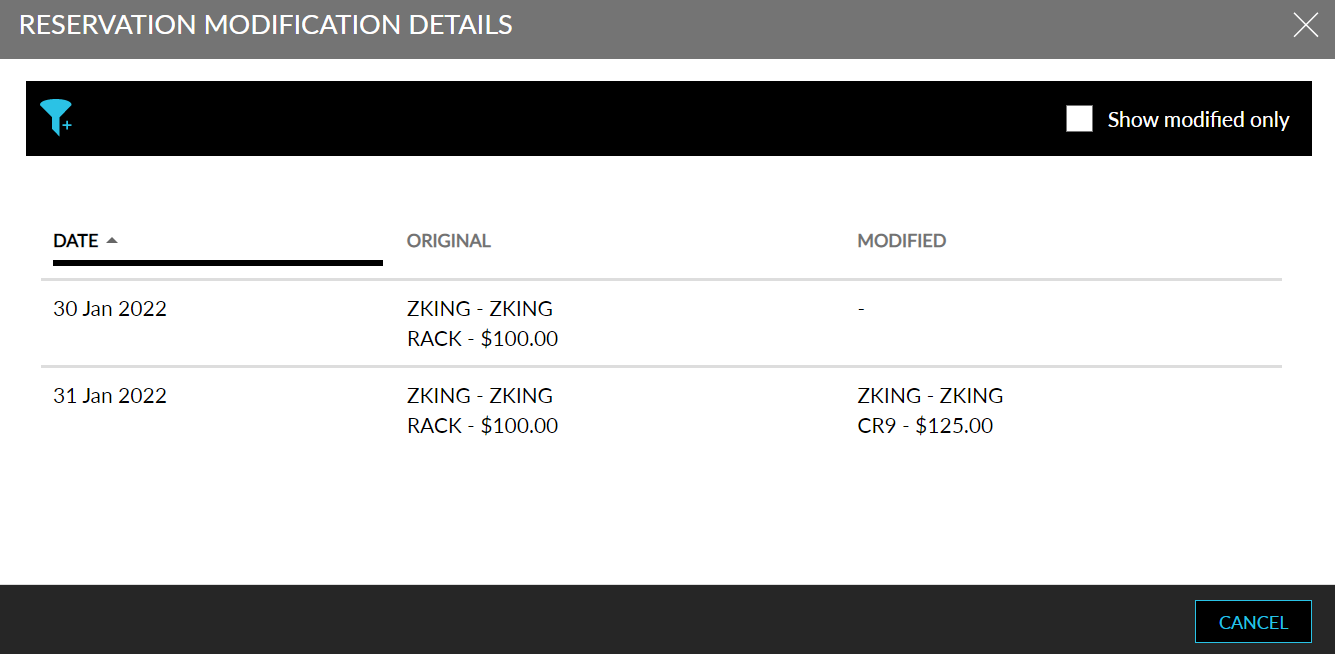
Ability to View Reservations Modifications
Stay is enhanced to allow users to view and compare the modifications made to the current rates, rate plan, and room type, against the originally booked values in a reservation. To support this, a new option, Modified, has been added to the Reservation Summary section.
Once the user clicks on the modified button, a new pop-up screen, Reservation Modification Details, is displayed with the following details:
-
Dates - The dates for which the reservation is made.
-
Original - The original values while creating the reservation.
-
Modified - The updated values after reservation modification.
-
Filter Icon - Filter the values to be displayed.
-
Show Modified Only - Enable the checkbox to only view the date for which modifications are made